Product overview
10 | RS 195
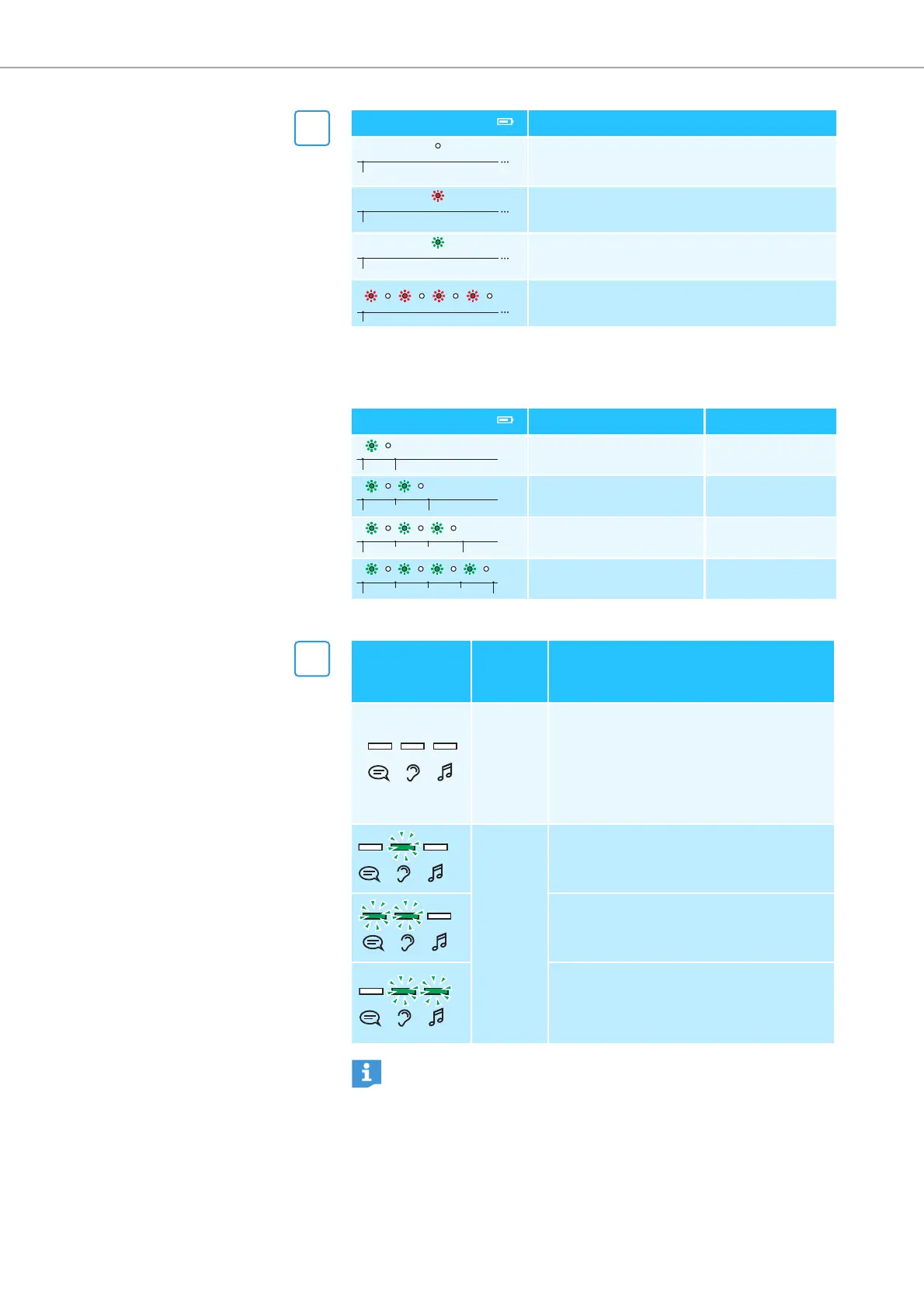
When you remove the headphones from the transmitter’s headphone
holder, the Charge status LED on the transmitter indicates the
approximate operating time of the headphones:
If you connect a second pair of headphones to the transmitter, you
cannot make use of the
Personal Hearing
settings.
1
Charge status LED Meaning
The transmitter is not charging.
The rechargeable batteries are being
charged.
The rechargeable batteries are fully
charged.
A charging error/battery error has been
detected.
Charge status LED Operating time Battery capacity
up to 4 hours 0–25 %
approx. 4 to 9 hours 25–50 %
approx. 9 to 14 hours 50–75 %
approx. 14 to 18 hours 75–100 %
2
Personal
Hearing LEDs
Hearing
profile
A-G
Meaning
off
Personal Hearing
is deactivated and
the selected hearing profile is deacti-
vated.
The sound from the audio source is
reproduced unchanged (
Normal Hear-
ing
).
activated
A general hearing profile A-G for hear-
ing enhancement is selected.
In addition to the selected hearing pro-
file, speech intelligibility is improved
and annoying noise is reduced.
The selected hearing profile repro-
duces music with an increased
dynamic to preserve the sound image
in the best possible way.
If you are using
Personal Hearing
, you can choose between two
levels for the maximum possible volume. Information on how to
switch between the volume levels can be found on page 23
(from product version 06/2017).





 To Next Page