Using the RS 195
RS 195 | 19
Using the RS 195
Switching the wireless headphone system on
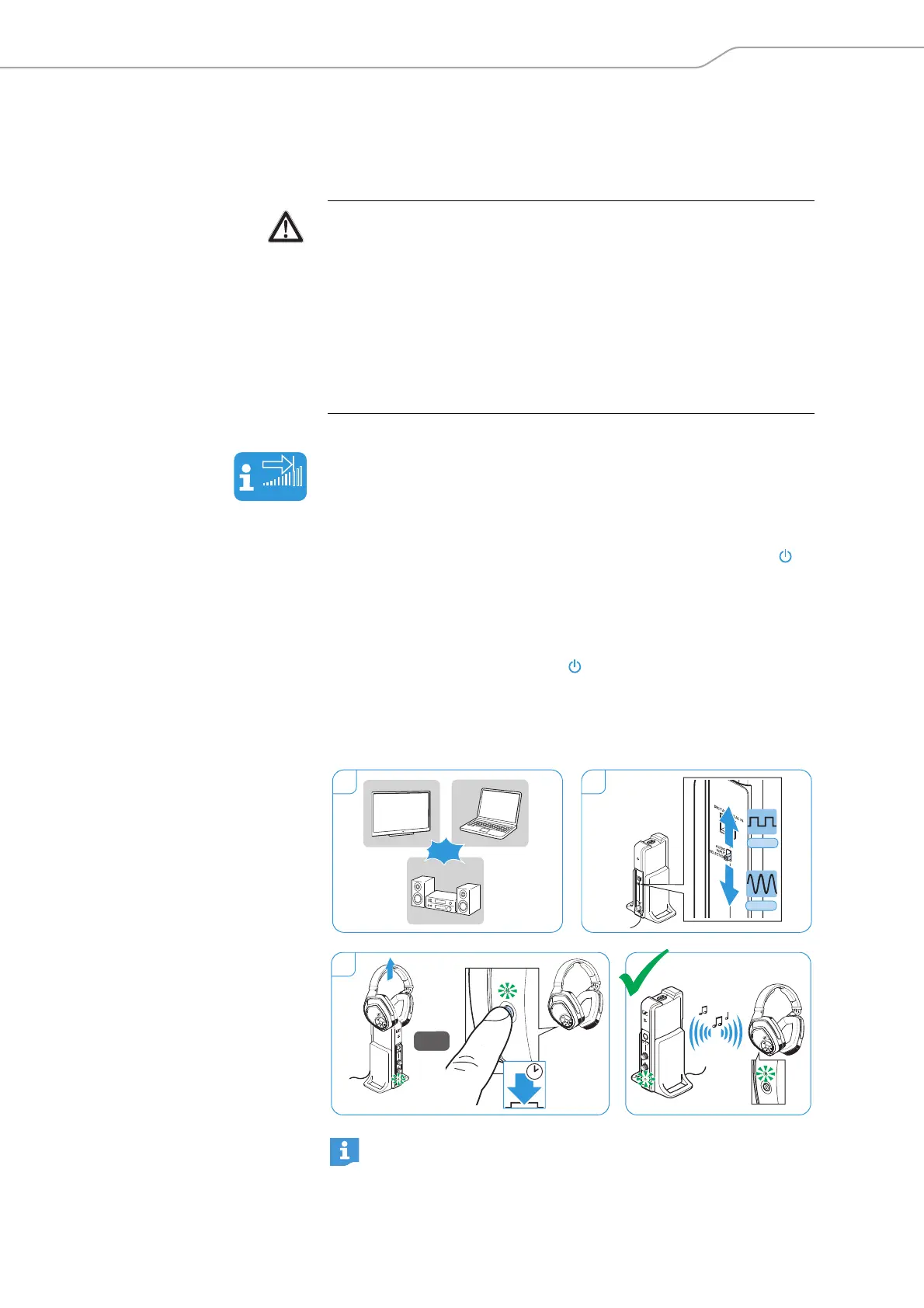
1 Switch your audio source on.
If the transmitter is connected to the headphone socket (see page
14) of your audio source, adjust the volume of the headphone
socket on your audio source (e.g. TV) to at least a medium level.
2 Slide the AUDIO INPUT SELECTION switch on the transmitter up
or down to select your audio source (see page 20).
The transmitter is in standby mode and the TR status LED on
the transmitter lights up green.
3 Remove the headphones from the transmitter’s headphone
holder (from product version 06/2017).
Or:
Press the Power HDR button on the headphones for approx.
2 seconds to switch the headphones on.
The transmitter recognizes the paired headphones and automat-
ically transmits a signal. The TR status LED on the transmitter
and the HDR status LED on the headphones light up green.
WARNING
Danger of hearing damage due to high volumes!
Listening at high volume levels can lead to permanent hearing
defects.
b Before putting the headphones on and before toggling between
your audio inputs, adjust the volume on the headphones to a low
level. Toggling between the audio inputs may cause enormous vol-
ume jumps that can damage your hearing.
b Do not expose yourself to high volume levels for extended periods
of time.
If the headphones are outside the transmission range or if
there is no audio signal received from the transmitter for more
than 5 minutes, the headphones switch off automatically.
ON
ON
2
1
Digital
Analog
2s
3
OR
AUTO-ON
M
OD
E
/
L
E
V
E
L












 To Next Page