Using the RS 195
RS 195 | 25
Switching the wireless headphone system off
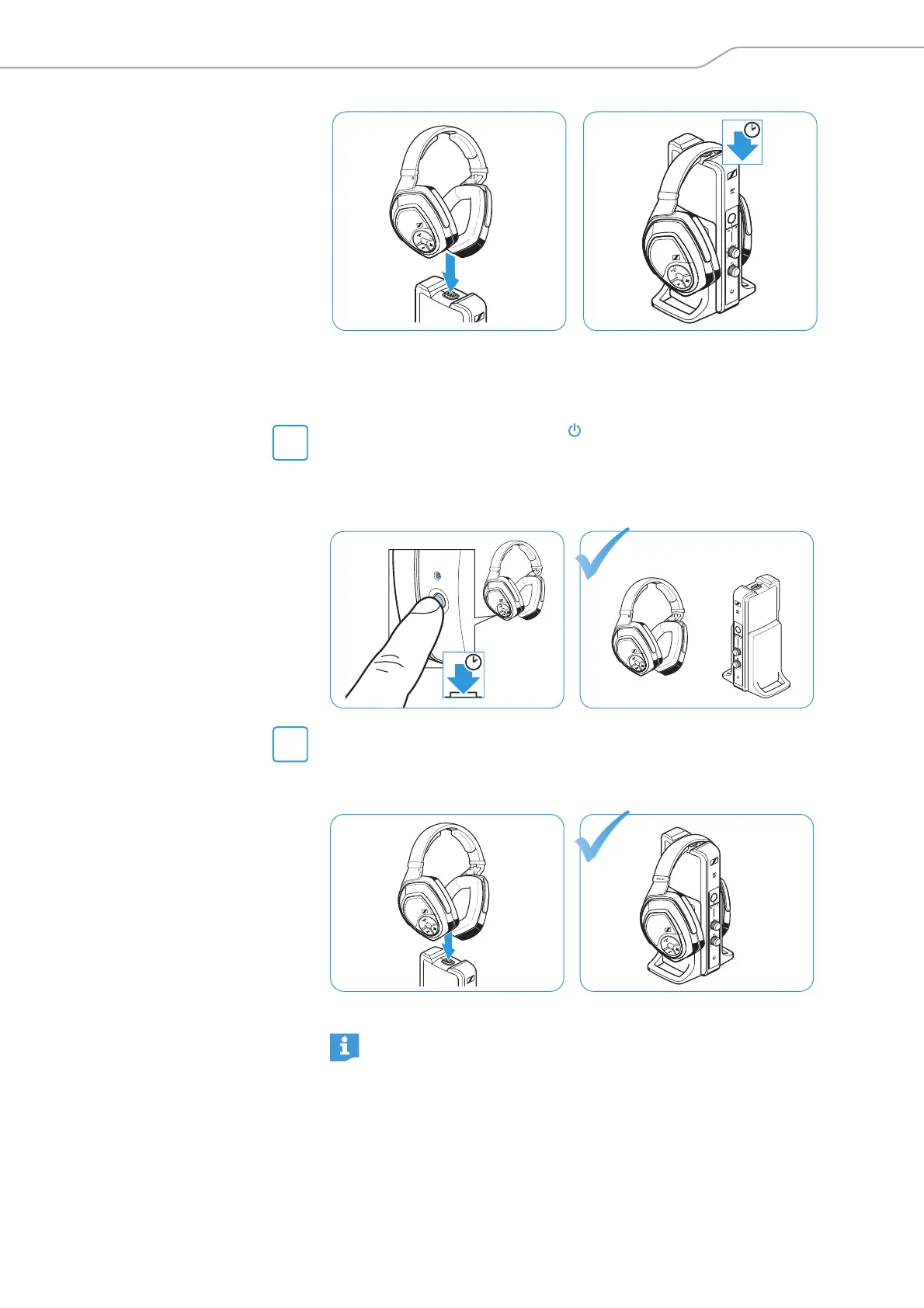
There are two ways to switch your wireless headphone system off:
b Press the Power HDR button on the headphones for approx.
2 seconds.
The headphones switch off. If no other pair of headphones is con-
nected to the transmitter, the transmitter switches to standby
mode. All LEDs go off.
b Place the headphones on the transmitter’s headphone holder.
The headphones switch off and the charging process starts (see
page 17). If no other pair of headphones is connected to the trans-
mitter, the transmitter switches to standby mode.
OFF AUTO-STANDBY
2s
H
DR
1
9
1
H
DR
1
9
1
M
O
D
E
/
L
E
V
E
L
To disconnect the transmitter from the power supply system,
unplug the power supply unit from the wall socket.
HDR 195
AUTO-
STANDBY
OFF
M
OD
E
/
LEVEL












 To Next Page