If a problem occurs ...
28 | RS 195
Other problems
If a problem occurs that is not listed in the above table or if the prob-
lem cannot be solved with the proposed solutions, visit the RS 195
product page at
www.sennheiser-hearing.com. There you will find a
current list of frequently asked questions (FAQ).
Sound is distorted
The signal of the audio source is
distorted.
Reduce the volume of the audio source. –
The volume on the headphones is
adjusted too high.
Reduce the volume on the headphones. 20
The volume of the analog audio
source is adjusted too high.
Reduce the volume of the analog audio
source to a medium level.
–
The hearing profile
cannot be acti-
vated. The
Per-
sonal Hearing
LEDs
are flashing
More than one pair of headphones
is connected to the transmitter.
Switch off all other connected head-
phones. The hearing profiles can only be
used with one pair of HDR 195 head-
phones.
–
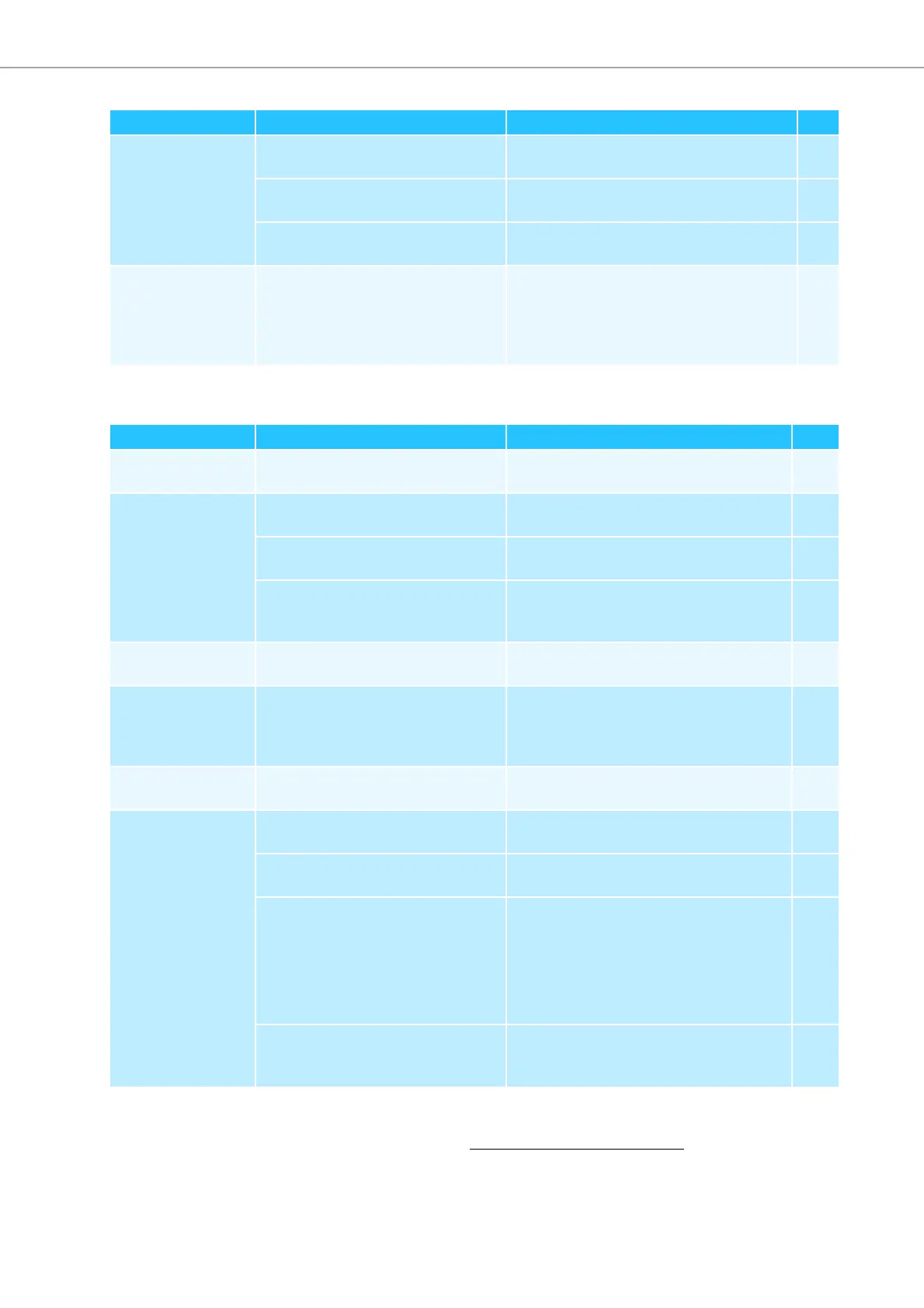
Problem Possible cause Possible solution
Page
Problem Possible cause Possible solution Page
Transmitter does
not switch on
No power connection.
Check the connections of the power
supply unit.
15
Headphones do not
switch on
The rechargeable batteries are
empty.
Recharge the rechargeable batteries. 17
No batteries inside the battery
compartments.
Insert the rechargeable batteries. 16
The rechargeable batteries are
inserted the wrong way round.
Remove the rechargeable batteries from
the headphones and reinsert them again.
Observe correct polarity.
16
The operating time
decreases
The rechargeable batteries are
exhausted.
Replace the rechargeable batteries with
new ones.
16
Hearing profile
cannot be activated
A second pair of headphones is
connected to the transmitter (when
pressing the MODE button, the
Per-
sonal Hearing
LEDs flash 3 times).
Switch off all other connected head-
phones.
25
You hear beeps in
the headphones
The rechargeable batteries are
almost empty.
Recharge the rechargeable batteries. 17
Headphones cannot
be connected to the
transmitter
Distance to the transmitter is too
large.
Reduce the distance to the transmitter. –
Headphones are not paired with the
transmitter.
Pair the headphones with the transmit-
ter.
24
One pair of headphones is being
charged so that you cannot pair a
second pair of headphones.
Perform a proximity pairing:
1. Place the headphones as close as pos-
sible to the transmitter.
2. Switch the headphones on.
3. Press the Volume +/- buttons simulta-
neously for about 7 seconds.
–
Headphones are not compatible.
Only use HDR 165, HDR 175, HDR 185, or
HDR 195 headphones of the Sennheiser
brand.
–











 To Next Page