Using the RS 195
RS 195 | 23
*from product version 06/2017
Personal Hearing – Selecting additional sound
optimization options for speech or music listening
Besides the general hearing profiles A-G, you can select additional
sound optimization options for speech or music listening.
b Press the MODE/LEVEL button on the transmitter or the MODE
button on the headphones repeatedly until the additional sound
optimization option is activated.
Personal Hearing – Adjusting the maximum
possible volume*
Personal Hearing
allows you to choose between two levels for the
maximum possible volume: “Standard” and “High volume”.
The levels for the maximum possible volume can only be adjusted on
the transmitter.
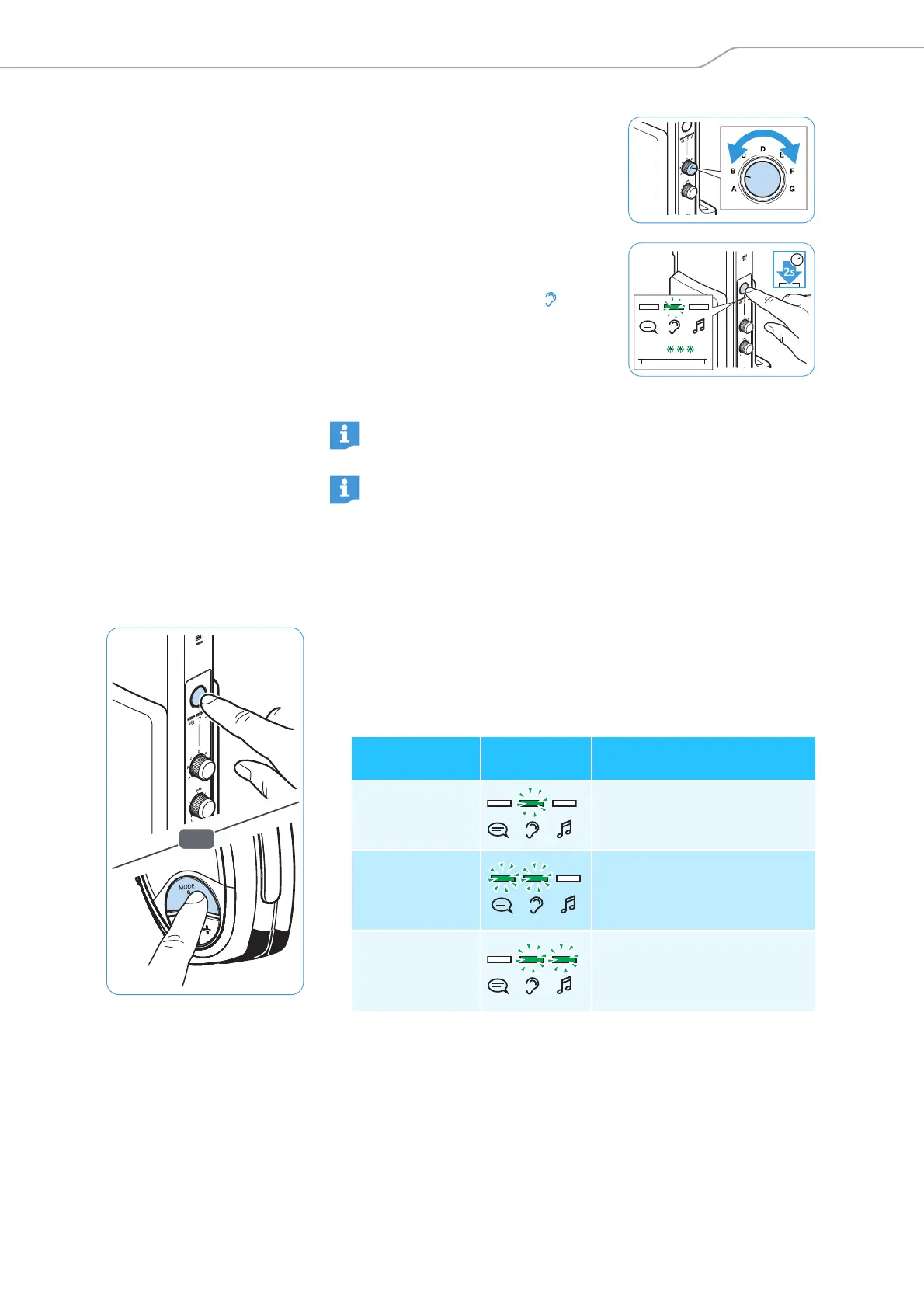
5 Use the rotary switch to select a
hearing profile
A-G and test which of
the hearing profiles gives you the
best sound quality and helps you to
hear best.
6 If the maximum possible volume is
not sufficient, press the
MODE/
LEVEL
button on the transmitter for
2 seconds until the LED flashes
3x.
The volume level “High volume” is
activated.*
Your personal hearing profile is
adjusted.
We recommend that you repeat the selection of your personal
hearing profile from time to time.
A graphic representation of the hearing profiles and additional
technical information can be found on page 32.
Additional sound
optimization
Display Explanation
none
A general hearing profile A-G
for hearing enhancement is
selected.
for speech
reproduction
In addition to the selected
hearing profile, speech intelli-
gibility is improved as annoy-
ing noise is reduced.
for music repro-
duction
The dynamic range of the
hearing profile is increased to
preserve the sound image in
the best possible way.











 To Next Page