Using the RS 195
22 | RS 195
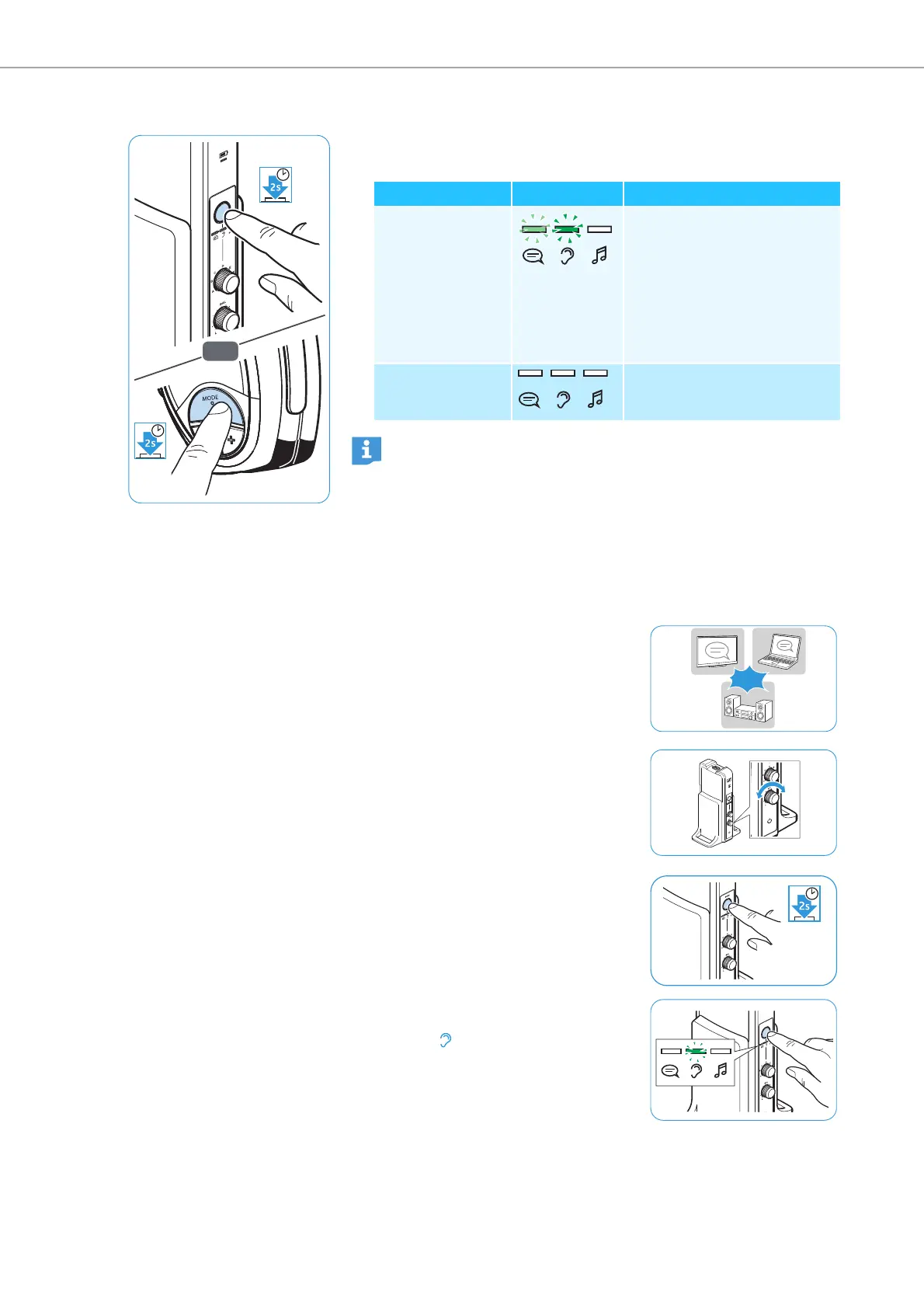
To activate and deactivate
Personal Hearing
:
b Press the MODE/LEVEL button on the transmitter or the MODE
button on the headphones for 2 seconds.
Personal Hearing – Selecting a hearing profile for
hearing enhancement
To select the hearing profile that best suits you, proceed as follows:
OR
M
O
DE
/LE
V
EL
Personal Hearing Display Explanation
activated A general hearing profile A-G
for hearing enhancement is
selected (see next chapter).
It might also be that one of
the LEDs indicating sound
optimization for speech or
music listening lights up (see
page 23).
deactivated No LED lights up:
Normal Hearing
is activated
Additional technical information on the hearing profiles can be
found on page 32.
1 Switch your audio source on and
select a program where speech is
foregrounded. This will facilitate the
accurate adjustment of the hearing
profile.
2 Use the BAL rotary switch to adjust
the balance (see page 21). This
ensures that each subsequently
selected hearing profile is perfectly
matched to your left/right balance
setting.
3 Press the MODE/LEVEL button on
the transmitter for 2 seconds to acti-
vate
Personal Hearing
.
4 Press the MODE/LEVEL button on
the transmitter repeatedly until only
the LED lights up.
ON
ON











 To Next Page