2 INSTALLATION
2.1 Assembly and connections
Remove the 4 screws at the 4 corners of the box and remove the front part of the central
unit box.
It is now possible to choose where to place the cables. We recommend placing the cable
for entry by using a suitable cable press.
Secure the back of the central unit to the wall by using its appropriate holes.
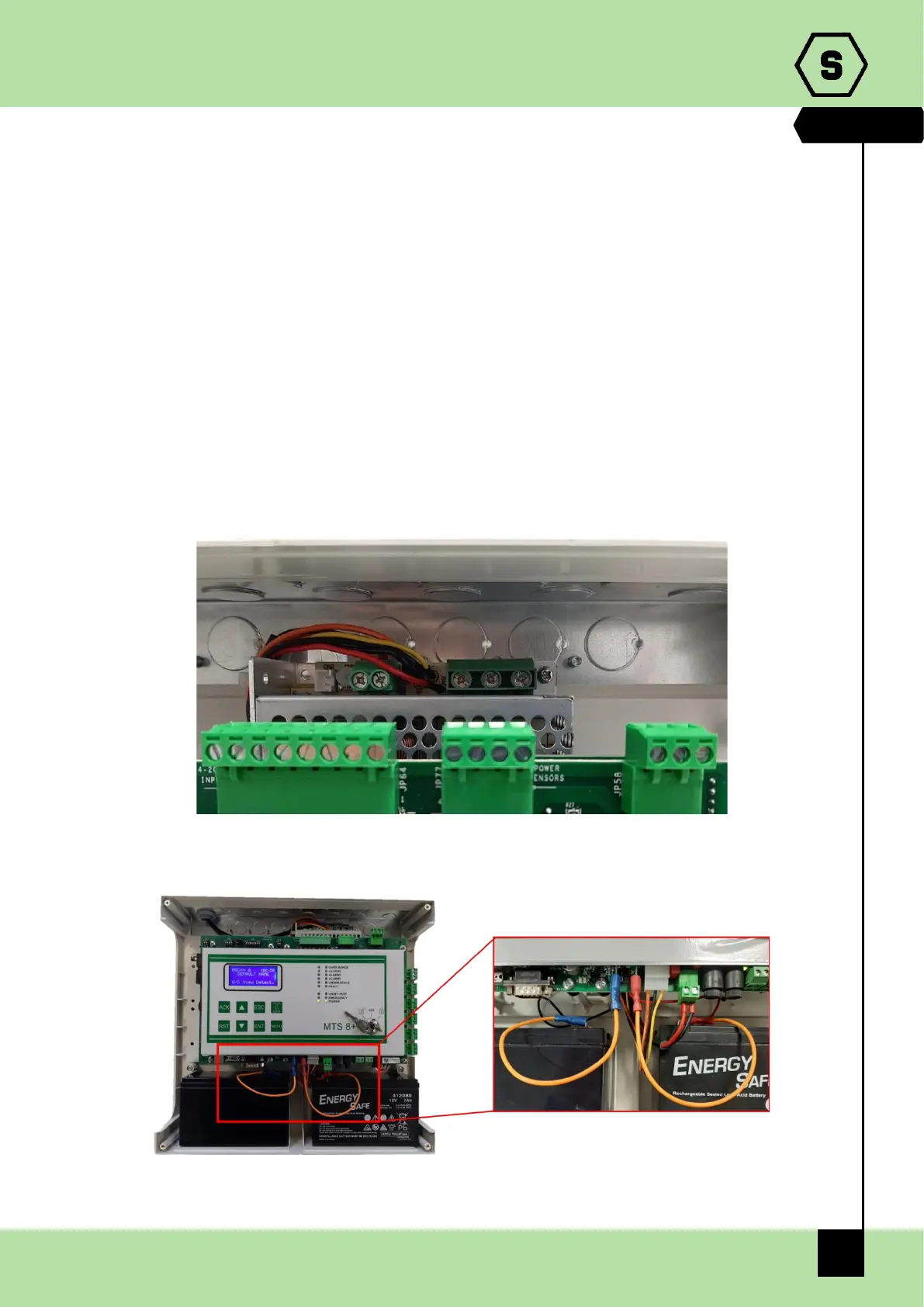
Connect the tri-polar network cable to the power supply (minimum 1.5mm
2
per pole) and
secure it with the specific wire clamp.
Power on the central unit and connect the red and black fastons of the power supply to
the two 12 V 7 Ah lead buffer batteries, in a series. To enable batteries disconnection
detector, please connect backup batteries as shown in the figure 2.1 b).
Fig. 2.1 a) Vac network connection
Fig. 2.1 b) Battery connection


 To Next Page