Io
SENSOR
Section 2 SMT-200 Operations
SMT-200 Operations and Technical Manual 2.00/R1
11
Some menu items require a numeric input while others simply toggle between two values. To enter
new numerical values first press
ENTER/START
to enter the edit mode. Next enter the required value. If
you make a mistake you can use the left cursor to move back. Once you have entered the edit mode
you can also use the up and down cursor keys to increment or decrement the value. Once the value is
correct hit
ENTER/START
to accept this value. On items that have two states e.g. ON or OFF move the
cursor to the desired option and use the
ENTER/START
to change the option state. Alternatively the
numeric keypad can be used to change the state.
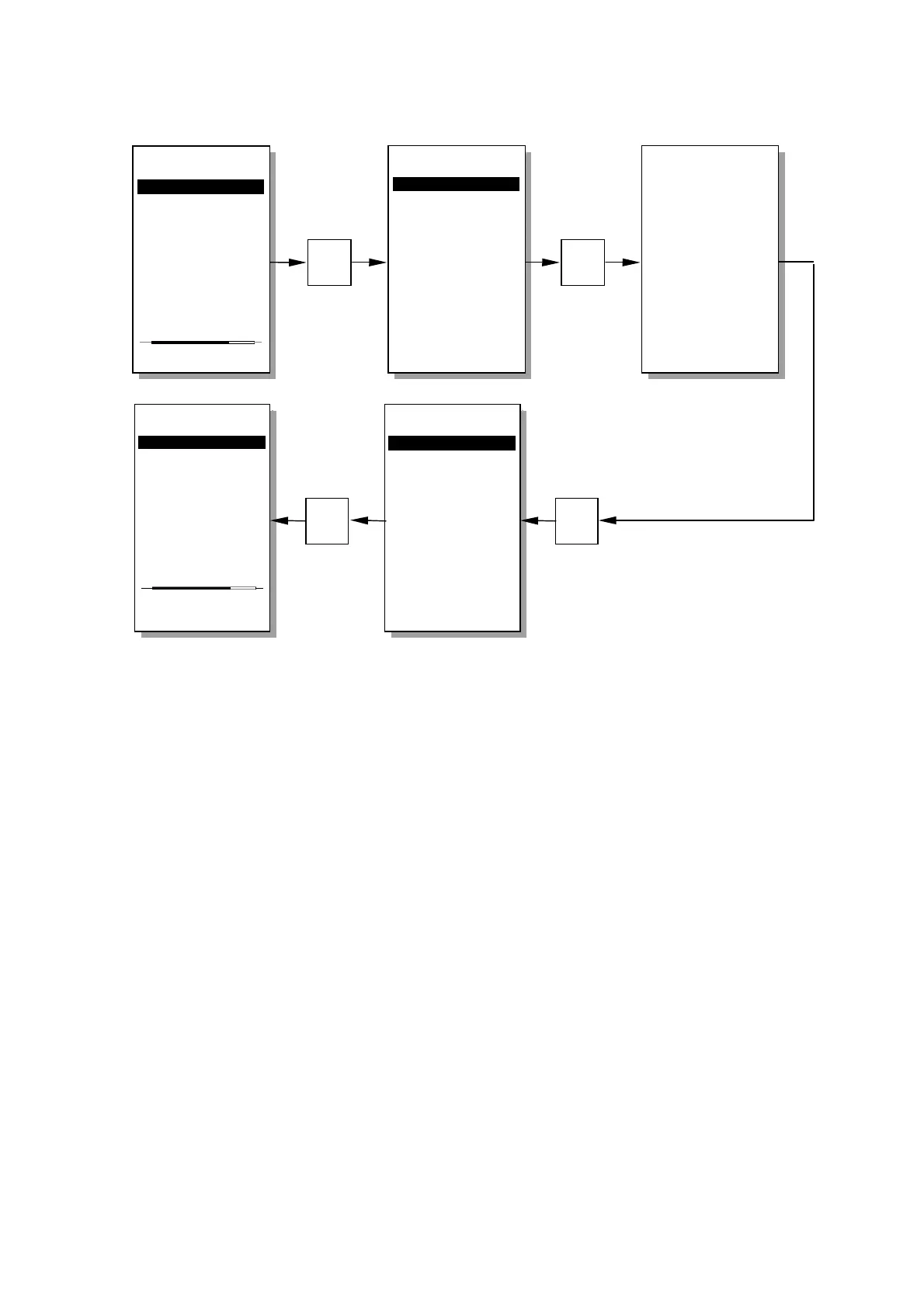
For example to turn the LCD backlight on or off select 2>Setup menu then 6>Display menu then,
depending on it’s state hitting 1 will turn the backlight on or off. The backlight can now be turned on or
off by repeatedly hitting the 1 key. Hit 0 then 0 to return to the Main menu.
Main menu
----------------
1>Do a test...
2 Setup menu...
3 Temp. menu...
4 File menu...
5 Tag menu...
6 About...
0 Shut down
Enter test mode
File menu
----------------
1>Redisplay last
2 Storage status
3 Dump data file
4 List data file
5 Erase ALL data
6 Read Config
7 Save Config
0 Back to Main
----------------
Redisplay the
Last test data
Redisplay Last
----------------
No. 14
Temp 21.6
o
C
Pol 1
Leak 9.2 Mohm
Res 394 ohm
Freq 10.35 Hz
Damp 0.242
Sens 28.83 V/m/s
Dist 0.10 %
Imp 2393 ohm
Reset
----------------
0 - File Menu
4
1
Main menu
----------------
1>Do a test...
2 Setup menu...
3 Temp. menu...
4 File menu...
5 Tag menu...
6 About...
0 Shut down
Enter test mode
File menu
----------------
1>Redisplay last
2 Storage status
3 Dump data file
4 List data file
5 Erase ALL data
6 Read Config
7 Save Config
0 Back to Main
----------------
Redisplay the
Last test data
0
0


 To Next Page