MS 7000 | DIAVASO Datalogger User Manual | 05/05/2017
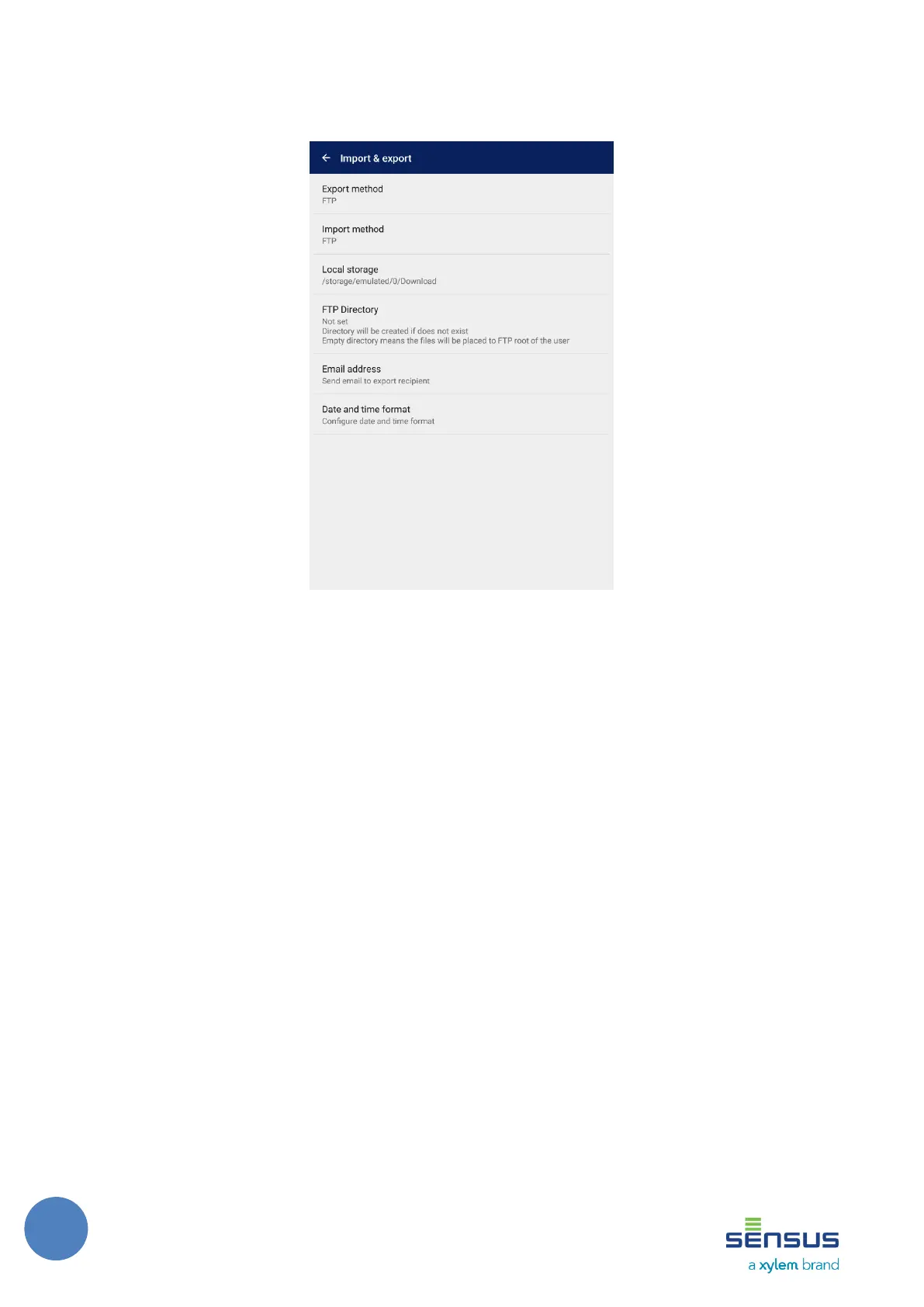
Import and export options can be configured on the screen shown on Figure 1.
Export method - allows to choose FTP, Email or Local storage export methods.
Figure 6: Import and Export settings
o Import method - allows to choose FTP or Local storage import methods. User can pick file from
local storage of device when Local storage is chosen.
o Local storage - Path to the directory that is used as main root during import or export.
o FTP Directory - directory on the FTP server where the files will be uploaded. If not set, the FTP root
directory for given user is used. The directory is created if it does not exist.
o Email address - Recipient Email address
o Date and time format - The format of the date and/or time for exports
5.7.1.1 Custom date and time format
In this dialog, the user can configure the format of date and time. This date and time format is used in the
date time fields of exported files. Initially the format is set to android system date time format, but the
users can change the date and/or time format based on their needs. The user can select format from some
predefined formats or he can define his own format.



 To Next Page