info@xyleminc.com
MS 7000 | DIAVASO Datalogger User Manual | 05/05/2017
Import meters from file
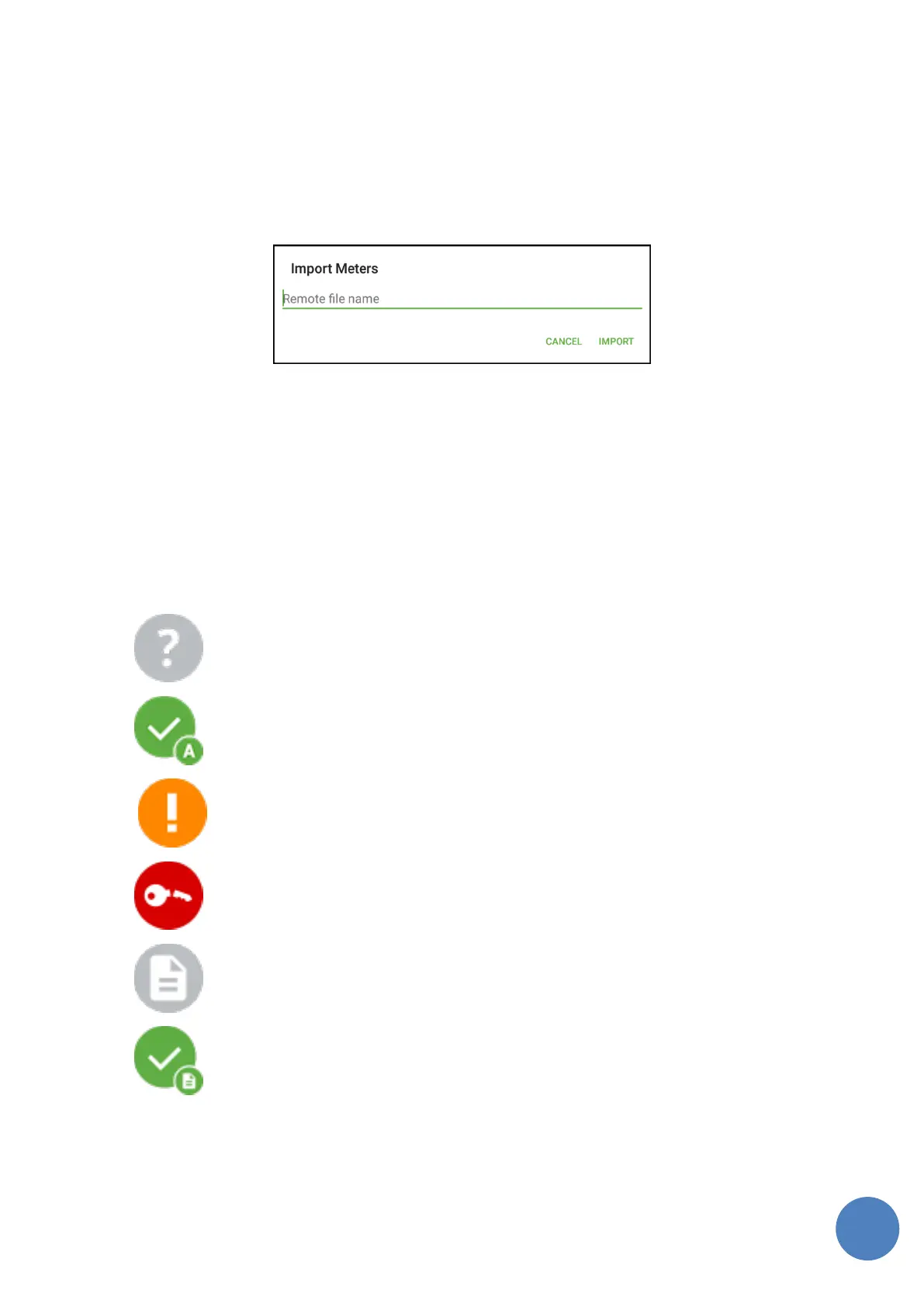
This allows to add all meters from a csv file to device list. The format of the file must consist of one
column with meter addresses. When option is selected new dialog window is opened and user has
to insert the name of the file from FTP (Figure 13). It requires configured ftp connection. It does
not import meters that already exist in the list. This option does not require the SIRT to be
connected.
FIGURE 13: IMPORT METERS DIALOG
7.1.3 Device list
When a device is added to the device list it is added with the Not read status. If the SIRT is
connected the application starts requesting SEMI telegrams. When a SEMI telegram related to the
endpoint is captured the status of the device is changed to one of the Read statuses listed below.
This allows the user to recognize which devices are in the range.
Device statuses
not read
read without alarm
read with alarm
wrong key
log collection in progress
log collection is done
A progress message is also shown when an operation is in progress for the device as shown in
the Figure 14. Remaining BUP telegram count is also shown.



 To Next Page