MS 7000 | DIAVASO Datalogger User Manual | 05/05/2017
Add device
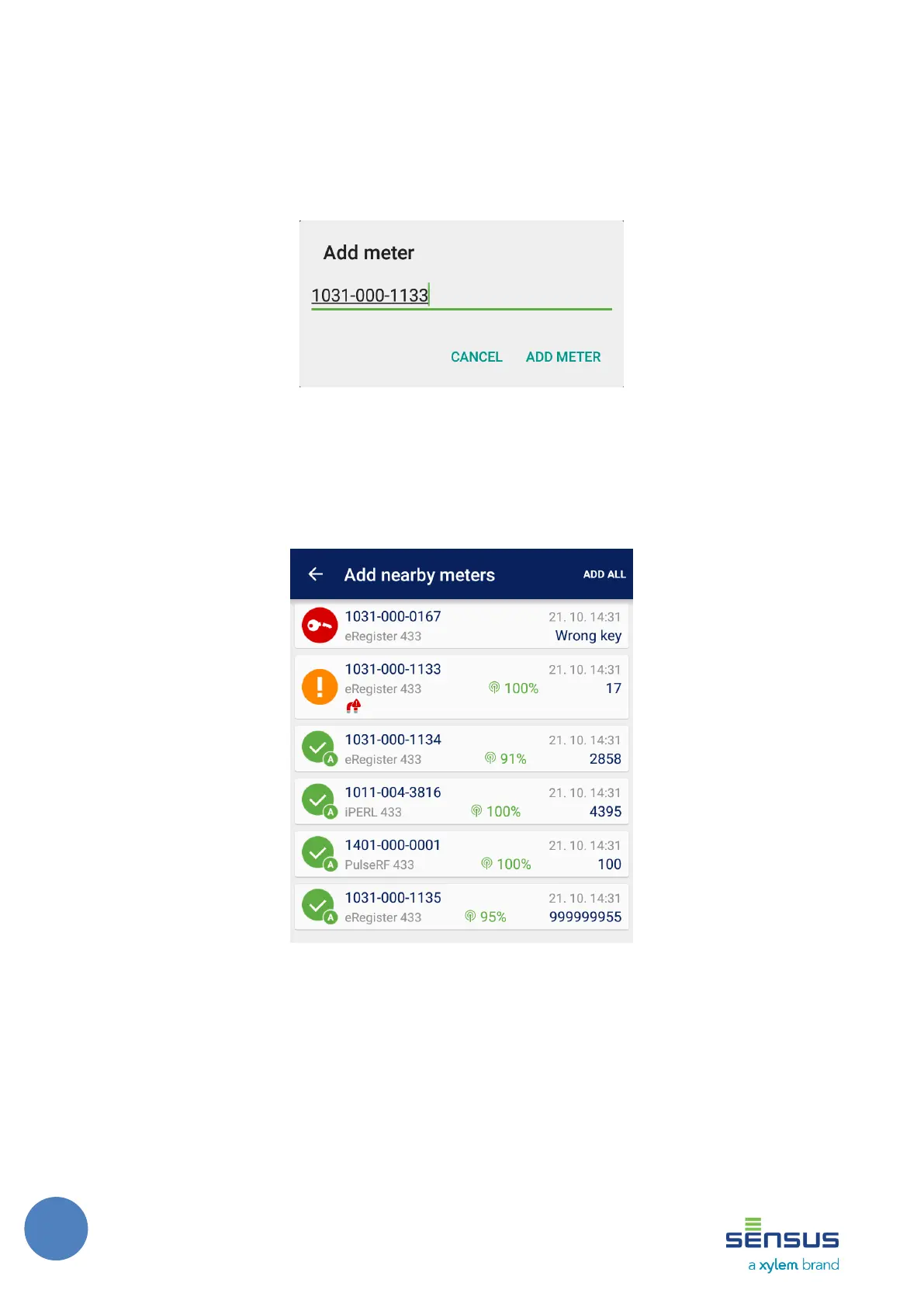
When this option is selected an input dialog to insert a meter address (shown on Figure 11) is
opened. The radio address is expected to be in the decimal format with or without dashes. A
warning is displayed if the inserted address has incorrect format. The meter is added to the Device
list when the Add meter button is pushed.
FIGURE 11: ADD METER DIALOG
Add nearby meters
This option allows to add one or more meters that are in range without writing their addresses.
When the option is selected a new dialog is opened. Inside there are all reachable meters shown
as can be seen on Figure 12.
FIGURE 12: ADD NEARBY DEVICES DIALOG
The user may then select a single meter by clicking on it or all currently displayed meters using
the Add all button at right hand side of the dialog header. The selected meters disappear from this
list. The user can also remove unwanted meters from this list by swiping them out of the list. All
these operations have an undo option and work similarly to the way described in section 7.1.3.
This option requires the SIRT to be already connected.



 To Next Page