MS 7000 | DIAVASO Datalogger User Manual | 05/05/2017
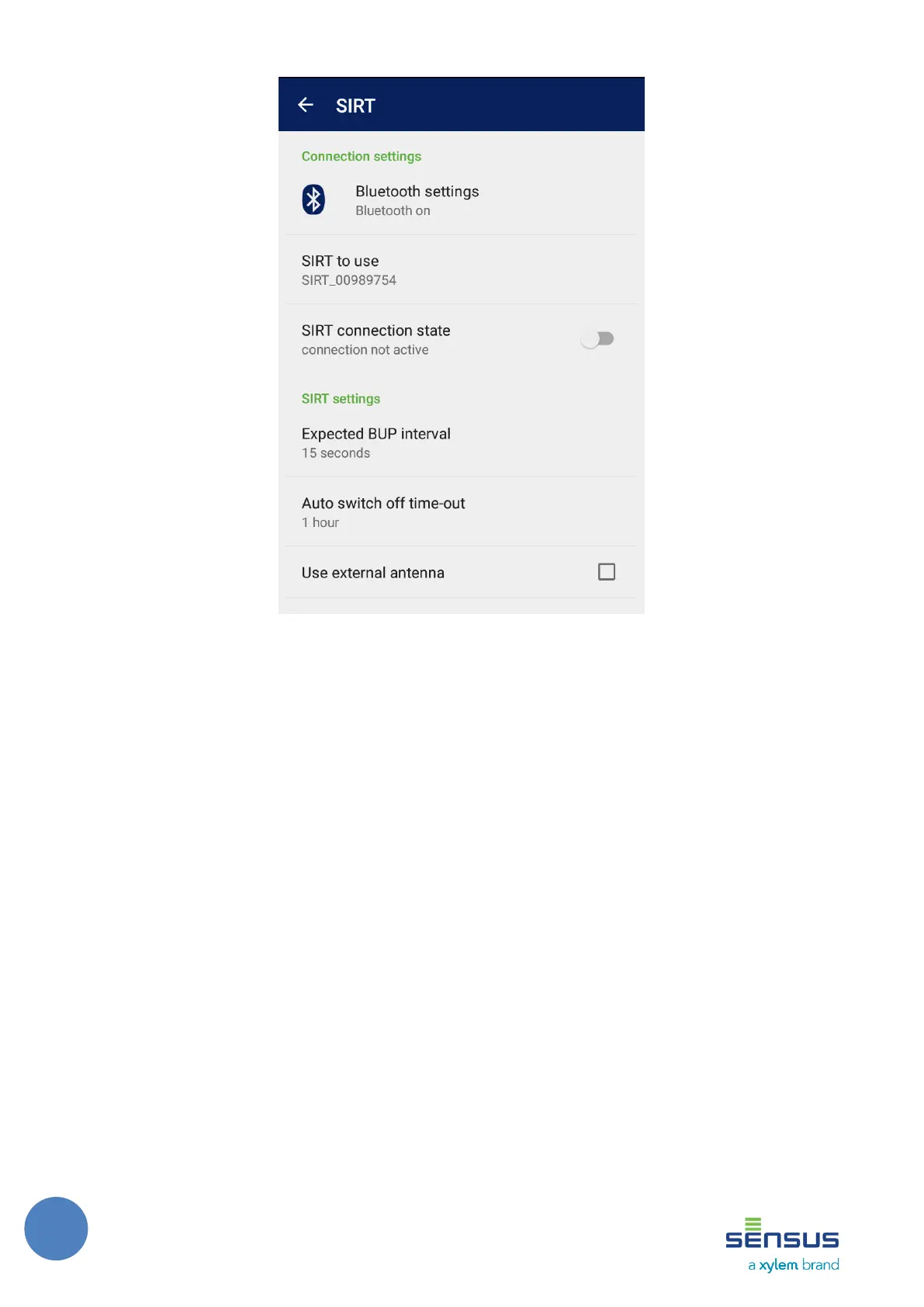
FIGURE 4: CONNECTION SETTINGS
5.1.1 Connection settings
• Bluetooth settings – displays the Bluetooth status of the device and provides direct access to
the system Bluetooth settings
• SIRT to use – allows to select a SIRT to connect to. For SIRT to appear on the list, it must be a
paired device on the system (device pairing is done in system Bluetooth settings)
• SIRT connection state – switch that connects to the selected SIRT, connecting to a SIRT can
take a while and after a successful connection the switch is switched to ON state.
5.1.2 SIRT settings
• Expected BUP interval – time that represents how often meters send BUP telegrams
• Auto switch-off time-out – the time after which SIRT turns off automatically
• Use external antenna – if checked, then the SIRT is activated with the setting to use external
antenna
5.1.3 SIRT status
This section shows information about SIRT when SIRT is connected. The status information
consists of the hardware version, firmware version, frequency and remaining battery capacity.



 To Next Page