MS 7000 | DIAVASO Datalogger User Manual | 05/05/2017
7.2.1 Send results
When the collection process finishes the log data is saved into CSV files. The Log data is saved into
a file with a LOG prefix and the FDR data is saved into a file with an FDR prefix.
One row of the file represents one data record. The first column contains the time stamp of
the data and other columns contains data for the selected log counters for that time moment. A
header row is available. It contains the column names and a shows the unit of data where suitable.
An example can be seen on the Figure 22. After clicking on csv file a new screen opens. The screen
shows file data in a table and a graph.(see 7.4)
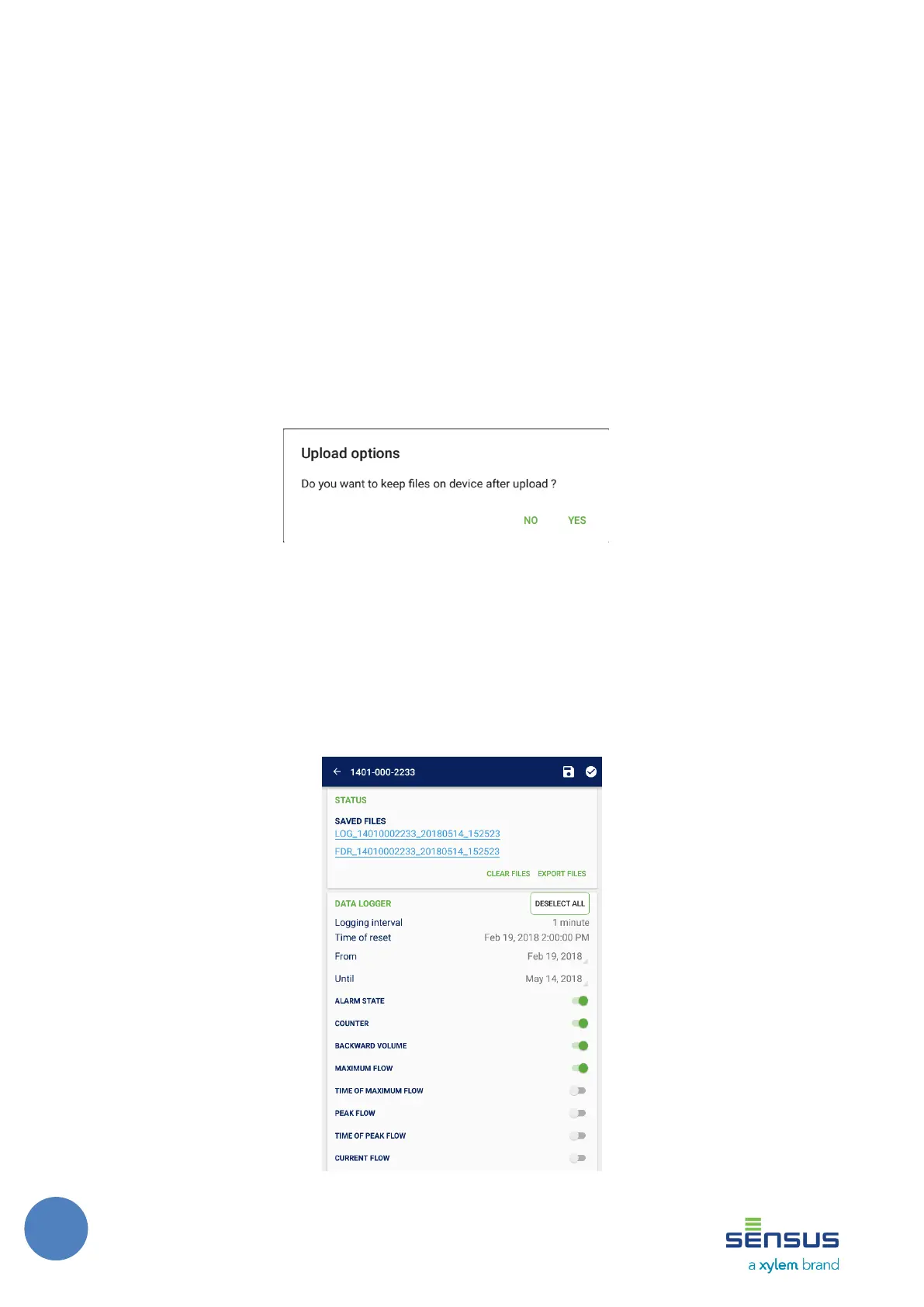
When a file is available its name is shown in the log screen as shown in the Figure 21. The file can
to be exported via several methods (see 5.8) by pushing the Export files button with the option to
keep file on the device after sent (Figure20). You can also remove files by pushing the Clear files
button.
FIGURE 20: SEND TO FTP DIALOG
Available files are also indicated in the device list by the file icon as can be seen in the Figure 19.
The user can send all files of all the meters at once by pushing the Upload button on the right hand
side of the screen header. The same dialog (Figure 20) appears as in single meter screen.



 To Next Page