Operating instruction
PROSWING(M)
27
Parameters adjustment-display
ESC
ENT
+
_
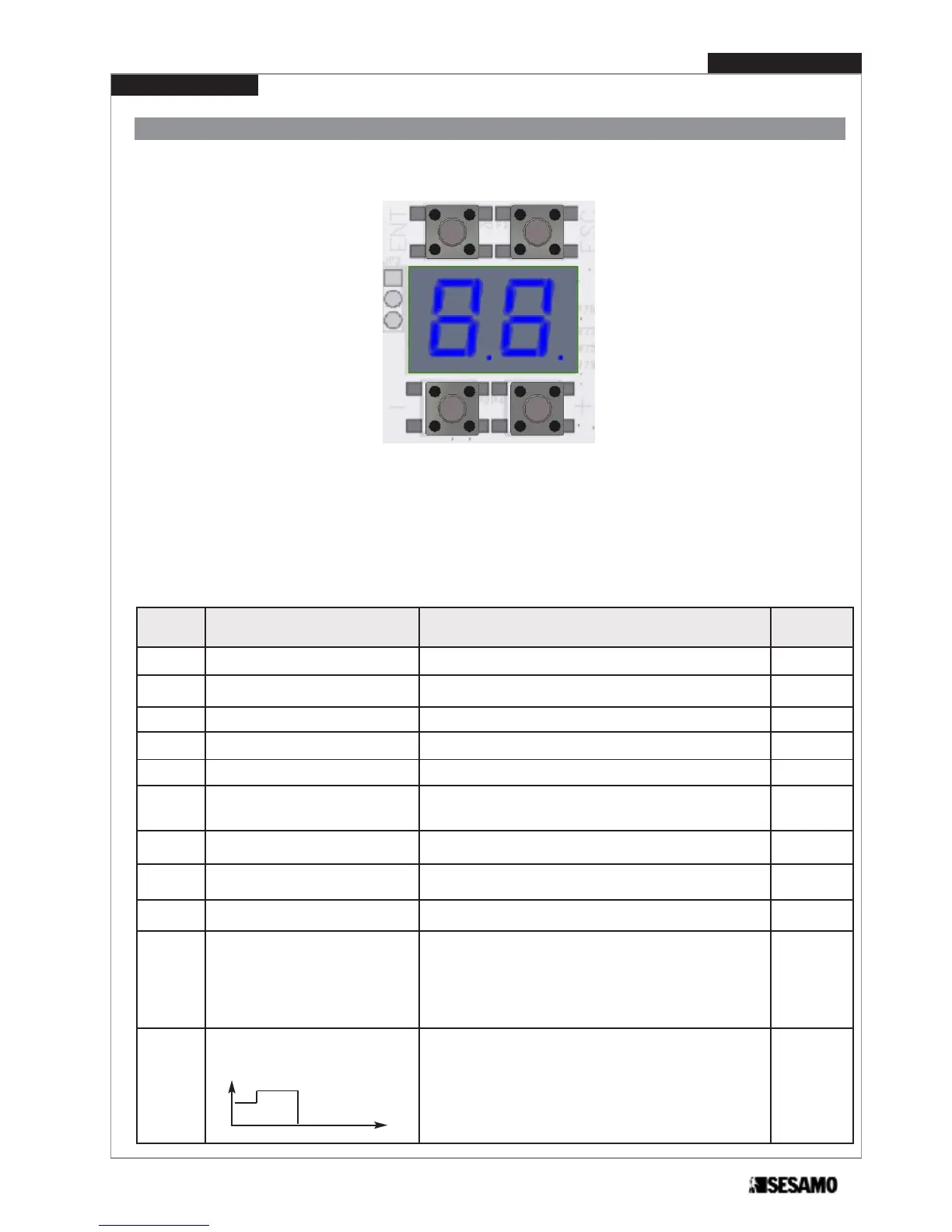
It is possible to adjust several functionning parameters through two displays and relevant four push buttons(see Fig. 39).
Fig. 39
Procede as follows:
1. Select parameter thorough push buttom [+] and [-]; press [ENT] to enter in the adjustment procedure.
2. In adjustment procedure, parameter value is indicated in flashing mode. Press [+] and [-] to change value, press
[ENT] to memorize value and press [ESC] to come back to parameter selection.
3. During procedure is active a timeout; if no push buttons are pressed for 10 seconds, system exit from adjustment
mode.
- Push button [ESC] allows to exit from adjustment mode without modifications.
- Only for parameters
Sd and Lp is needed a pression on [ENT] for at least 5 seconds.
ID of the-
parameter
Description Adjustment
DEFAULT
setting
01
Opening speed RANGE: 20°/s ÷ 70°/s (step of 5°/s) 60
02
Closing speed RANGE: 10°/s ÷ 40°/s, (step of 5°/s) 30
03
Idle time RANGE: 0 ÷ 60 sec, (step of 1 second) 0
04
Idle time in Low Energy RANGE: 5 ÷ 60 sec, (step of 1 second) 5
05
Force in closing position RANGE: 0 – 9 (0=no force, 9= max force) 5
06
Anticrushing
RANGE: 1 ÷ 9 It is applied both for opening and closing
(1=more sensitive; 9=less sensitive)
5
07
Acceleration RANGE: 5 ÷ 30 It is applied both for opening and closing 20
08
Approaching angle
RANGE: 10 ÷ 40 It is applied both for opening and clo-
sing (closing 1/2 of opening)
20
09
Electric lock power 0=12 VDC 1=24 VDC 0
10
Lock type
0 = Lock not installed
1 = Impulsive with restore at closing
2 = Mag lock
3 = Fail safe
4 = Motorized
5 = Impulsive with restore power cut off
0
11
Deelay in opening after lock power. RANGE: 0 ÷ 9 time depends on lock type:
Impulsive with restore at closing 50÷500ms
Mag lock & Fail safe 200÷2000ms
Motorizzed 500÷5000ms
Impulsive with restore power cut off 100÷1000ms
2
open
t


 To Next Page