Safety Features Safety Features/Belly Switch
______________________________________________________________________________
MillipaK 4QPM Controller Manual Page 52 13/08/03
Belly Switch
A Belly Switch function is available when the controller is used on a walkie type truck. The
feature can be enabled in the setup menu. See this section and wiring diagrams for additional
information. Basic operation is as follows:-
Truck moving in Reverse and activating the Belly Switch, accelerator in reverse position:-
a) The controller applies 100% braking.
b) The vehicle will accelerate in the Forward direction (Forks Forward) at full speed along the
accelerator curve when the vehicle has stopped.
c) All drive will cease after driving for the time given by the Belly Delay personality (See
below).
d) The controller will wait for neutral to be selected before drive will operate. If the Belly Switch
is pressed again however, action starts at b) above.
The Belly operation may be set to NORMAL or CONTINUOUS. When set to NORMAL the
vehicle will activate belly operation for the duration set by the personality Belly Delay (Calibrator
Menu Item 11.03). When set to continuous the belly action will operate for as long as the Belly
switch input is active.
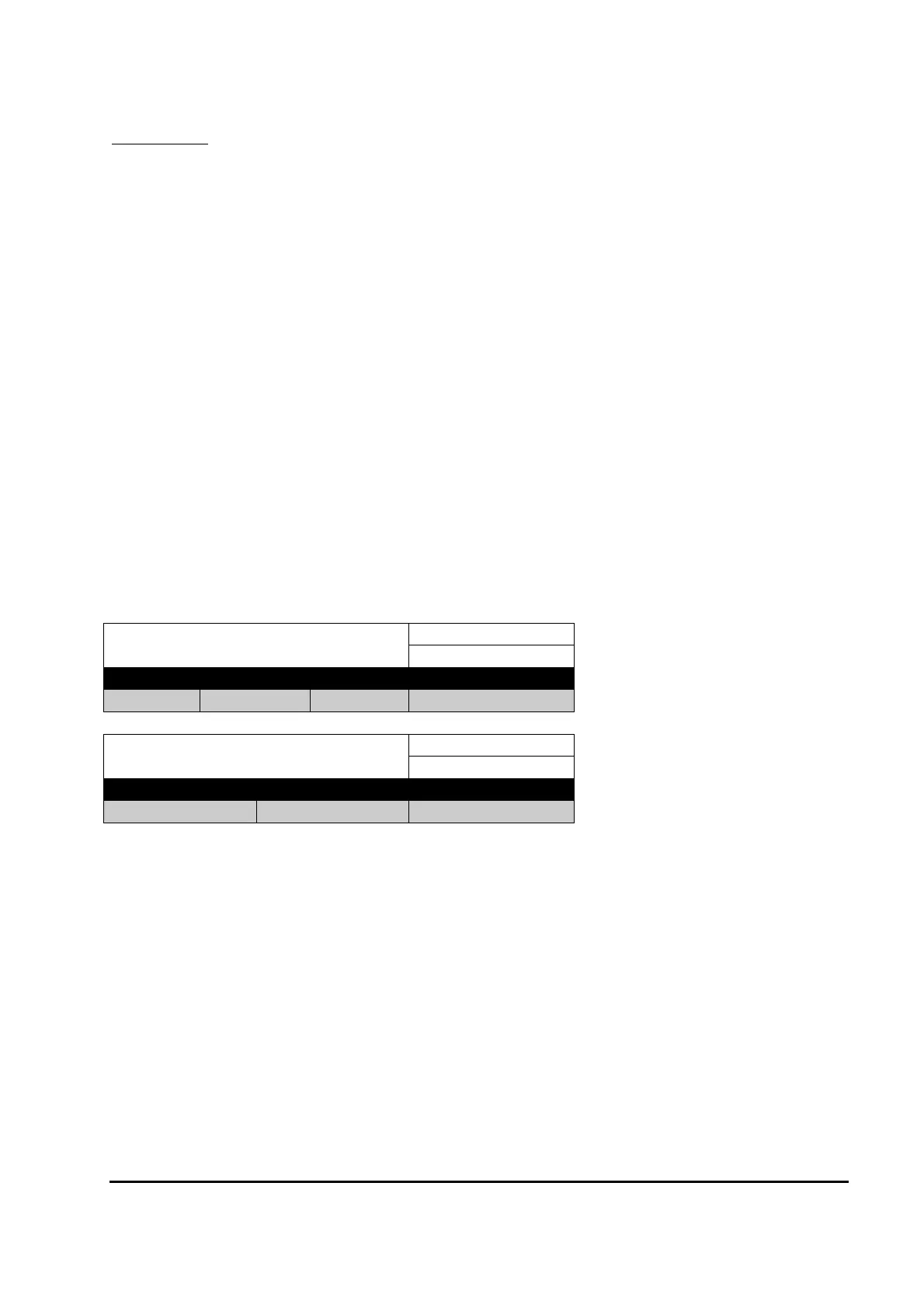
Immediate Belly Delay
Calibrator Menu Reference:
11.03
Minimum Maximum Step Size Typical Value
0.1S 5.0S 0.1S 1.0S
Power Up Belly Style
Calibrator Menu Reference:
12.13
Options Default
Normal Continuous Normal


 To Next Page