Page 20 of 40
Level
SET
RL1 “ON”
RL1 “OFF”
RL1 RL1 RL1 RL1
RL1 RL1 RL1 RL1
Max.
Alarm
Max.
Alarm
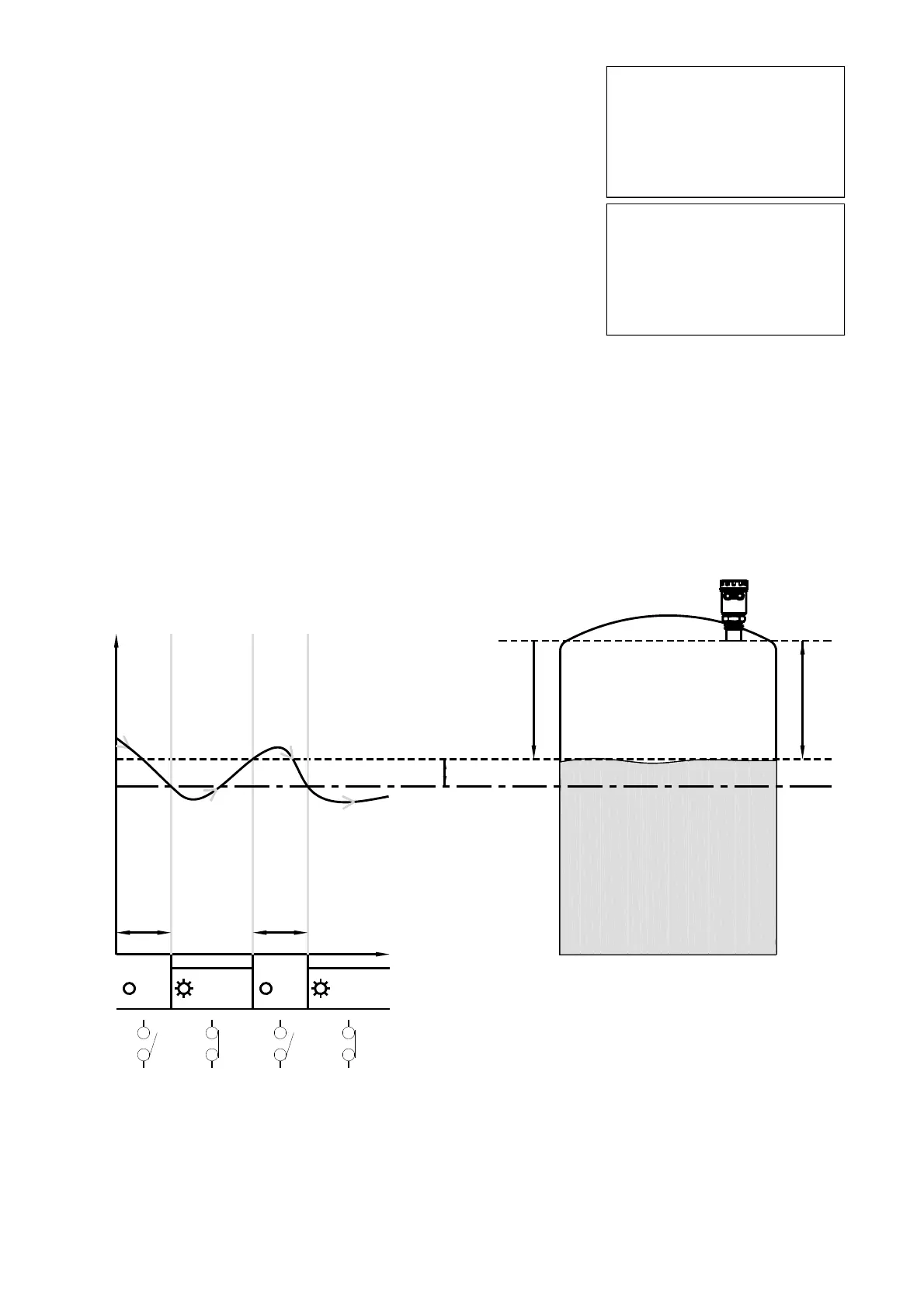
Max level
allarm zone
700mm.
METER
reference point
RL1 THRESHOLD
RL1, MAX LEVEL ALARM
HYSTERESIS
8.2.7 RL1 THRESHOLD
Press ENTER to display the previous setting. Set the distance from the sen-
sor
Use SCROLL and UP ARROW to modify the value; in the example the RL1
max. level threshold distance is 700mm.
Press ENTER to confi rm.
NB - RL1 inactive with 0000mm
SET DISTANCE 4mA
SET DISTANCE 20mA
MEDIUM
FILTER COEFFICENT
BLIND DISTANCE
DISPLAY
RL1 THRESHOLD
RL2 THRESHOLD
►
0700 mm
RL1 THRESHOLD
When confi rming with the ENTER button the maximum level threshold value storage, in the example 700m, the
METER activates RL1 with the following default settings for level alarm threshold:
1) MIN / MAX = MAX; maximum level alarm
2) DELAY = 0 sec.; no switching delay
3) SECURITY = YES; relay de-energized, and contact open, during the maximum level alarm
4) ENABLE / DISABLE = ENABLE; alarm threshold function enabled
5) MIN/MAX HYSTERESIS mm = 40mm
To change these relay settings is necessary to access the advanced setup menu and any subsequent changes
to the RL1 threshold value not affect the relay custom settings..
METER - quick setup


 To Next Page