Display Menu
Sharebot Q Dual display is dot matrix, touch and color screen. The display is the main
interface for managing print jobs, selecting files and setting parameters to optimize the
process.
1. HOME
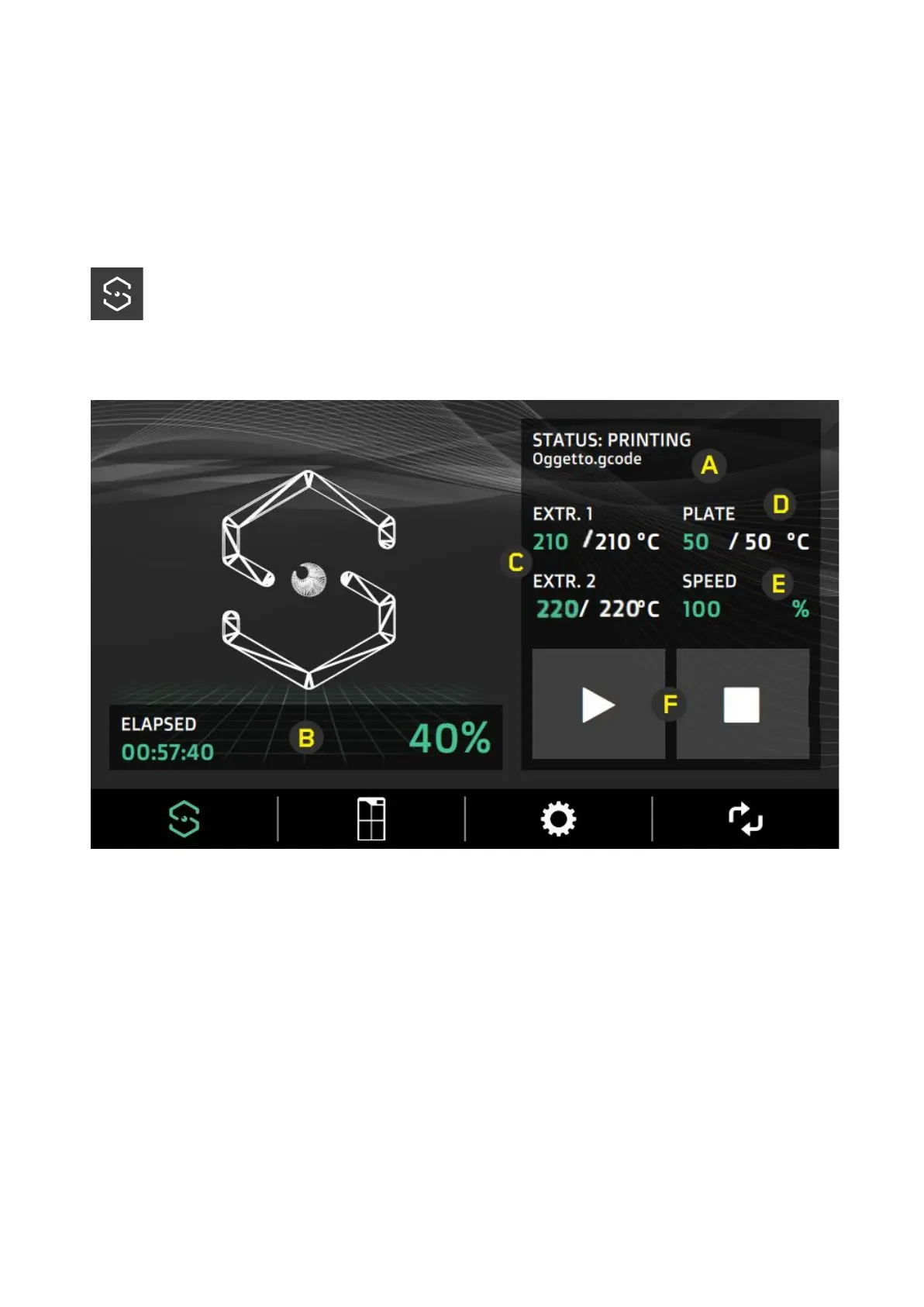
Main screen display summary information about the printing process.
A) Message area and progress bar of the printing process;
B) Indicators of the percentage and time;
C) Extruders temperature;
D) Printing plate temperature;
E) Printing speed (default: 100%);
F) Options for Pause and Resume the printing process;
Select the areas of parameters C, D, E, to adjust the respective values, a dedicated popup
menu will open.
● The values are set by setting the variation interval (1; 10; 100) and setting the desired
14


 To Next Page