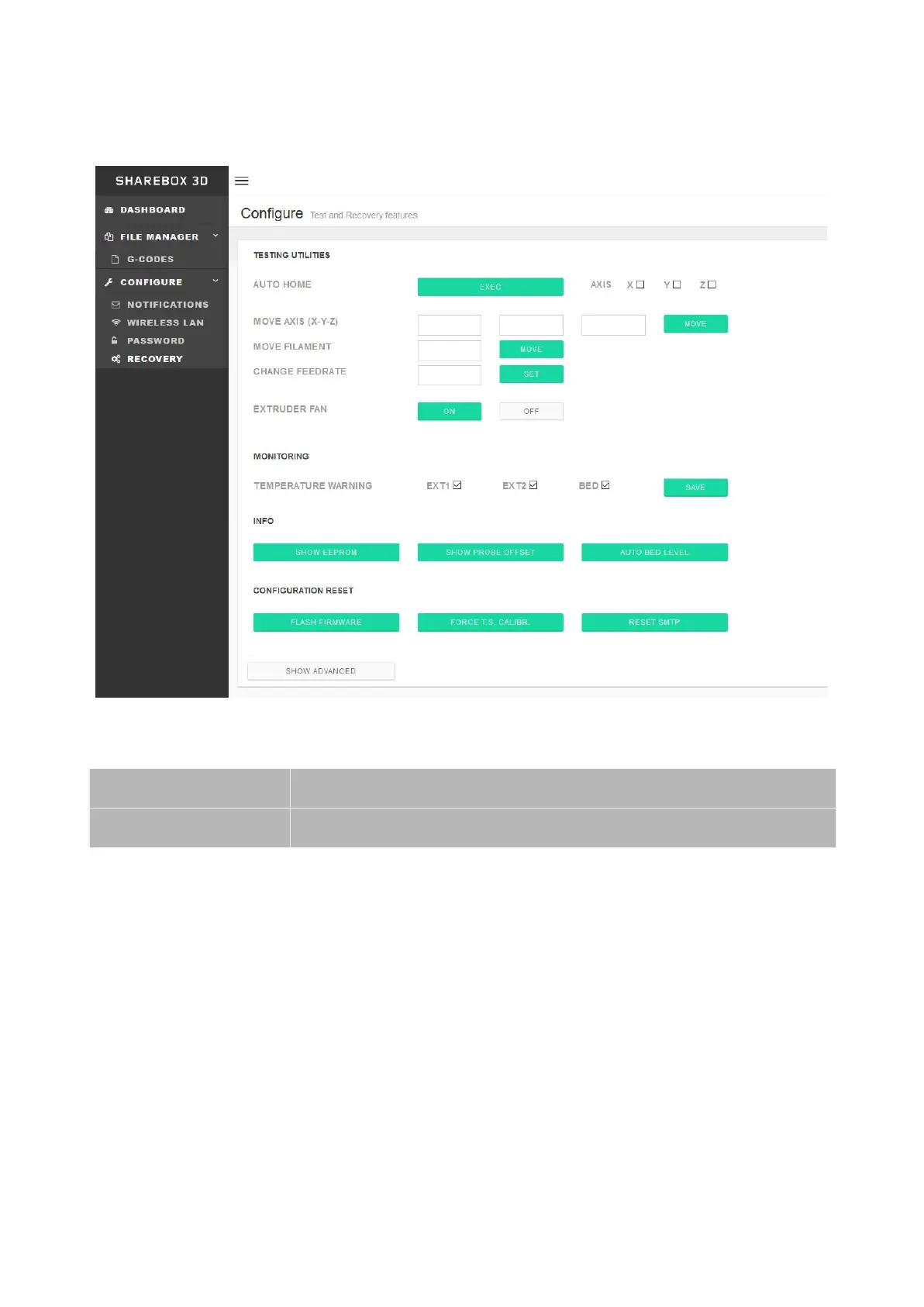
RECOVERY
From the main menu you can access the Recovery Menu by going to
Configure>Recovery.
The recovery menu can be used to test and diagnose issues. Use this menu with caution.
This page contains the following subsections:
● Testing Utilities
○ Auto Home Axis: will home the checked axis. If no axis is selected it will
home all of them.
○ Move Axis : Move the desired axis by filling the amount to move in each field
(x,y,z)
○ Move Filament : Extrude or retracts (use positive and negative numbers)
○ Change Feedrate : change feedrate for the movement (If empty uses
29


 To Next Page