NETWORK CONFIGURATION
The Sharebot Q Dual can be configured
as a network client with the assignment of
a static or dynamic IP address (via DHCP).
A Sharebot machine connected to the
network works as a network client
accessible from an IP address via a
browser (see Sharebox 3D), in order to
manage some functions.
For network configuration, the intervention
of the network administrator of your
company is recommended.
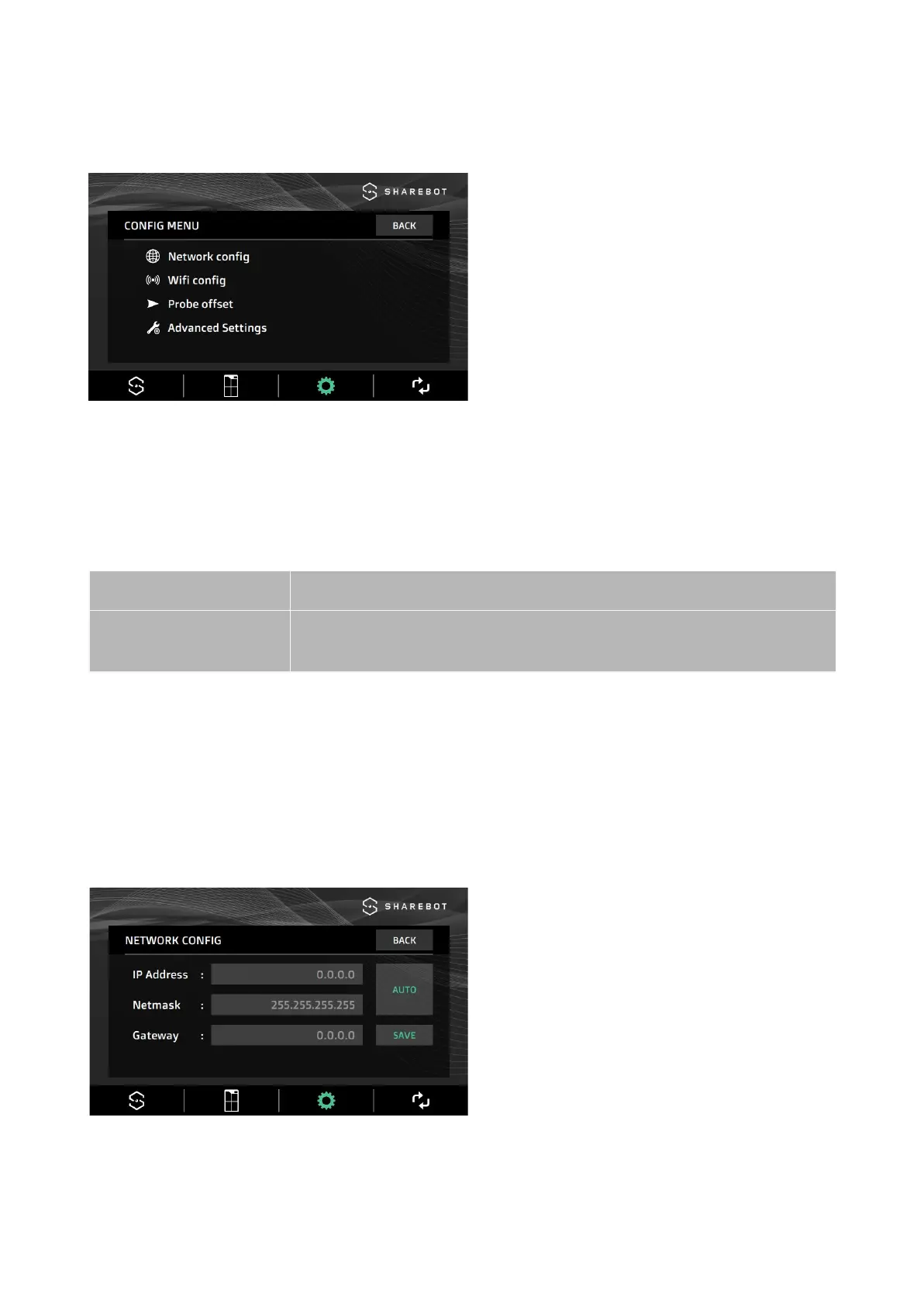
The gray color of the font indicates the automatic configuration of the network client
(DHCP).
By selecting AUTO the fonts and the IP for network configuration become black and
editable. The AUTO command becomes MAN, indicating Manual configuration.
Procedure for network configuration
By connecting the Ethernet cable, DHCP automatically assigns an IP address to the
machine.
The addresses displayed become editable,
the message on the button changes to
MAN and the address triplets must be
entered:
● of the chosen static IP,
● of the LAN Netmask,
● of the router's Gateway (optional)
To save the settings, select the confirmation button.
24


 To Next Page