82(108)
4. Operation Guide
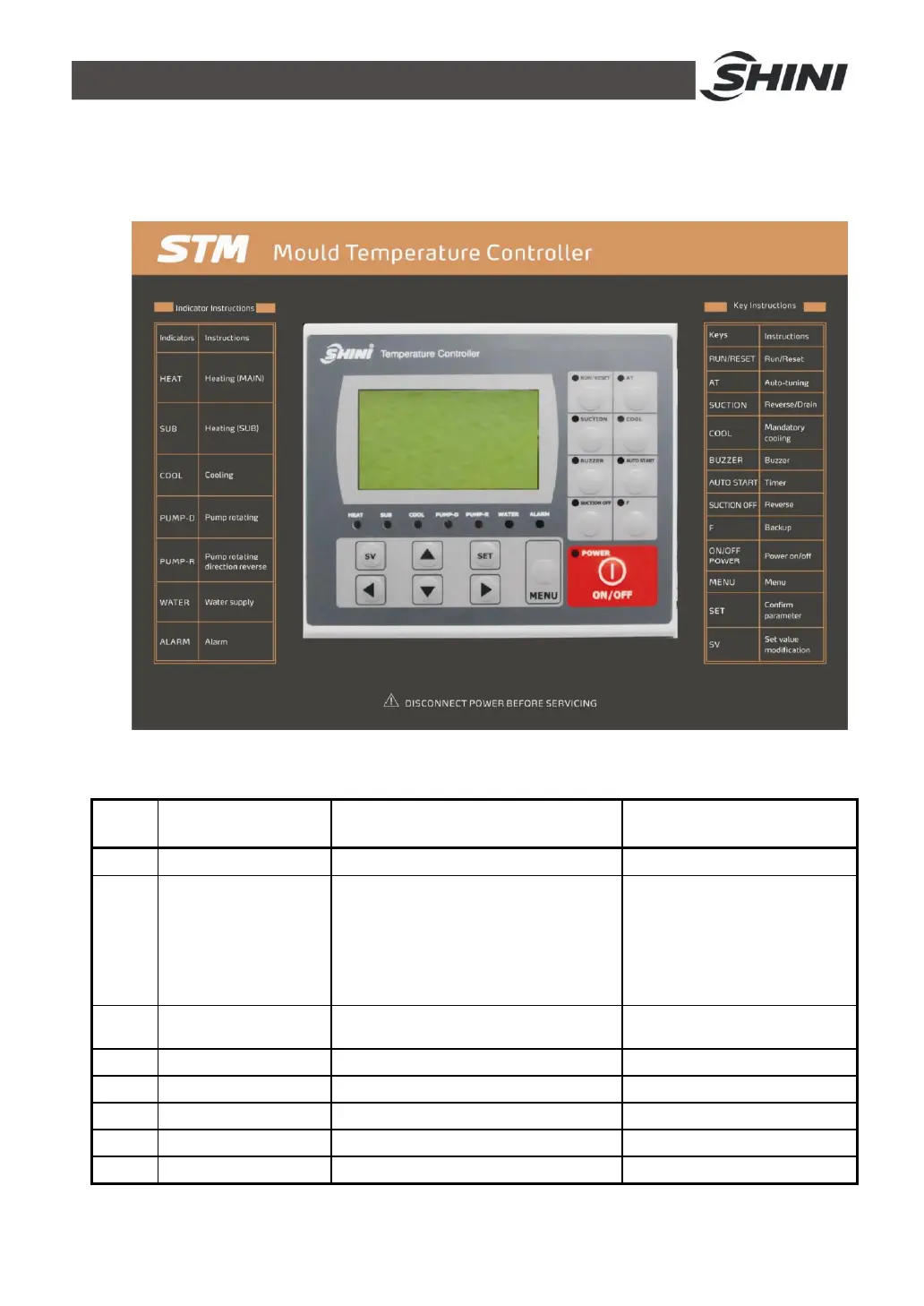
4.1 Control Panel
Picture 4-1:Control Panel
Table 4-1:Control Panel
No. Name Functions Remarks
1 LCD Display showing LCD
2 ON/OFF POWER Power ON, OFF shift key
After connect power, press
“POWER ON/OFF”, initial
screen is displayed and starts.
Pls note that even if regulator
is idle, electrci shock may
happen if power is on.
3 MENU LCD menu shift key Initial password: 3588
4 SET Parameters setting Confirm paramerters
5 SV Change set value Modify setting temp.
6 ▲/▼ Change parameters
7 ◄/► Cursor movement
8 RUN/RESET Control start and stop



 To Next Page