93(108)
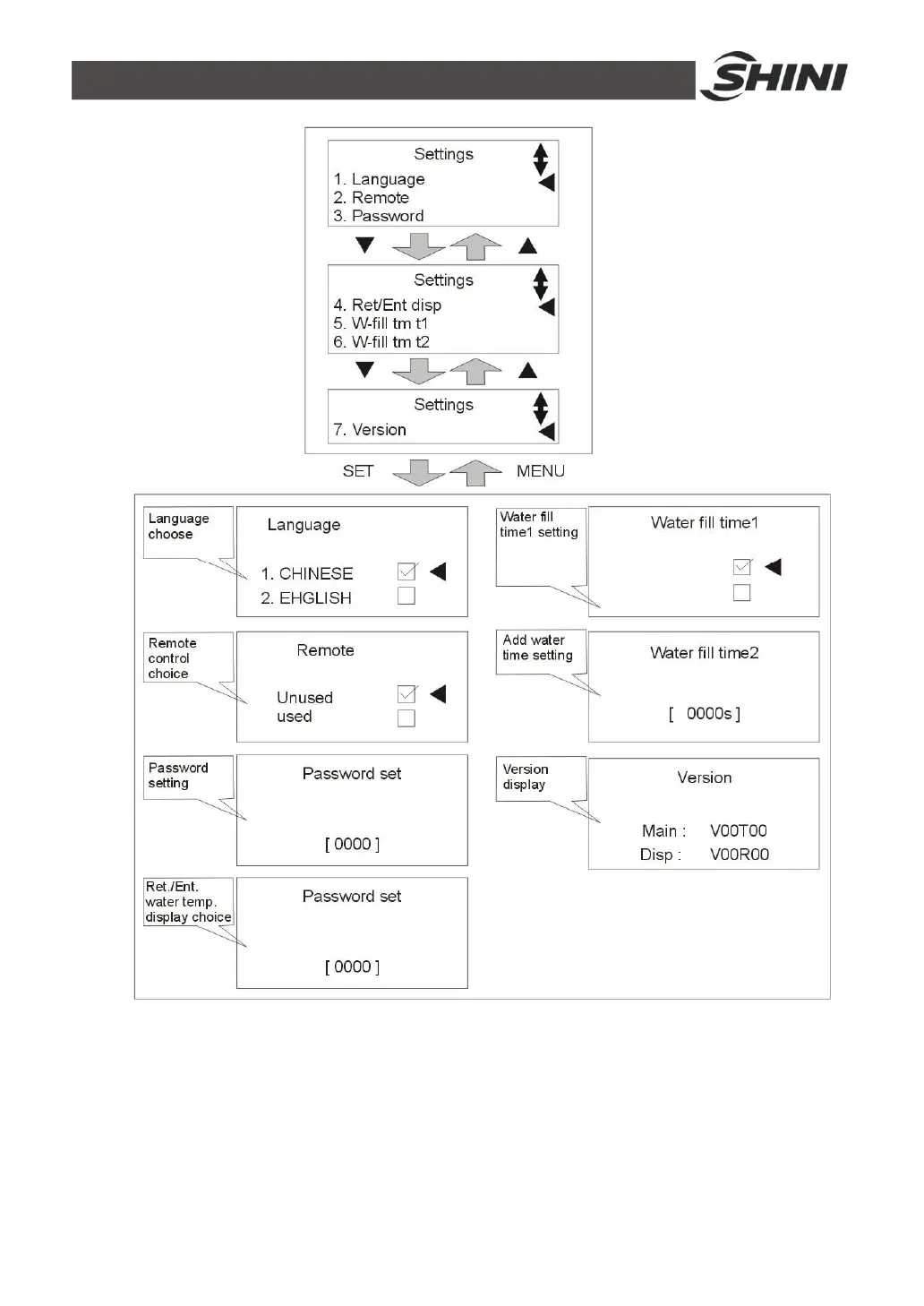
Picture 4-11: Equipment Setting
13) Set mold temperature (if temp. has been set, this step can be ignored). Press
SV key and control target value column will be flashing, press ◄/► key to
move cursor then press ▲/▼ key to change values. Finally press SET key to
confirm them. Maximum setting temperature of STM is 200℃.
14) After setting the target value, press RUN/RESET key to begin temperature



 To Next Page