87(108)
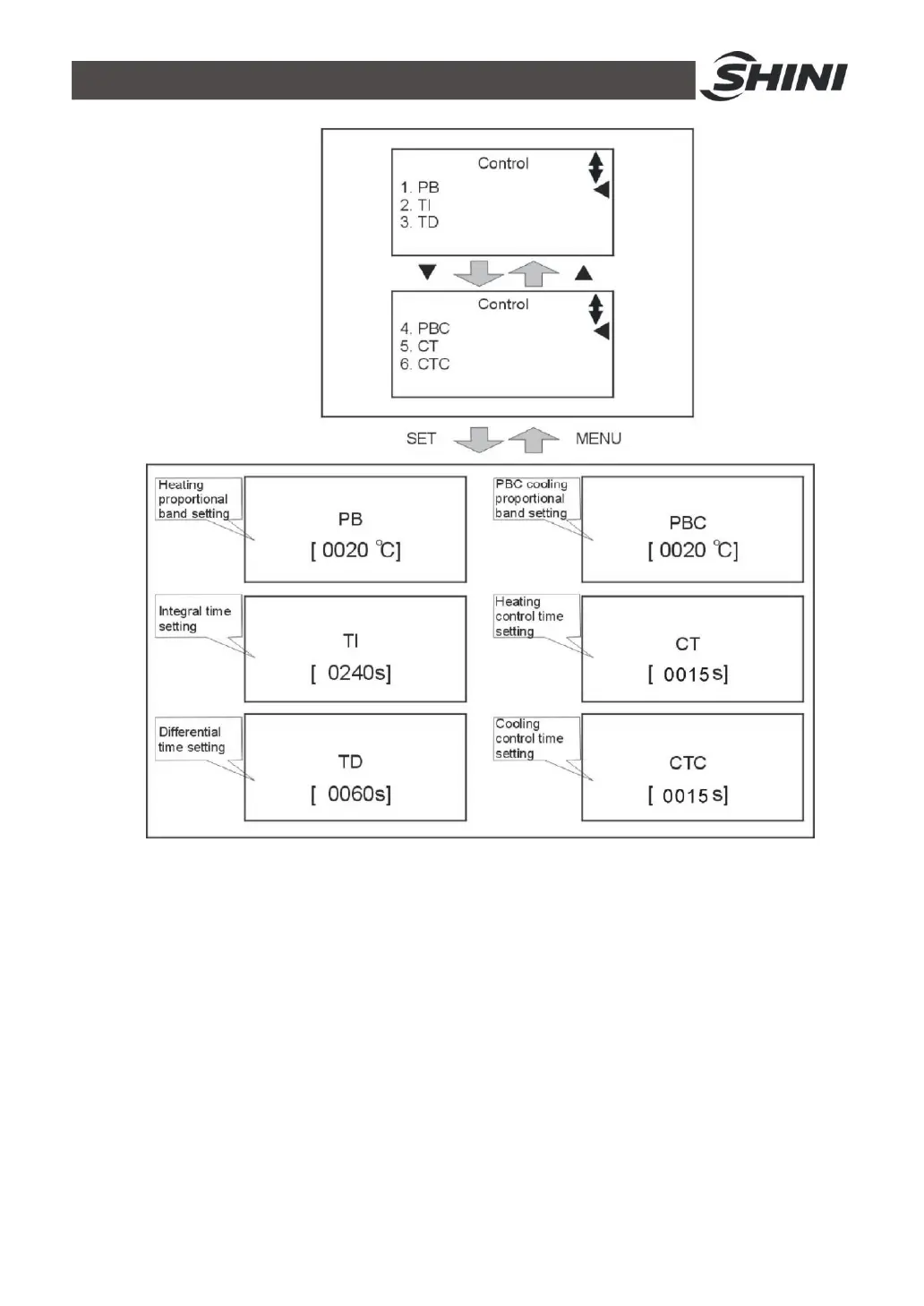
Picture 4-5: Control Setting
7) Press MENU key to retuen to menu screen, press ◄/► key to select alarm
setting then press SET to enter setting menu, see picture below. Here is
parameter setting:
• PHASE——used
• DEV1 ALARM——0 (without temp. sensor)
5 (with temp. sensor, the value can be increased properly
when alarm sounds frequently)
• DEV2 ALARM——0 (without temp. sensor)



 To Next Page