92(108)
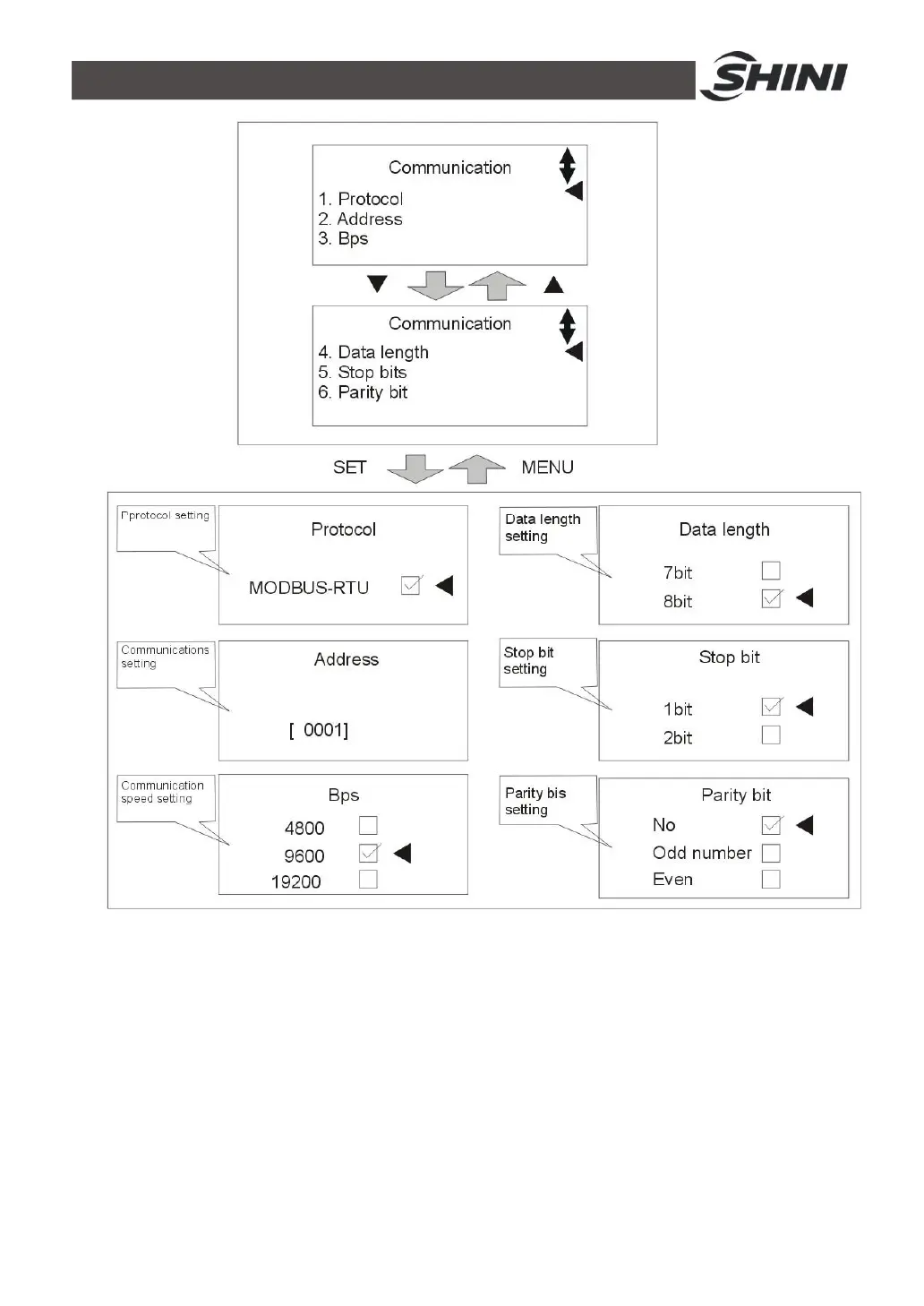
Picture 4-10: Communication Setting
12) Press MENU key to return to menu screen, press ◄/► key to select device
setting, press SET key to enter setting screen, see picture below. Before
delivery, parameters have been set and customers can modify them based on
actual needs.



 To Next Page