SBG 00185 Copyright 2015 19
Quick-Start Guide for PRSalpha and PRSstandard tools
Onion skin
An opon for tabs is to leave an “onion skin,” or very thin layer of material at the boom of a prole
cut. Set the nal cut depth at slightly less than the thickness of your material (typically .010’’ - .030’’,
depending on material and size). The advantage of this method is that the onion skin can be easier to
trim away than a series of tabs. However, if there is a lot of variance in the thickness of your material,
or if your table is not at, then you may end up cung too deep or too shallow and this method will
not work correctly.
Warming Up the Spindle
Note: This step is not necessary for ShopBot machines with routers.
To maximize the life of spindle bearings, warm up the spindle before cung, aer leng it sit idle for
longer than 4 hours.
Click on “Tools” then “Spindle RPM control” to open the spindle control window. Leaving this window
open, start the spindle warm up roune (C5 command). This will run the spindle at 9000, 10000, and
12000 RPM for 3 minutes each, and will turn o the spindle when nished.
Previewing a le with an oset
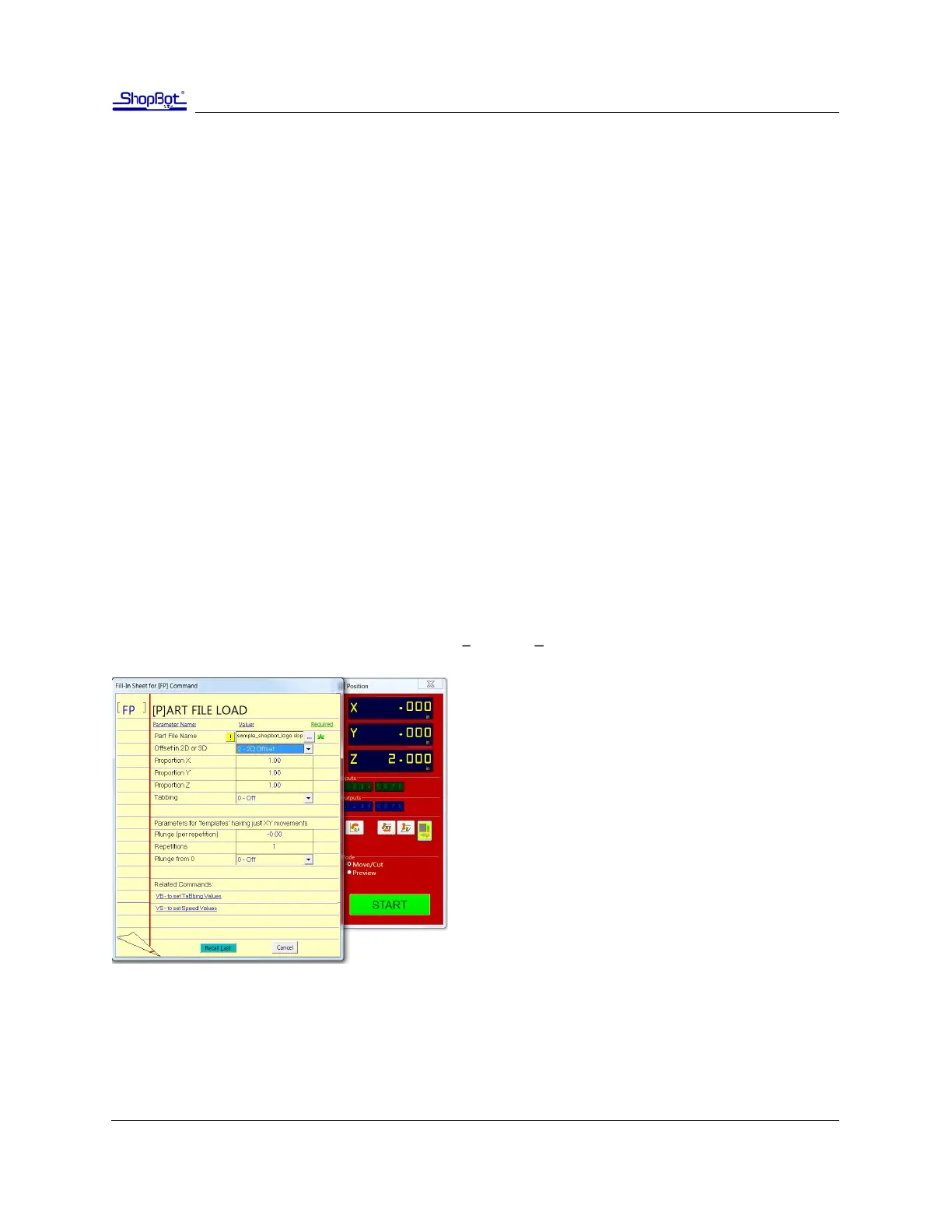
There are several ways to perform a “test run” without actually cung the material. First, enter Move/
Cut mode, and click on the “Cut Part” buon (or “File” and “Part File Load”). Select part le, and the
following screen will appear.
Locate the line marked “Oset in 2D or 3D.”
A 2D oset will cut the le at normal depth in a dier-
ent X,Y locaon on the table. Once the X, Y, and Z axes
are zeroed, simply move the cuer to the new locaon
and load the part le with a 2D oset. Its current loca-
on will be used as 0,0.
A 3D oset will cut at a dierent X, Y, and Z posi-
on. This is oen referred to as “air cung,” since
it allows you to run through the le in the air
above the material. To avoid cung into the
workpiece, make sure that the starng distance
between the bit and the material is greater than the maximum cut depth.
Click “START” or Enter on your keyboard to proceed.



 To Next Page