SBG 00185 Copyright 2015 20
Quick-Start Guide for PRSalpha and PRSstandard tools
Running the cut
If the test run looks good, click on “Cut Part” (or type FP command), and select part le. At the Part File
(FP) setup screen (shown above), ensure “Oset in 2D or 3D” is set to “No Oset.” Click “START,” or
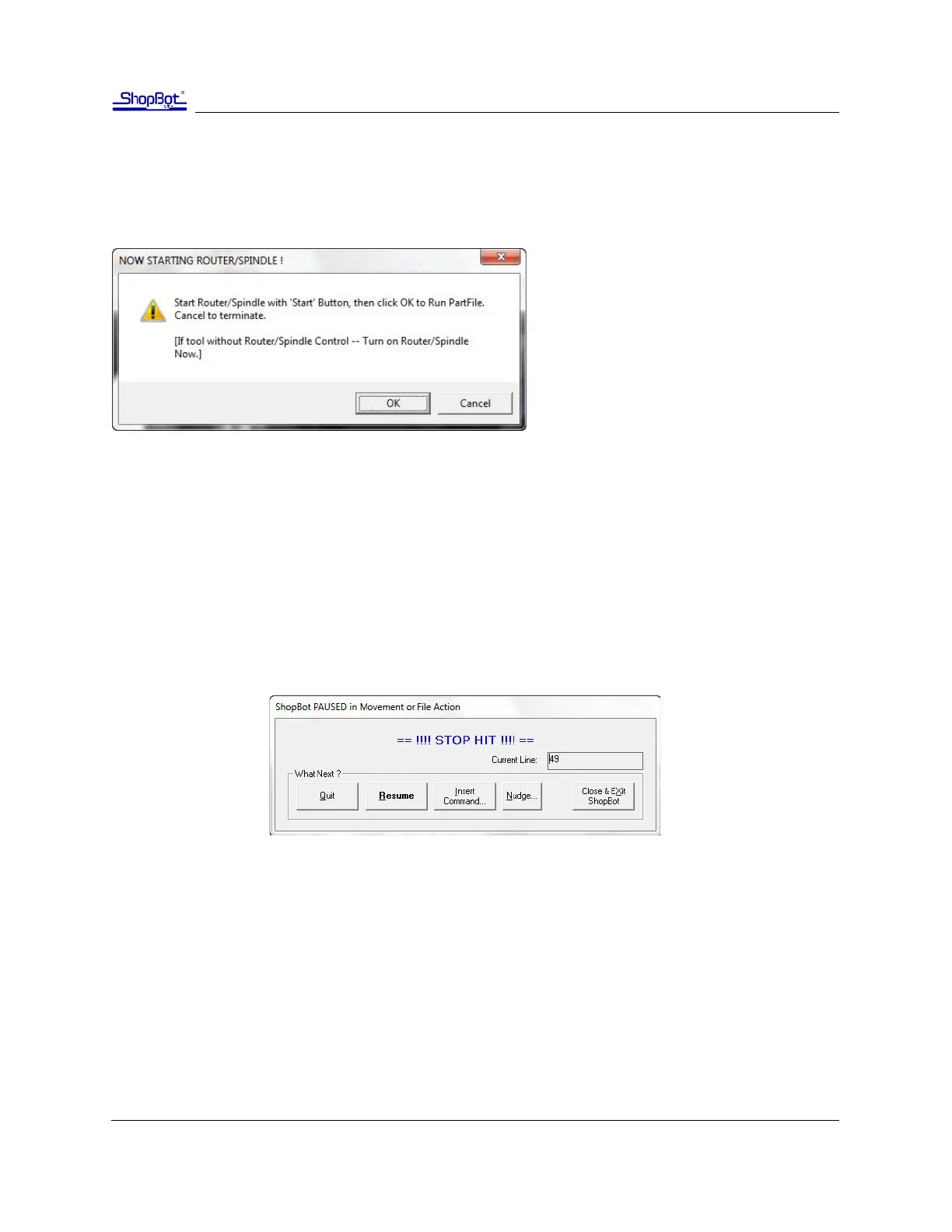
Enter on your keyboard. You’ll see the following screen:
For PRSalpha models, press the “Start”
buon on the three buon pendant BE-
FORE clicking OK.
For PRSstandard models, click “OK” and the
router/spindle will start automacally.
Pausing or stopping a cut
There are two ways to stop the tool while it is moving or cung a part le. An emergency stop cuts
power to the tool and stops it the fastest. A soware controlled stop, or pause, will decelerate the tool,
li the Z axis to a safe height and stop the router/spindle.
Soware controlled stop
The gentlest way to stop the machine during a cut is to hit the space bar on your keyboard. This will
bring the machine to a “so stop,” and will retain zero locaons. The so stop is useful during non-
emergency situaons when adjustments or correcons are needed.
Note: The “Stop” buon on PRSstandard tools acts as a so stop. For a true emergency stop twist
the main stop switch on the cover of the control box.



 To Next Page