29
Enabling or Disabling Handsfree Mode
Handsfree mode is for analog telephone users who are using headsets. IP
phone users should instead choose the Auto Off-Hook Preference. See
“Changing Automatic Off Hook Preference” on page -24 for more
information.
With handsfree mode enabled, you can place or receive calls by using a
headset or the speakerphone. By default, handsfree mode is disabled. You can
enable handsfree mode by doing the following:
Step 1 Press the Options button , followed by your password
and then , or the soft key Enter.
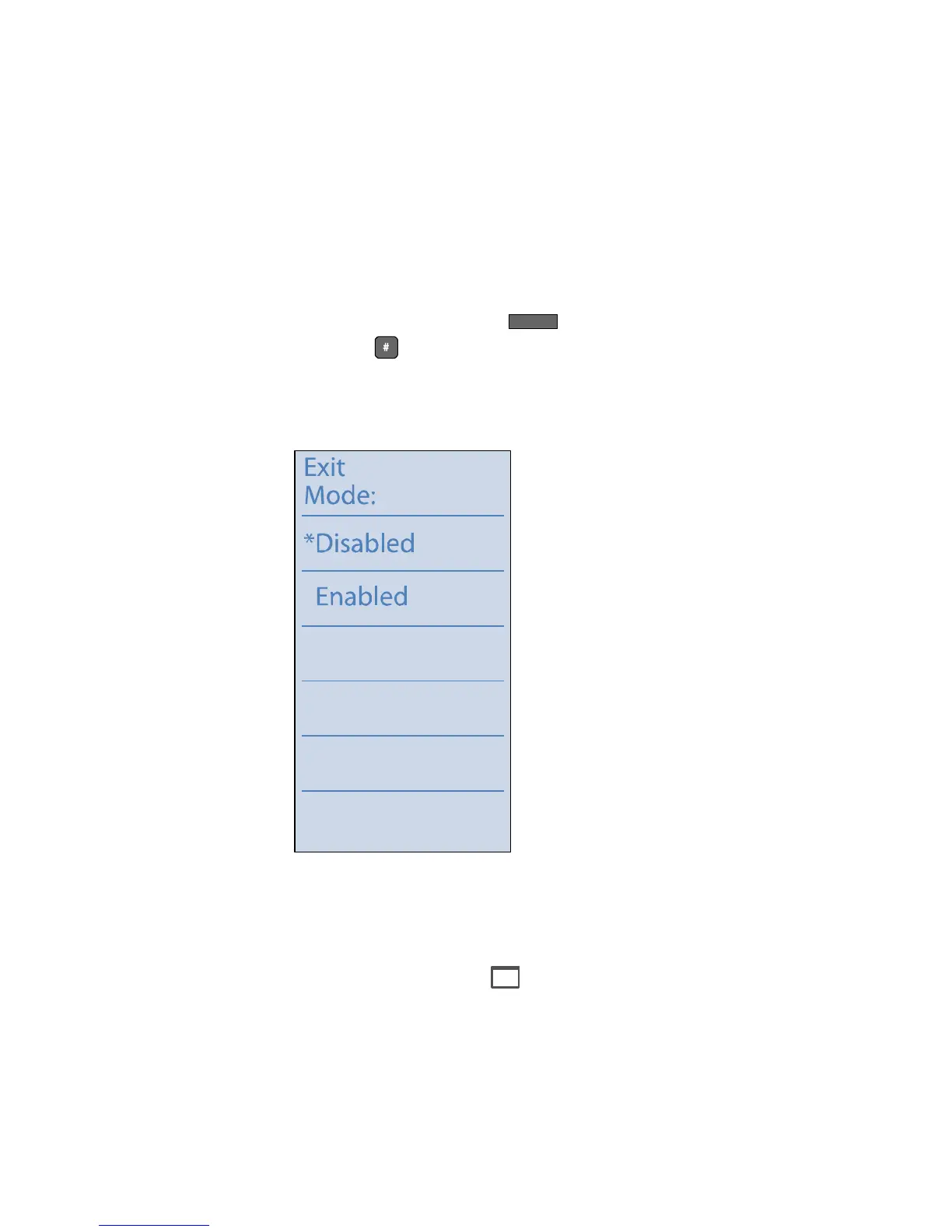
Step 2 Press the custom key next to Handsfree to display the
following screen:
Step 3 Available options for Handsfree mode are Disabled and
Enabled. The current state is indicated with an asterisk.
Press the custom button next to the desired option.
Step 4 Press the Menu button to exit.
NOTE If you enable Handsfree mode, you will not hear dial tone on your
phone.
Options


 To Next Page