16 Handset User Guide ShoreTel IP Phone 930D
Getting Started Your Phone’s Display
1
Your Phone’s Display
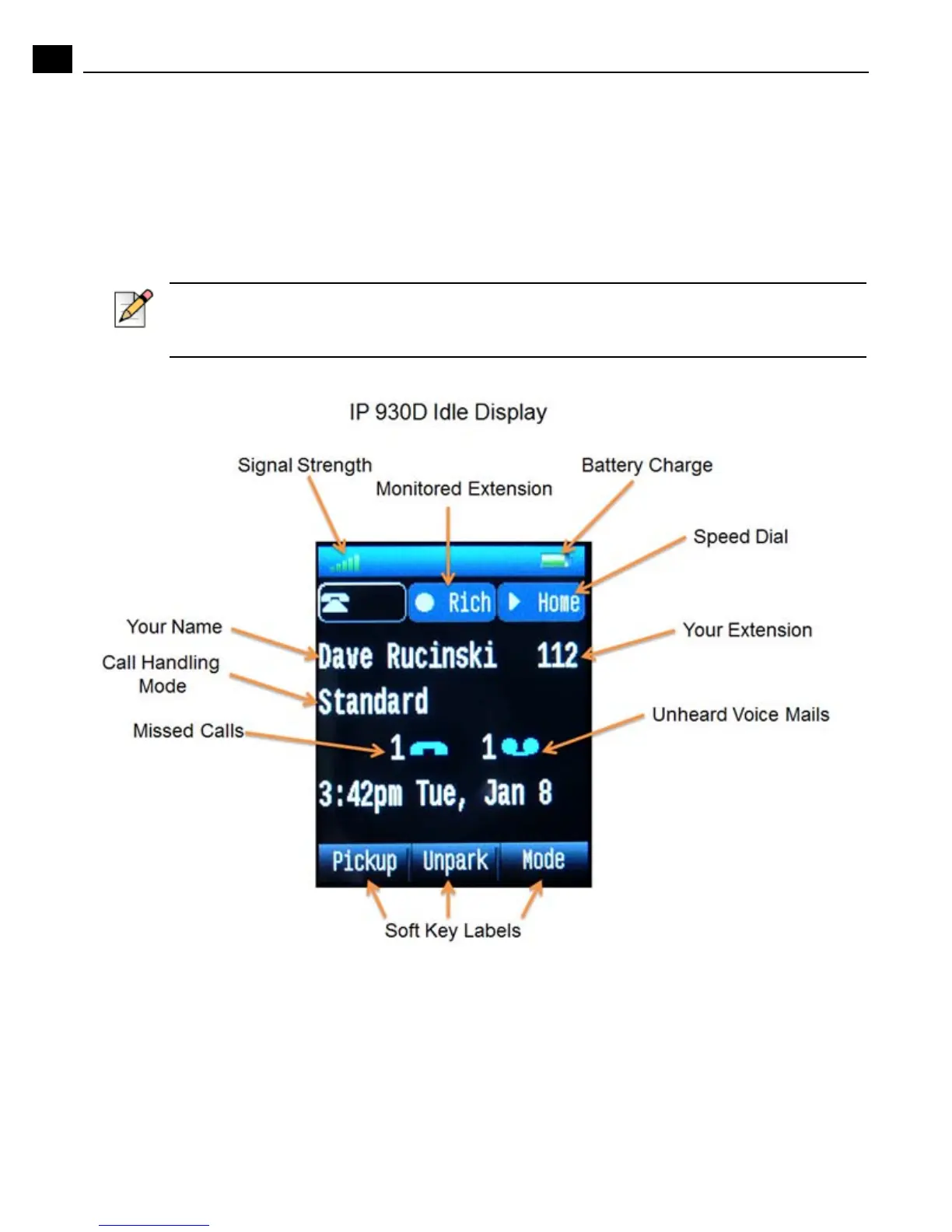
The display screen on your phone shows your name and extension, call handling mode, call
appearance, monitored extensions, calls, duration of call, voice messages, date and time, soft key
functions, and other information. Some features need to be setup by your administrator before they will
appear on your phone.
Powering on the Handset
To power on the handset, press the End/Power button. To turn off the handset, press and hold the
End/Power button until the display turns off.
Additionally, the handset powers on when it is placed into the charging stand.
Note
The illustration below shows a handset with optional features configured, such as a monitored
extension and speed dials. Your IP930D might not be configured to offer these specific features.



 To Next Page