10 Handset User Guide ShoreTel IP Phone 930D
Getting Started Installing and Charging the Battery
1
Installing and Charging the Battery
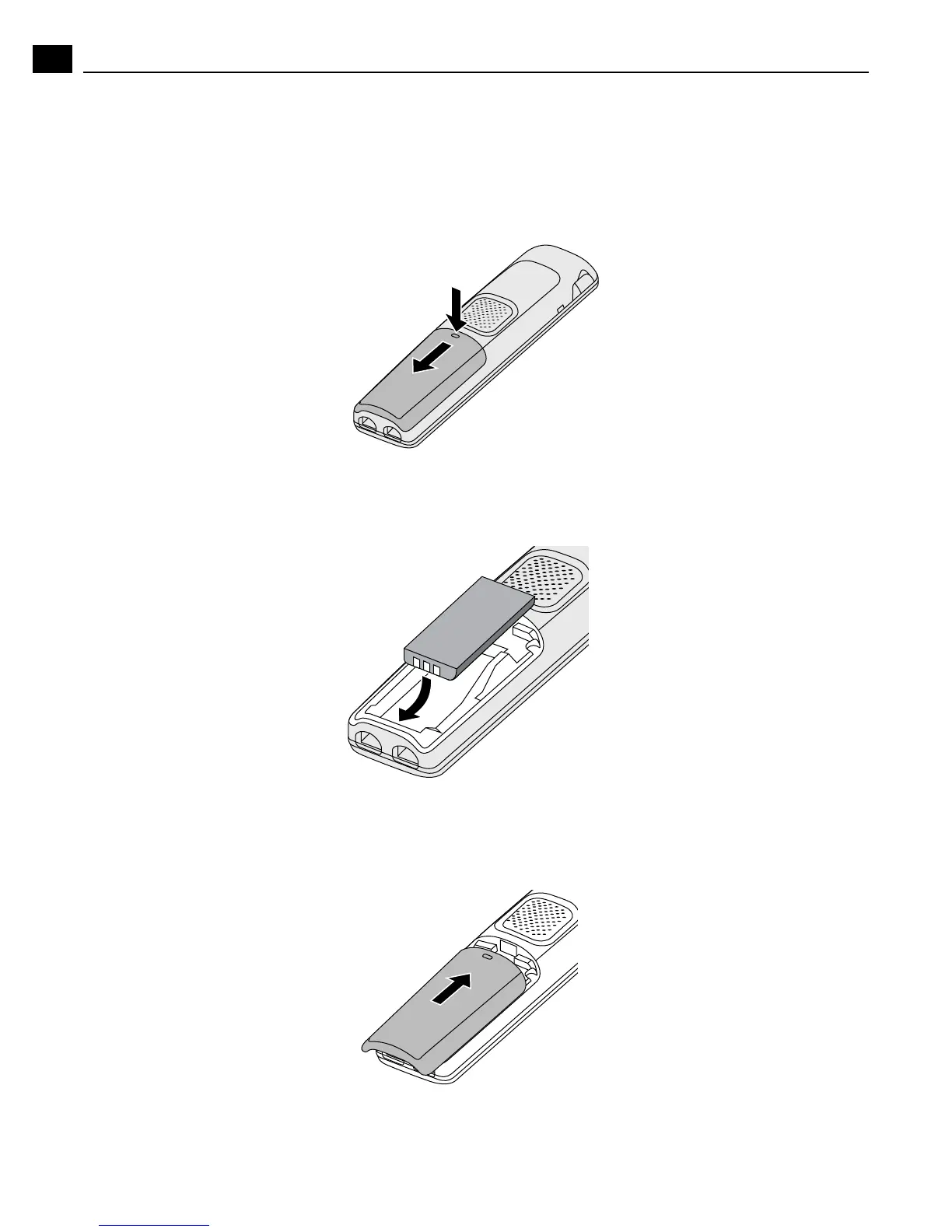
1. Remove the battery cover by pushing down at the horizontal mark on the cover and sliding
downward.
2. Align the battery so that the battery contacts face the bottom of the handset and the contacts align.
Insert the bottom end of the battery first.
3. Push the downward on the battery until it snaps into place.
4. Replace the cover and slide it upward into place until it locks.



 To Next Page