30 Handset User Guide ShoreTel IP Phone 930D
Managing Calls Answering Calls
2
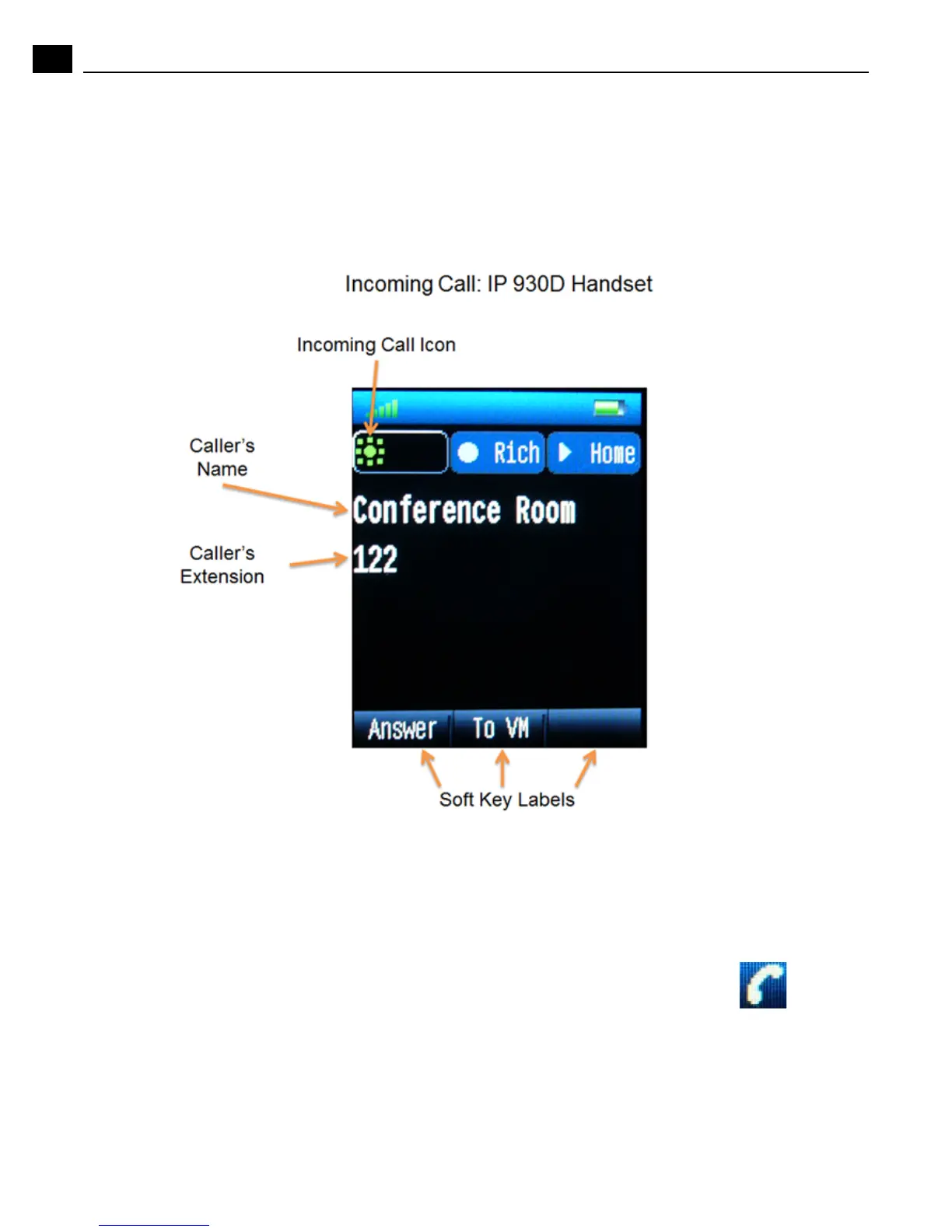
Display Overview with an Incoming Call
If the information is available, the caller’s name, number, and the incoming call icon appear on your
display, as shown in the figure below. (The caller’s name may be abbreviated to fit on one line.)
To answer an incoming call, use the handset, speakerphone, or headset (if available). See the topics
below for more information
Answer using the Handset
To answer a call, push the Talk button when the phone rings. The handset icon appears in
the blue status bar at the top of the display.
To end the call, press the End/Power button.



 To Next Page