Shure Incorporated
37/55
◦
◦
◦
◦
◦
◦
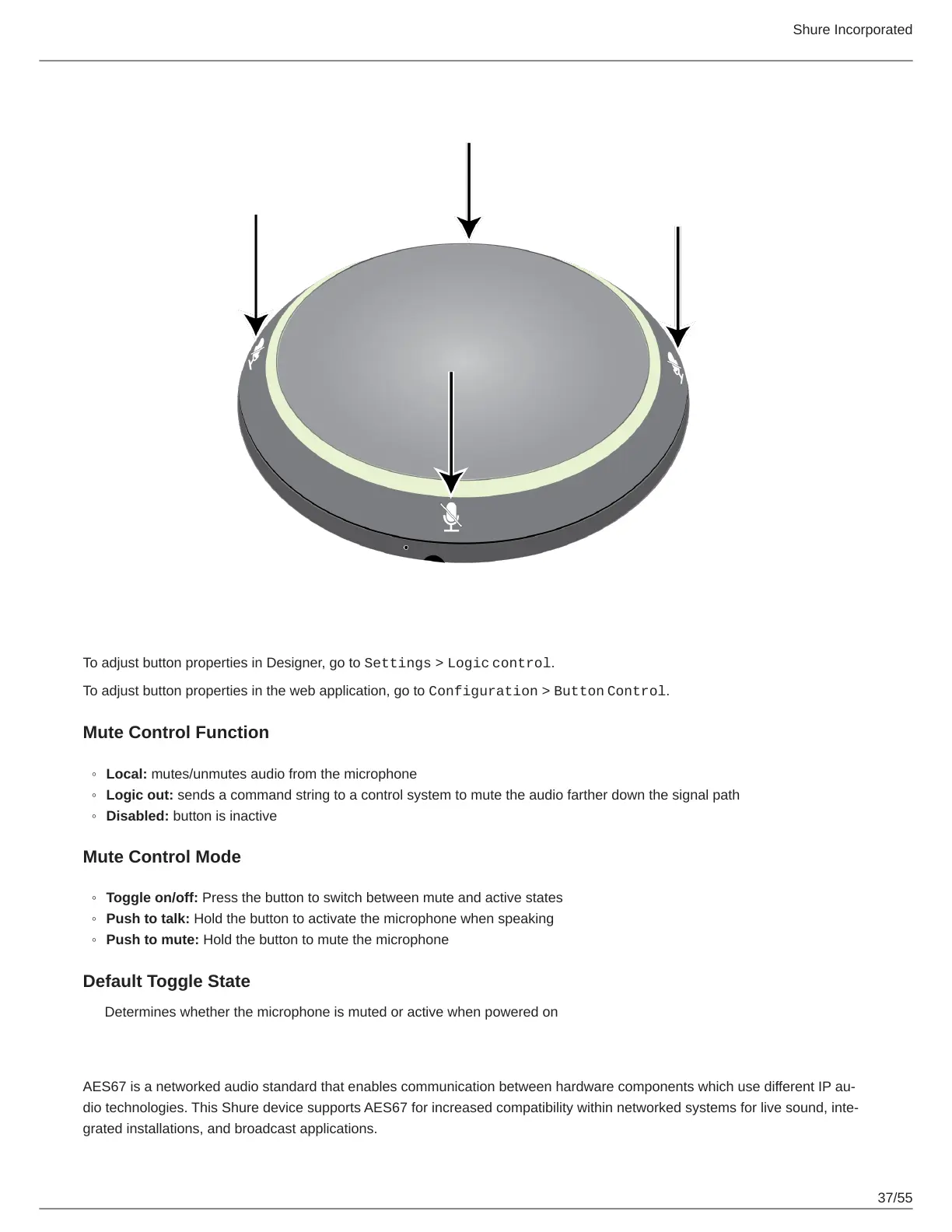
To adjust button properties in Designer, go to Settings > Logic control.
To adjust button properties in the web application, go to Configuration > Button Control.
Mute Control Function
Local: mutes/unmutes audio from the microphone
Logic out: sends a command string to a control system to mute the audio farther down the signal path
Disabled: button is inactive
Mute Control Mode
Toggle on/off: Press the button to switch between mute and active states
Push to talk: Hold the button to activate the microphone when speaking
Push to mute: Hold the button to mute the microphone
Default Toggle State
Determines whether the microphone is muted or active when powered on
AES67
AES67 is a networked audio standard that enables communication between hardware components which use different IP au-
dio technologies. This Shure device supports AES67 for increased compatibility within networked systems for live sound, inte-
grated installations, and broadcast applications.



 To Next Page