Shure Incorporated
43/87
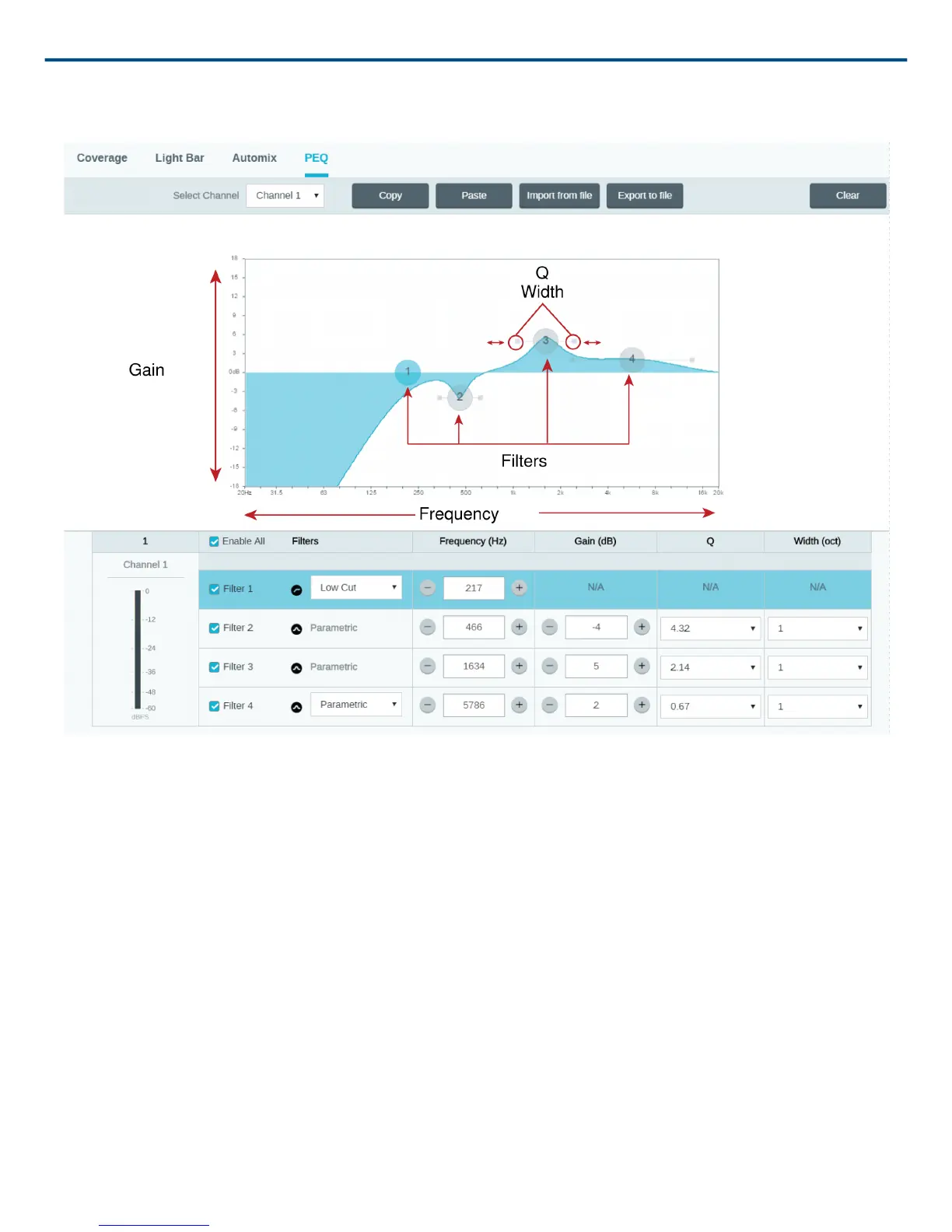
Note: The Q and width parameters affect the equalization curve in the same way. The only difference is the way
the values are represented.
Copy, Paste, Import, and Export Equalizer Channel Settings
These features make it simple to use effective equalizer settings from a previous installation, or simply accelerate
configuration time.
Copy and Paste
Use to quickly apply the same PEQ setting across multiple channels.
1. Select the channel from the pull-down menu in the PEQ screen.
2. Select Copy
3. In the pull-down menu, select the channel to apply the PEQ setting and select Paste.
Import and Export
Use to save and load PEQ settings from a file on a computer. This is useful for creating a library of reusable con
figuration files on computers used for system installation.
Export
Choose a channel to save the PEQ setting, and select Export to file.
Import



 To Next Page