Shure Incorporated
46/87
There are 2 ways to access automix settings:
• From the Configuration screen, select Automix.
• From the Channels screen, select Automix.
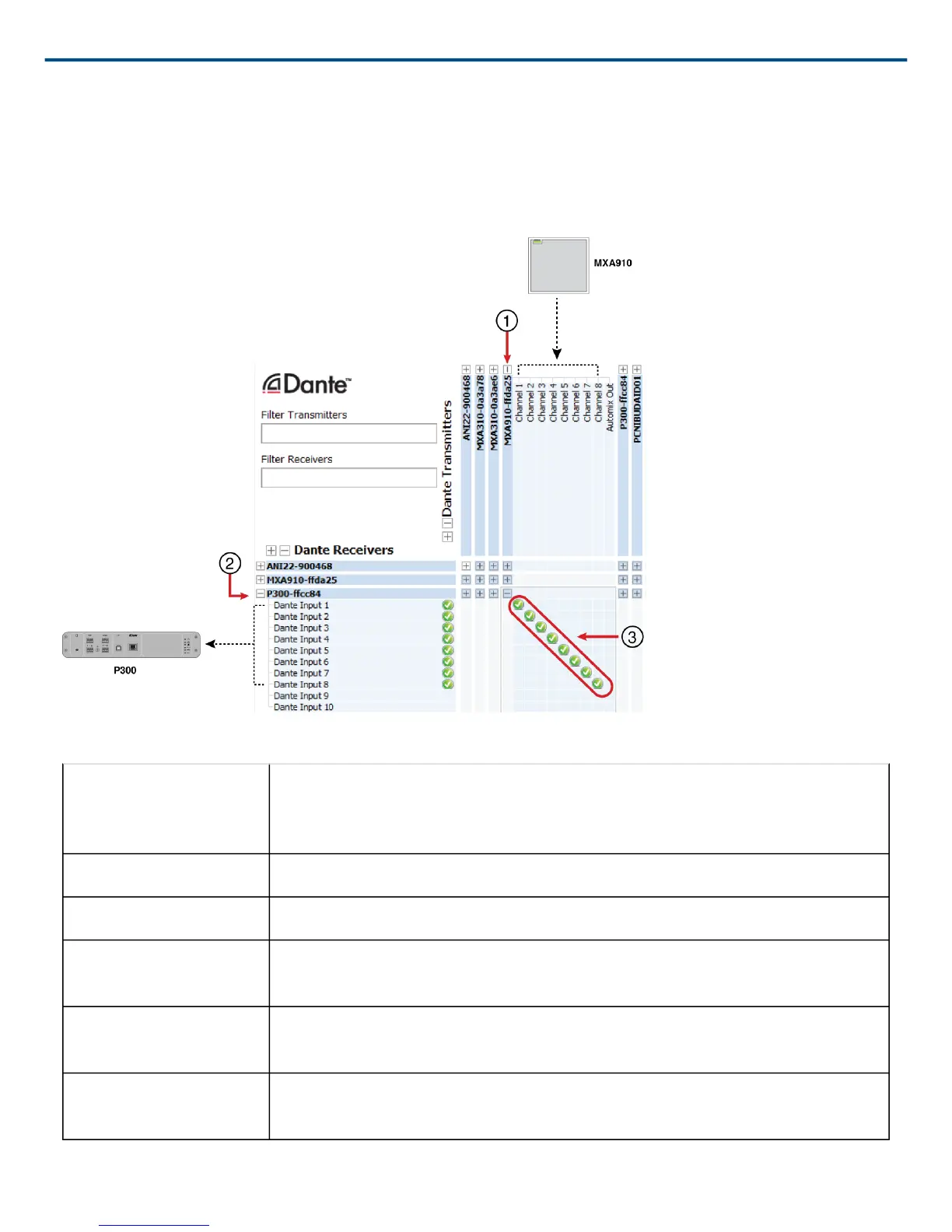
Note: If you're connecting to a P300 audio processor, do not route the microphone's automix output to the P300.
Instead, route the output from each of the microphone's channels to the P300.
Automix Settings
Leave Last Mic On Keeps the most recently used microphone channel active. The purpose of this fea
ture is to keep natural room sound in the signal so that meeting participants on the
far end know the audio signal has not been interrupted.
Gating Sensitivity Changes the threshold of the level at which the gate is opened
Off Attenuation Sets the level of signal reduction when a channel is not active
Hold Time Sets the duration for which the channel remains open after the level drops below
the gate threshold
Maximum Open Chan
nels
Sets the maximum number of simultaneously active channels
Priority When selected, this channel gate activates regardless of the number of maximum
open channels.



 To Next Page