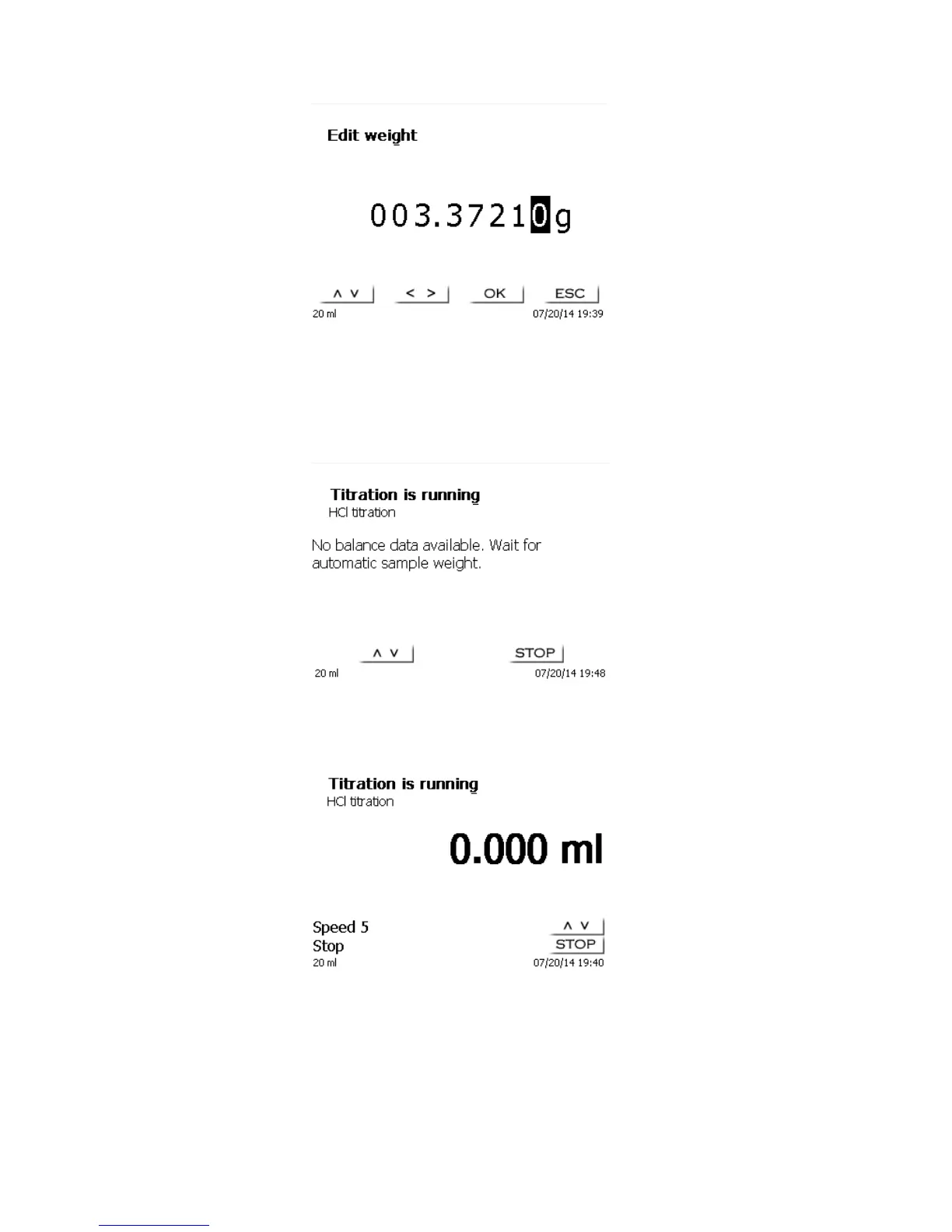
Fig. 27
The balance data can be input using the front keyboard or the external keyboard. Please confirm your selection
using <OK>/<ENTER>.
In the case of automatic takeover of the weighing-balance data, the sample weights will be read out of the
balance data memory. If the memory does not contain any balance data, a message informing you of the
absence of balance data will be displayed (Fig. 28).
Fig. 28
Even at this moment, pressing the Print key on the balance will still cause the transfer of the balance data. After
the input of the sample description and/or the sample weight/ sample volume, the following display will appear:
Fig. 29
You can control the metering rate with the black key of the “mouse“. A single depression of the key will cause a
step up to the first level. Depending on the size of the dosing unit, this corresponds to 0.0025 ml (20 ml) or
0.00625 ml (50 ml). Displayed are 0.003 or 0.006 ml from a single step.
If one keeps the black key depressed on the first level, titration will be continued at a low rate. If you press the
black key fully down (2
nd
level) titration will proceed at a higher rate. The rate of the second level can be set in
five stages using the <↓↑> arrow keys. These stages can also be changed during manual titration.



 To Next Page