EasyManua.ls Logo

SI Analytics TITRONIC 300 - Result (Only for Manual Titration)

Default Icon
56 pages
Print Icon
To Next Page IconTo Next Page
To Previous Page IconTo Previous Page
Loading...
78
4.5.2 Result (only for manual Titration)
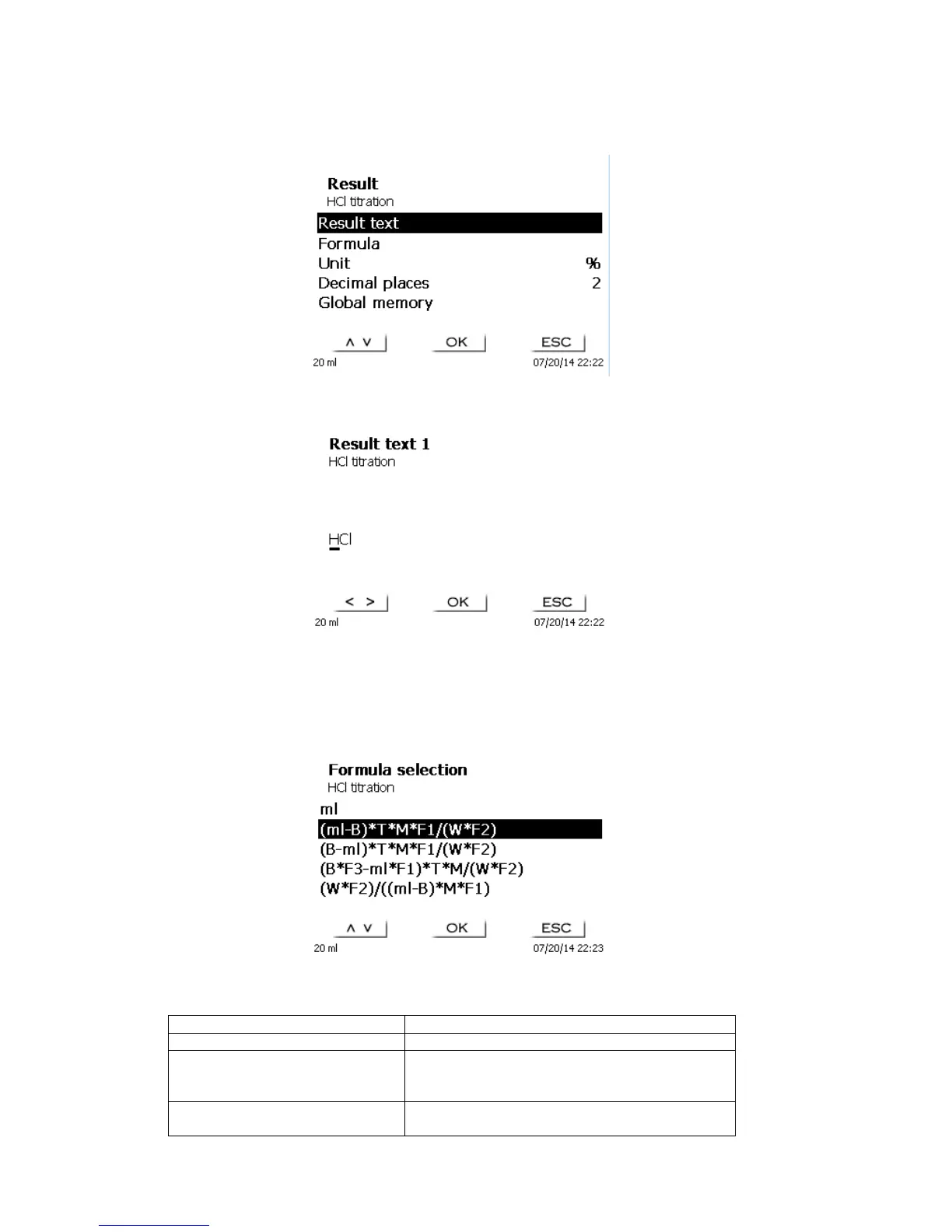
The <Result> menu offers the following possible settings:
Fig. 45
The Result text may contain up to 21 alphanumeric characters including special characters.
Fig. 46
Please confirm your input with <OK</<ENTER>.
4.5.2.1 Formulae for manual titration
On the Formula Selection submenu you can select the appropriate calculation formula:
Fig. 47
The following calculation formulae are available for manual titration:

Titration formula
Additional information
ml
Used to calculate the consumption in ml
(ml-B)*T*M*F1/(W*F2)
Formula for calculating the concentration of a
sample taking into account a blank value in
terms of ml.
(B-ml)*T*M*F1/(W*F2)
Formula for calculating the concentration of a
sample taking into account a blank value in

Table of Contents

Related product manuals