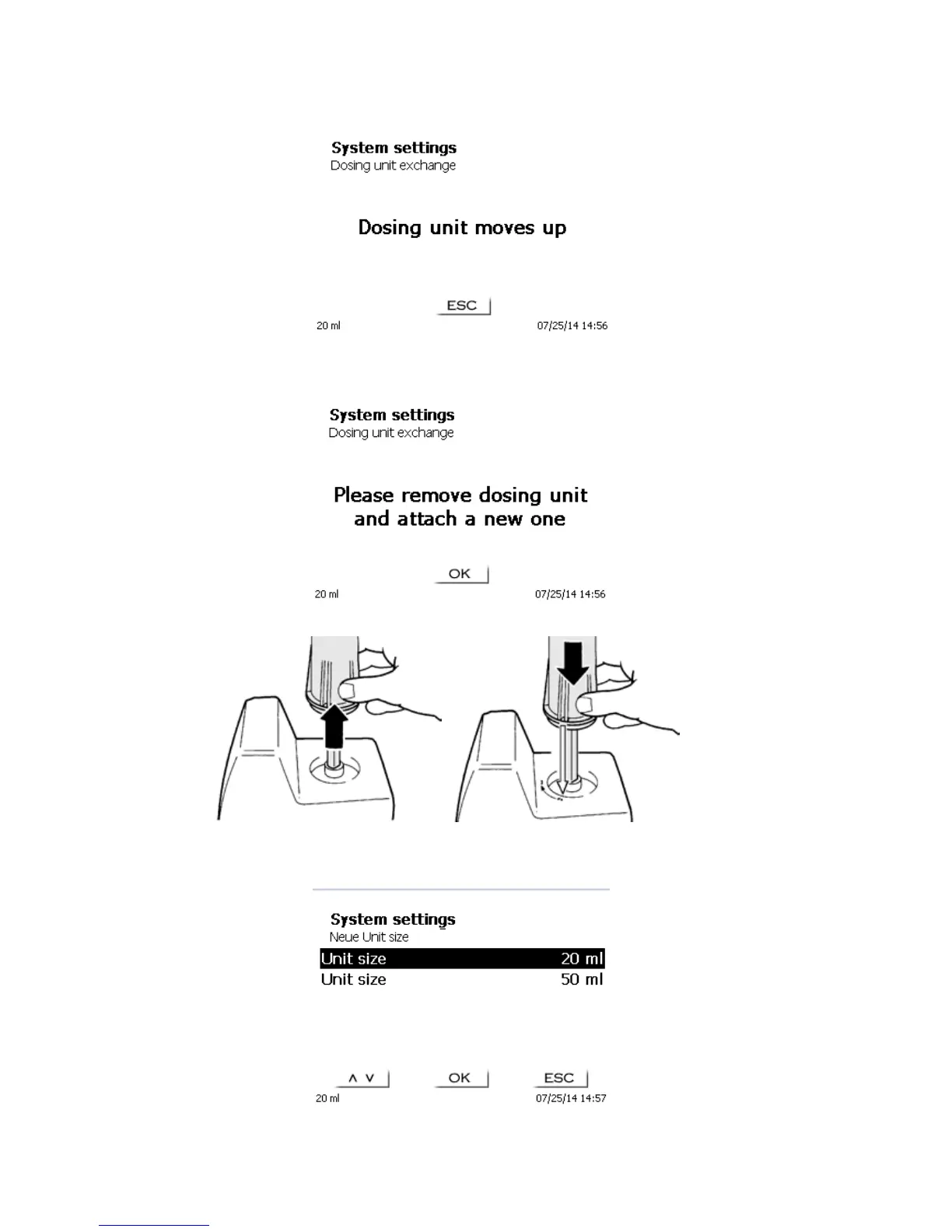
After the unit is unlocked, confirm with <OK>. The unit will move up the whole way.
Fig. 72
Pull off the dosing unit and attach the new one just like it was before. The two struts of UV protection must
comply with the mark on the housing (Fig.73).
Fig. 73
Accept by pushing <OK>/<ENTER>. In case you changed the size of the dosing unit, you can choose which size
you attached:
Fig. 74
If you want to change the reagents data, you can reset all reagent data.



 To Next Page