Appendix D Operating Instructions
Ranger E/D
30 SICK IVP • Industrial Sensors • www.sickivp.com • All rights reserved 8011731
Appendix
D Recommended Switches
There are some features of a switch which are important to consider when choosing a
switch for connecting several rangers to one PC. One thing is if the switch is capable to
handle Ethernet Jumbo frames or not.
Recommended switches:
NetGear GS716T – 16-port switch
SMC SMCGS5 – 5-port switch
These switches are capable of handling Ethernet Jumbo frames.
E iCon Device Configuration
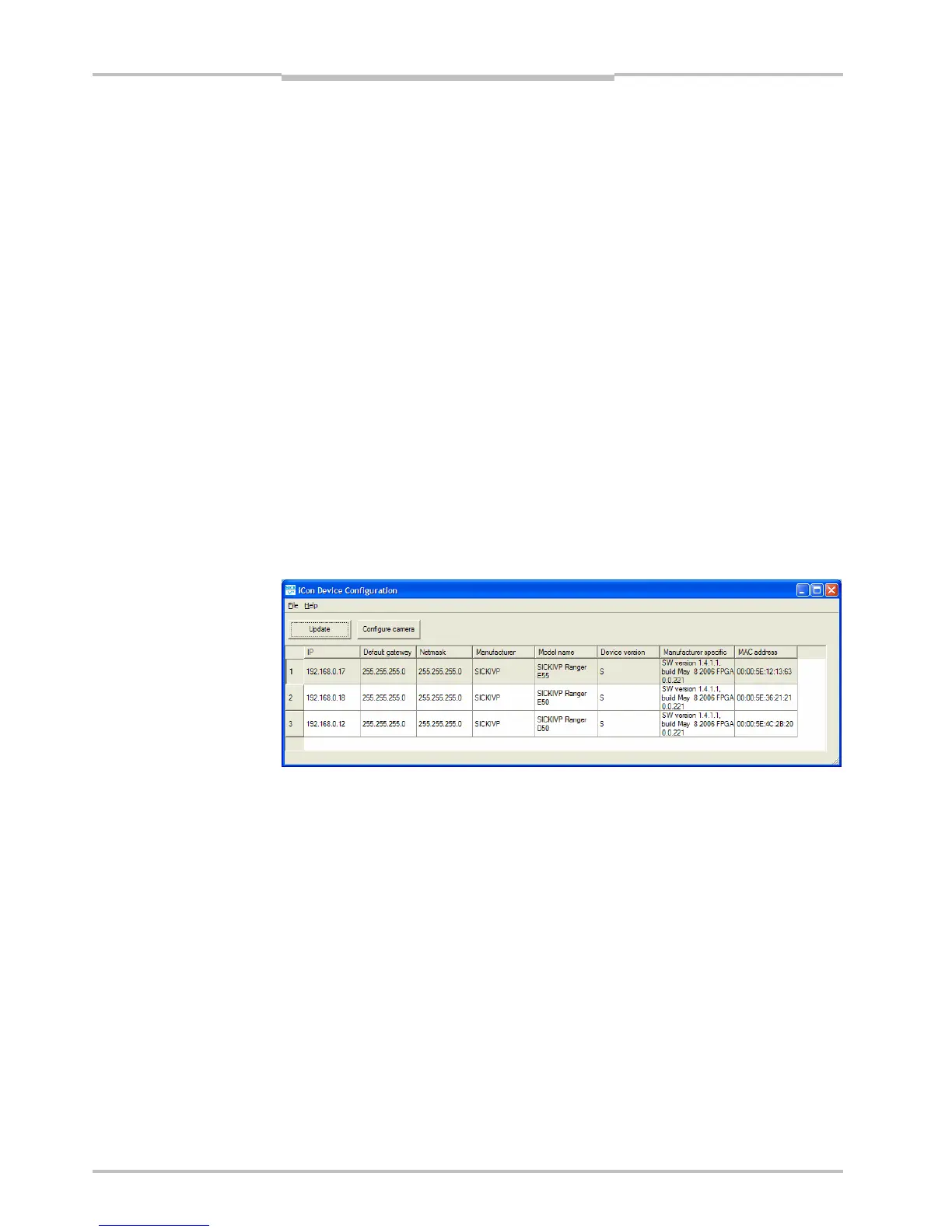
The iCon Device Configuration is a utility for finding the IP addresses of connected devices,
and for changing their IP addresses. You start iCon Device Configuration by choosing iCon
Device Configuration from the Start menu
Figure E.1 – The iCon Device Configuration window
Update Update the list of available devices. Updating the list may take approxi-
mately 15 seconds.
Configure camera Displays a dialog box in which you can change the IP address of the
device selected in the list. The device will be updated when you click OK
in the dialog box.


 To Next Page