2
35.6 (1.40)
6 (0.24)
10 (0.39)
5
Ready
Read Diagn
Result
TeachIn
LED
Auto-Setup
Data
Autofocus
LNK TX
Userdefined
300
200
100
70
40
100
0
[mm]
[%]
7
4
6
1
3
26.5
(1.04)
4.8 (0.19)
43 (1.69)
21.5
(0.85)
26
(1.02)
71 (2.80)
Ø 10
(0.39)
1
8
ß
9
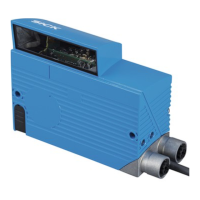
Figure 3: Lector621 ECO: Structure and dimensions, unit: mm (inch), decimal separator: period
1
4 tapped blind holes, M5, 5 mm deep for mounting the device
2
2 sliding nuts, M5, 5.5 mm deep, as an alternative method of mounting the device
3
Viewing window with two LEDs, integrated illumination unit
4
Bar graph display
5
Beeper (under housing cover)
6
5 status LEDs (2 levels)
7
2 function keys
8
Cable (0.9 m) permanently attached to device with male connector, D-Sub-HD, 15-pin
(connection “Power/Serial Data/CAN/I/O”)
9
Cover (flap) with two fixing screws (Torx TX6, captive)
ß
USB port (female connector, type Micro-B, 5-pin). For temporary use as a service interface
only.
3.3.1.1 Illumination unit
1
3
2
1
1
1
1
2
1
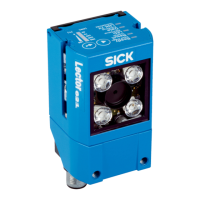
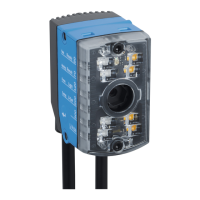
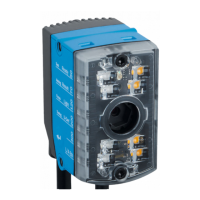
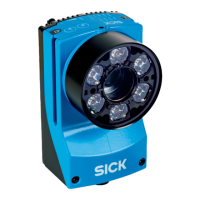
Lector621 ECOLector621
Figure 4: Illumination unit (integrated illumination unit)
1
Lector621: 4 integrated illumination LEDs (color is type-dependent; position: 2 on the left,
2 on the right)
Lector621 ECO: 2 integrated illumination LEDs (color: visible red light; position: on the
left)
2
1 feedback-LED (color: visible green light, e.g. for Good Read)
3
Laser alignment aid, can be deactivated (color: visible red light)
3 PRODUCT DESCRIPTION
16
O P E R A T I N G I N S T R U C T I O N S | Lector621 8022502/15NT/2020-02-11 | SICK
Subject to change without notice






 To Next Page