EasyManua.ls Logo

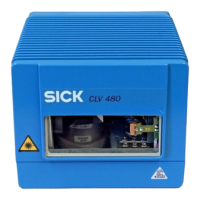
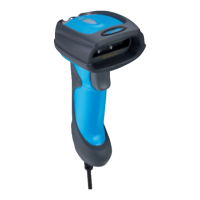
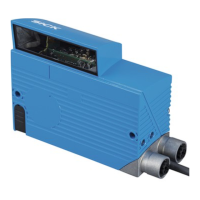
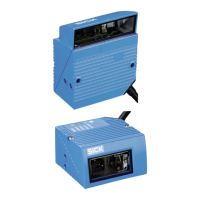
SICK Advanced Series - User Manual

SICK Advanced Series
270 pages
Print Icon
To Next Page IconTo Next Page
Loading...
Advanced Line
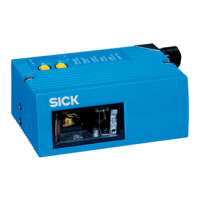
CLV490
Bar Code Scanner
OPERATING INSTRUCTIONS
New Connectivity
CDB420 and CDM490
WWW.100Y.COM.TW WWW.100Y.COM.TW WWW.100Y.COM.TW



Table of Contents

Questions and Answers

  • T
    Todd DukeJul 27, 2025
    Why is the "Device Ready" LED not lit on my SICK Advanced Barcode Reader?
    • J
      Jennifer SmithJul 28, 2025
      The "Device Ready" LED might not be lit due to several reasons: * If just switched on, the CLV490 might not be getting power. Check the wiring and ensure the power connector is securely fitted to the CDM490 Connection Module. Measure the voltage at pin 1 and pin 5. * The CLV490 may have encountered a device error during its self-test. Try switching the CLV490 off and on again. * The CLV490 might not be in "Reading" mode. Use the "CLV-Setup" program to return to Reading mode. * If in trigger mode, the laser diode may have deactivated after 10 minutes (default setting) following the start of the reading pulse. Terminate the reading pulse, check the reading pulse function, and supply a new pulse.
  • M
    Micheal CoxAug 13, 2025
    What to do if my SICK Barcode Reader CLV490 cannot be clocked?
    • J
      James WhiteAug 13, 2025
      If the CLV490 cannot be clocked, the "Sensor" LED isn't lit, and the red scan line doesn't appear, here are potential solutions: * If using sensor input trigger mode, check the sensor wiring. * If the object isn't passing the reading pulse sensor for trigger start while the conveyor is running, install the reading pulse sensor in front of the CLV490 in the conveying direction.

Summary

Quick Finder

CAUTION!

Highlights critical safety information and warnings.

Mounting the device at the reading station

Provides guidance on installing the CLV490 at the reading station.

Connecting the device

Explains the electrical and data connections for the CLV490.

Adapting the device to the reading application

Information on configuring the CLV490 for specific applications.

Troubleshooting

Guidance for resolving common errors and malfunctions.

2 Safety information

2.1 Authorized users

Specifies qualifications required for personnel handling the CLV490.

2.2 Intended use

Defines the device's purpose and operational context.

2.3 General safety instructions and protection measures

Provides essential safety guidelines for electrical and laser hazards.

2.4 Quick stop and quick restart

Details procedures for safely stopping and restarting the CLV490.

3 Product description

3.2 Method of operation

Explains how the CLV490 scans, decodes, and processes bar codes.

4 Installation

4.1 Installation sequence

Provides a step-by-step guide for the installation process.

4.3 Mounting and adjusting the device

Details how to mount and align the CLV490 for optimal performance.

5 Electrical installation

5.2 Electrical connections and cables

Details the device's interfaces, connections, and cable specifications.

6 Operation

6.4 Configuring (parameterization) the CLV490

Explains how to configure the CLV490 using CLV-Setup software.

6.5 Operating modes and outputing the reading result

Describes various operating modes and how to display reading results.

8 Troubleshooting

8.1 Overview of possible errors and malfunctions

Lists common errors categorized by mounting, electrical, parameter, and general malfunctions.

8.3 Error messages

Details coded error messages and their meanings.

8.5 Malfunctions in Reading mode: result output errors

Troubleshoots issues related to incorrect reading results.

9 Technical data

10 Appendix

10.6 Installing and operating the CLV-Setup program

Comprehensive guide to installing and using the CLV-Setup software.

SICK Advanced Series Specifications

General IconGeneral
Light SourceLED, visible red light (660 nm)
Protection ClassIP65
Typical Scan Rate500 scans/s
Ambient Operating Temperature0 °C ... +50 °C
Power Supply10 V DC ... 30 V DC

Related product manuals