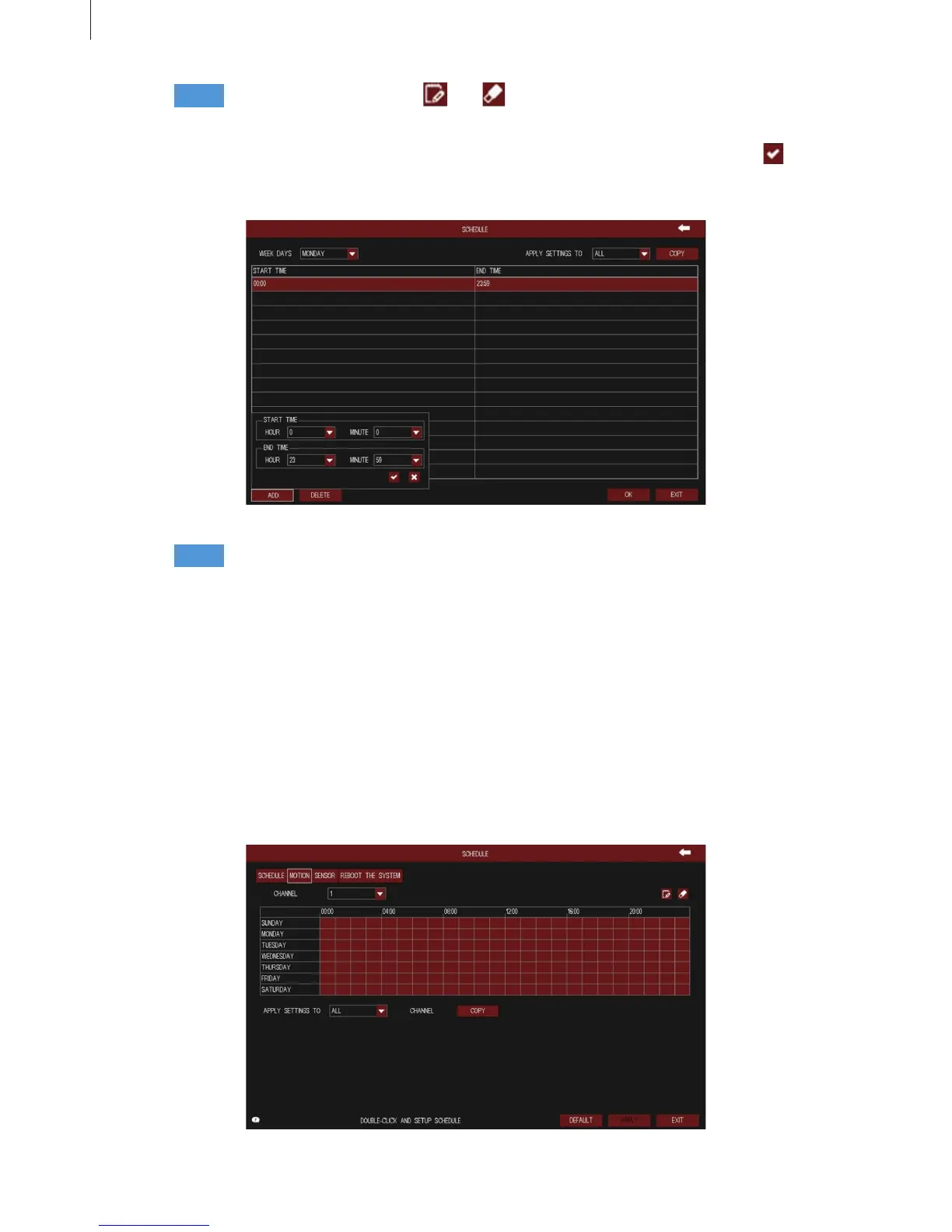
Fig 3-23
Fig 3-24
33
Step3
Step4
Cancel the selected status of and button. Double-click the grid area to edit the
week schedule of recording. As shown in Fig 3-23:
User can copy and apply channel settings to the other channel or all channels. Click “Copy”
button to copy the specied channel schedule to other channel.
Select a week day; click “Add” button, then set the start & end time of recording plan, click to
add a certain day schedule; select a plan in the week schedule list, click “Delete” button to delete the
selected plan.
2) Motion
The interface of motion detection congure is shown in Fig 3-24. The setup steps of motion are
familiar with schedule.
3) Sensor
The interface of sensor alarm congure is shown in Fig 3-25. The setup steps of sensor are familiar
with schedule.
Menu Setup Guide



 To Next Page