ix
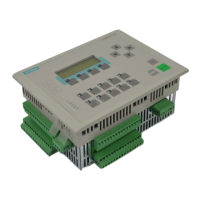
C7-613 Control System
A5E00138934-03
Contents
1 Product overview 1-1. . . . . . . . . . . . . . . . . . . . . . . . . . . . . . . . . . . . . . . . . . . . . . . . . . . . . . .
1.1 Design and Structure 1-1. . . . . . . . . . . . . . . . . . . . . . . . . . . . . . . . . . . . . . . . . . . .
1.1.1 Controlling with the C7-613 1-3. . . . . . . . . . . . . . . . . . . . . . . . . . . . . . . . . . . . . . .
1.1.2 Operator Control and Monitoring with the C7-613 1-4. . . . . . . . . . . . . . . . . . . .
1.1.3 Firmware updates 1-7. . . . . . . . . . . . . . . . . . . . . . . . . . . . . . . . . . . . . . . . . . . . . . .
1.1.4 Scope of Functions 1-8. . . . . . . . . . . . . . . . . . . . . . . . . . . . . . . . . . . . . . . . . . . . . .
1.2 Product Scope and Accessories for the C7-613 1-9. . . . . . . . . . . . . . . . . . . . .
2 Installing and Wiring the C7-613 2-1. . . . . . . . . . . . . . . . . . . . . . . . . . . . . . . . . . . . . . . . .
2.1 Labeling Strips 2-1. . . . . . . . . . . . . . . . . . . . . . . . . . . . . . . . . . . . . . . . . . . . . . . . . .
2.2 Mechanical installation 2-3. . . . . . . . . . . . . . . . . . . . . . . . . . . . . . . . . . . . . . . . . . .
2.3 Locating the C7-613 in a Mechanical Environment 2-7. . . . . . . . . . . . . . . . . . .
2.4 Setting Up the Electrical Configuration and Connector Pin Assignment 2-8.
2.5 Guidelines for Fail-safe Installation 2-17. . . . . . . . . . . . . . . . . . . . . . . . . . . . . . . .
2.6 Connecting Shielded Cables 2-19. . . . . . . . . . . . . . . . . . . . . . . . . . . . . . . . . . . . . .
2.7 Preventing Connector Interchanges through Coding 2-20. . . . . . . . . . . . . . . . . .
3 Special Features of the C7-613 3-1. . . . . . . . . . . . . . . . . . . . . . . . . . . . . . . . . . . . . . . . . .
3.1 Operating Mode Selection 3-2. . . . . . . . . . . . . . . . . . . . . . . . . . . . . . . . . . . . . . . .
3.2 Status and Error Displays of the C7-613 3-5. . . . . . . . . . . . . . . . . . . . . . . . . . . .
3.3 Arrangement of Additional S7-300 Modules 3-5. . . . . . . . . . . . . . . . . . . . . . . . .
3.4 Status Display of the Digital Onboard I/O 3-9. . . . . . . . . . . . . . . . . . . . . . . . . . .
4 Integration into the User Program 4-1. . . . . . . . . . . . . . . . . . . . . . . . . . . . . . . . . . . . . . .
4.1 Installing the CD 4-1. . . . . . . . . . . . . . . . . . . . . . . . . . . . . . . . . . . . . . . . . . . . . . . .
4.2 Program Structure 4-2. . . . . . . . . . . . . . . . . . . . . . . . . . . . . . . . . . . . . . . . . . . . . . .
4.3 Creating Configuration Data 4-6. . . . . . . . . . . . . . . . . . . . . . . . . . . . . . . . . . . . . .
4.3.1 Basis 4-6. . . . . . . . . . . . . . . . . . . . . . . . . . . . . . . . . . . . . . . . . . . . . . . . . . . . . . . . . .
4.3.2 Creating Foreign-language Texts 4-10. . . . . . . . . . . . . . . . . . . . . . . . . . . . . . . . . .
4.3.3 Creating Asian Texts 4-11. . . . . . . . . . . . . . . . . . . . . . . . . . . . . . . . . . . . . . . . . . . . .
4.3.4 Integrating the HMI FBs and DBs into a User Program 4-12. . . . . . . . . . . . . . .
4.3.5 Basic Parameter Assignment 4-13. . . . . . . . . . . . . . . . . . . . . . . . . . . . . . . . . . . . .
4.3.6 Creating Process Screens 4-14. . . . . . . . . . . . . . . . . . . . . . . . . . . . . . . . . . . . . . . .
4.3.7 Creating Messages 4-15. . . . . . . . . . . . . . . . . . . . . . . . . . . . . . . . . . . . . . . . . . . . . .
4.3.8 Variable in Prozessbildern und Meldungen 4-16. . . . . . . . . . . . . . . . . . . . . . . . . .
4.3.9 Creating Info Texts 4-17. . . . . . . . . . . . . . . . . . . . . . . . . . . . . . . . . . . . . . . . . . . . . .
4.3.10 Creating a Screen hierarchy 4-17. . . . . . . . . . . . . . . . . . . . . . . . . . . . . . . . . . . . . .
4.4 Converting Your Version 1 Project into a Version 2 Project 4-19. . . . . . . . . . . .




 To Next Page