18-6
OP27,
OP37 Equipment Manual
Release 05/99
3. Connect
the connector of the DKM ribbon cable to the plug connector of
the OP in such a way that the color
-coded side of the ribbon cable is facing
toward the center of the unit (see Figure 18-5).
Color coding
Pins
Ribbon cable
Figure 18-5 Connecting the plug of the direct key module (example OP37)
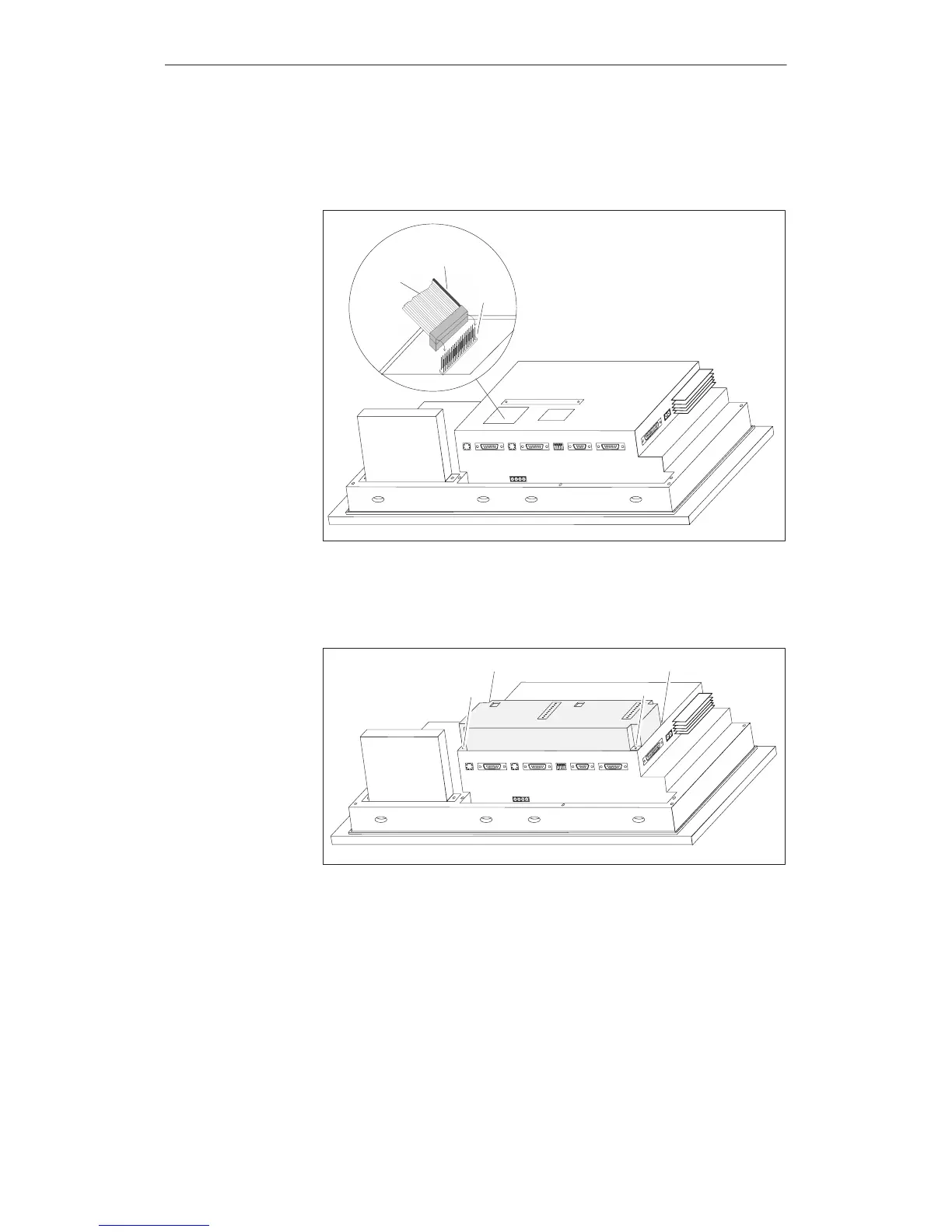
4. Secure
the direct key module to the OP using the four screws supplied
¸
(see Figure 18-6).
¸
¸
¸¸
Figure 18-6 Securing the direct key module to the OP (example OP37)
Remove
in the reverse sequence of the installation procedure.
Options
Artisan Technology Group - Quality Instrumentation ... Guaranteed | (888) 88-SOURCE | www.artisantg.com



 To Next Page
 Loading...