Cellular Modem Modules
6.5RUGGEDCOM RX1500PN LM W32
1. Remove the line module from the chassis. For more information, refer to the
Installation Manual for the host device.
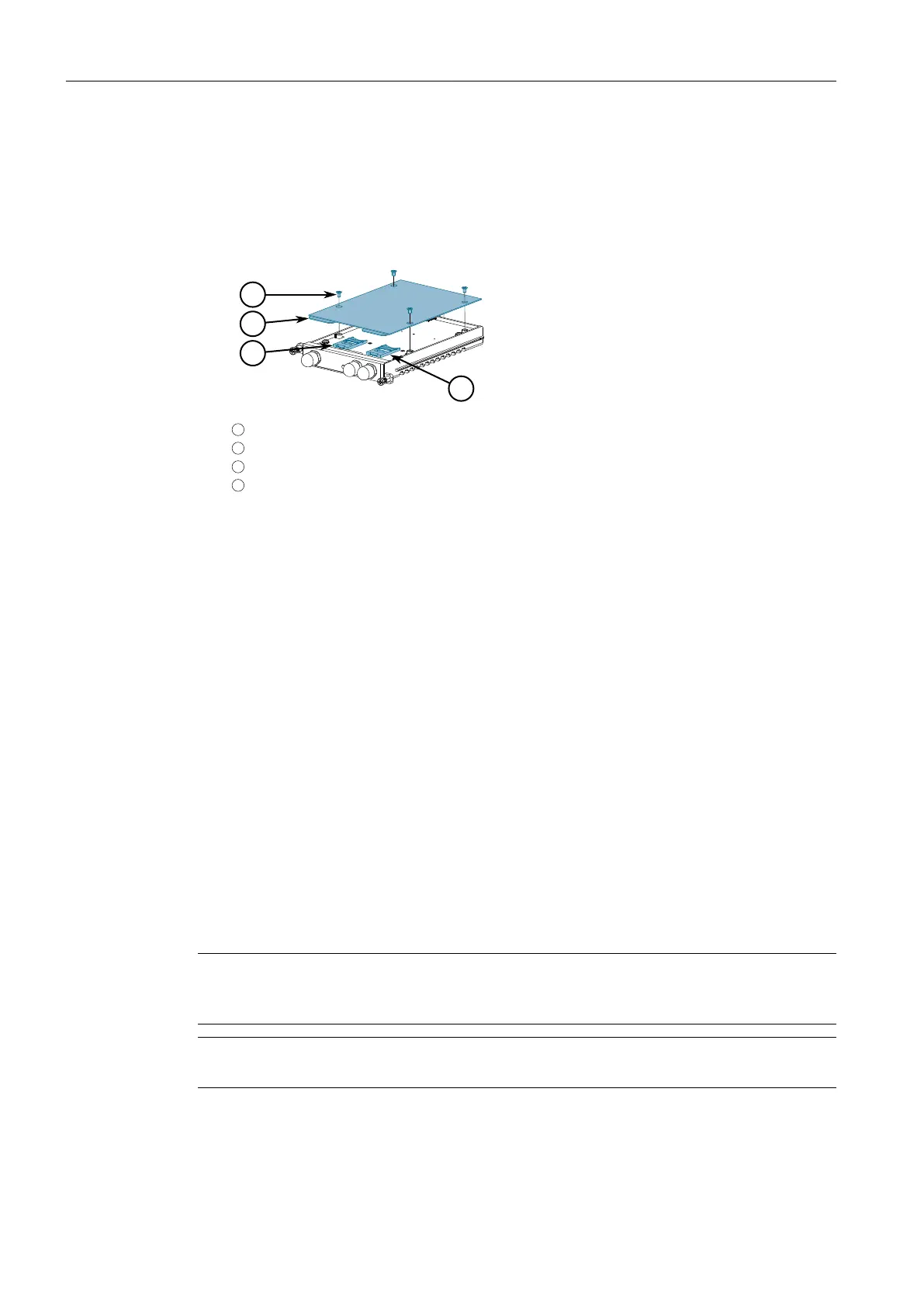
2. On the smooth side of the module, remove the four screws and separate the
cover from the module housing.
1
Screw
2
Cover
3
SIM Card Cage 2
4
SIM Card Cage 1
Figure6.14 SIM Card Assembly
3. Open Cage 1 by sliding the silver catch towards the front face of the module and
then flip the cage up.
4. If necessary, remove the existing SIM card.
5. Insert a new mini-SIM card into the cage.
6. Flip the cage down and slide the silver catch back to its original position.
7. [Optional] Repeat the steps above to install a second SIM card in Cage 2.
8. Place the cover on the module housing and install the four screws removed
previously.
9. Install the module back into the chassis. For more information, refer to the
Installation Manual for the host device.
10. Configure the SIM cards. For more information, refer to the RUGGEDCOM ROX
Configuration Manual for the host device.
Connecting Antennas
To connect a 3G multi-band antenna, do the following:
Note
If two antennas are to be installed, the antennas must be separated by a minimum
distance of 20 cm (7.9 in).
Note
A specific brand of antenna is not specified.
RUGGEDCOM Modules
Catalog, 07/2021, C79000-G8976-1320-16
143



 To Next Page