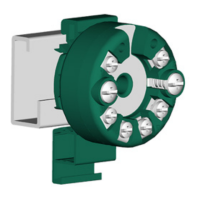
Result
The LED is lit green.
1.2 Commissioning SITRANS TH/TR with HART
Condition
Before you start, note the following safety notes:
• General safety notes (Page 21)
• Basic safety notes: Installing/mounting (Page 27)
• Basic safety notes: Connecting (Page 41)
• Basic safety notes: Commissioning (Page 67)
Read the entire device manual in order to achieve the optimum performance of the device.
Procedure
1. Install/mount the device.
Installing SITRANS TH100/320/420 in a connection head (Page 31)
Mounting SITRANS TH100/320/420 on DIN rail and G rail (Page 33)
Installing SITRANS TR on DIN rail (Page 34)
2. Connect the device.
Connecting TH320 (Page 45)
Connecting TH420 (Page 46)
Connecting TR320 (Page 48)
Connecting TR420 (Page 50)
3. For devices with intrinsically safe protection type, use an isolating power supply that
corresponds to the requirements of the relevant type of protection.
4. Switch on the power supply.
Switching on the supply voltage (Page 67)
5. Wait for 2 seconds.
After this startup time, the device is operational.
6. Wait 5 minutes to get exact measured values.
7. If you want to change the factory settings, congure the device using remote operation.
– Read the operating instructions for information on this.
8. Lock the device.
– Read the operating instructions for information on this.
Getting started
1.2 Commissioning SITRANS TH/TR with HART
SITRANS TH100/TH100Slim/TH320/TH420/TR320/TR420/TF320/TF420
8 Compact Operating Instructions, 07/2021, A5E41865021-AE



 To Next Page
 Loading...