Page 155 of 176
667/HE/53000/000
6. Replacement is the reversal of removal.
Take note of the New Serial Number
For a single Node, the process to acknowledge an update does not require prior knowledge of the Serial
Number. However, it is good practice to note the New Serial Number and update any backups of the
Design Layout (paper or Electronic). If multiple nodes are being replaced, then the Serial Number will
need to be noted for configuration update.
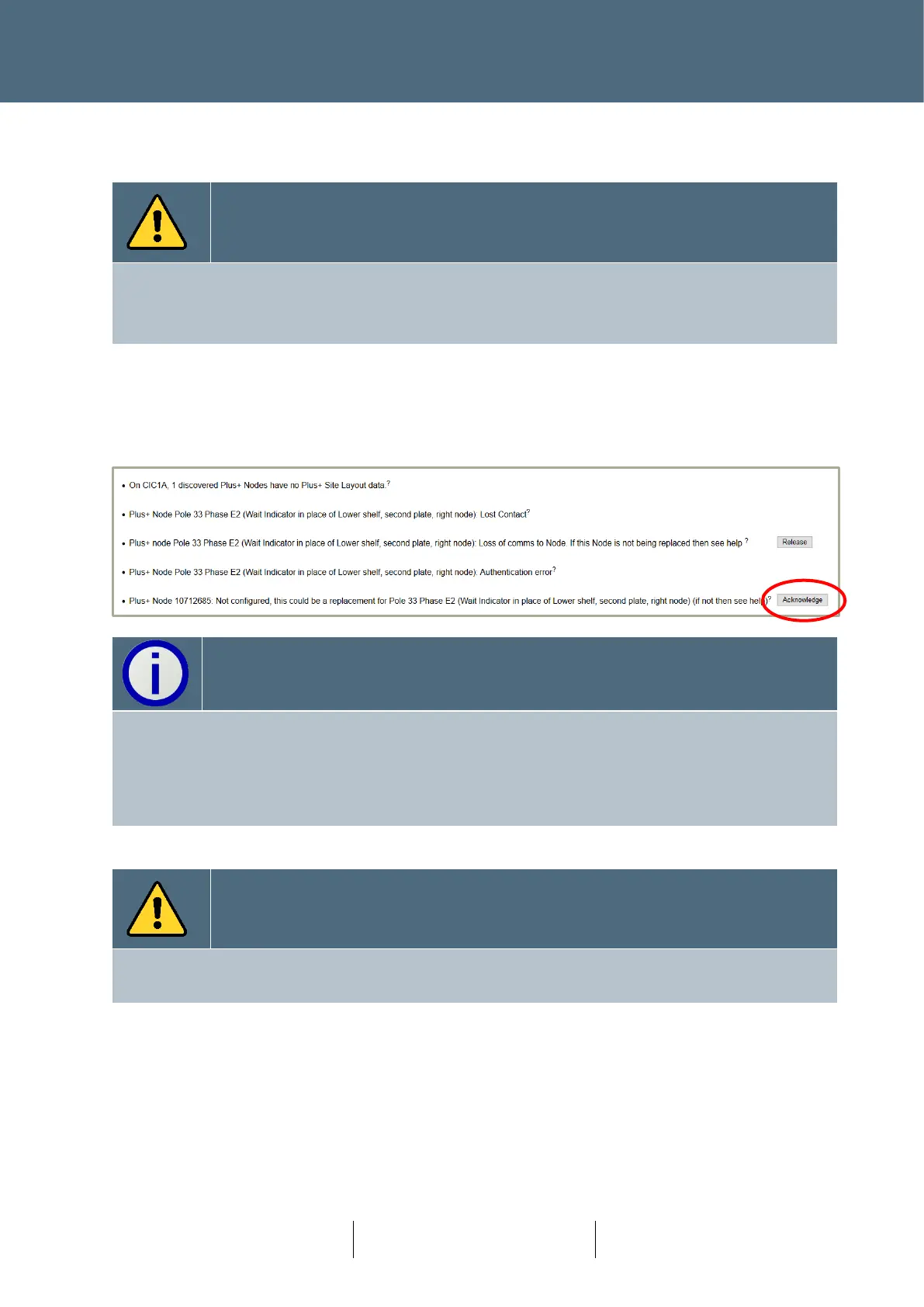
7. At the controller, in the Fault Table, the User is expected to press the L3 button to remove
the ‘Authentications’ issues listed.
8. The user is then offered to ‘Acknowledge’ the change in Node. Note: The use of the ‘Release’
Button, if seen, is not required.
If the complete signal head is being replaced, disconnect the dropper cable from the pole top
board and pull through before removing the complete signal head assembly.
The new signal head can be installed in its place.
The controller will recognise the ByPass having been changed and will require an
‘Acknowledge’.
Confirm Signal Head Position and Orientation
When replacing a signal head, the orientation and location must be confirmed by using the Lamp
Test facility, for example.
9.5.2 Replacement of Wait/PDU Board
The Wait/PDU board is used in three variations of Node, namely Wait Indicator, PDU (Pedestrian
Demand Unit) and as part of the Nearside combined. In most cases, the Wait/PDU board can be
hot swapped as part of a maintenance procedure.
The process of removal and replacement is similar in all three cases.








 To Next Page