20
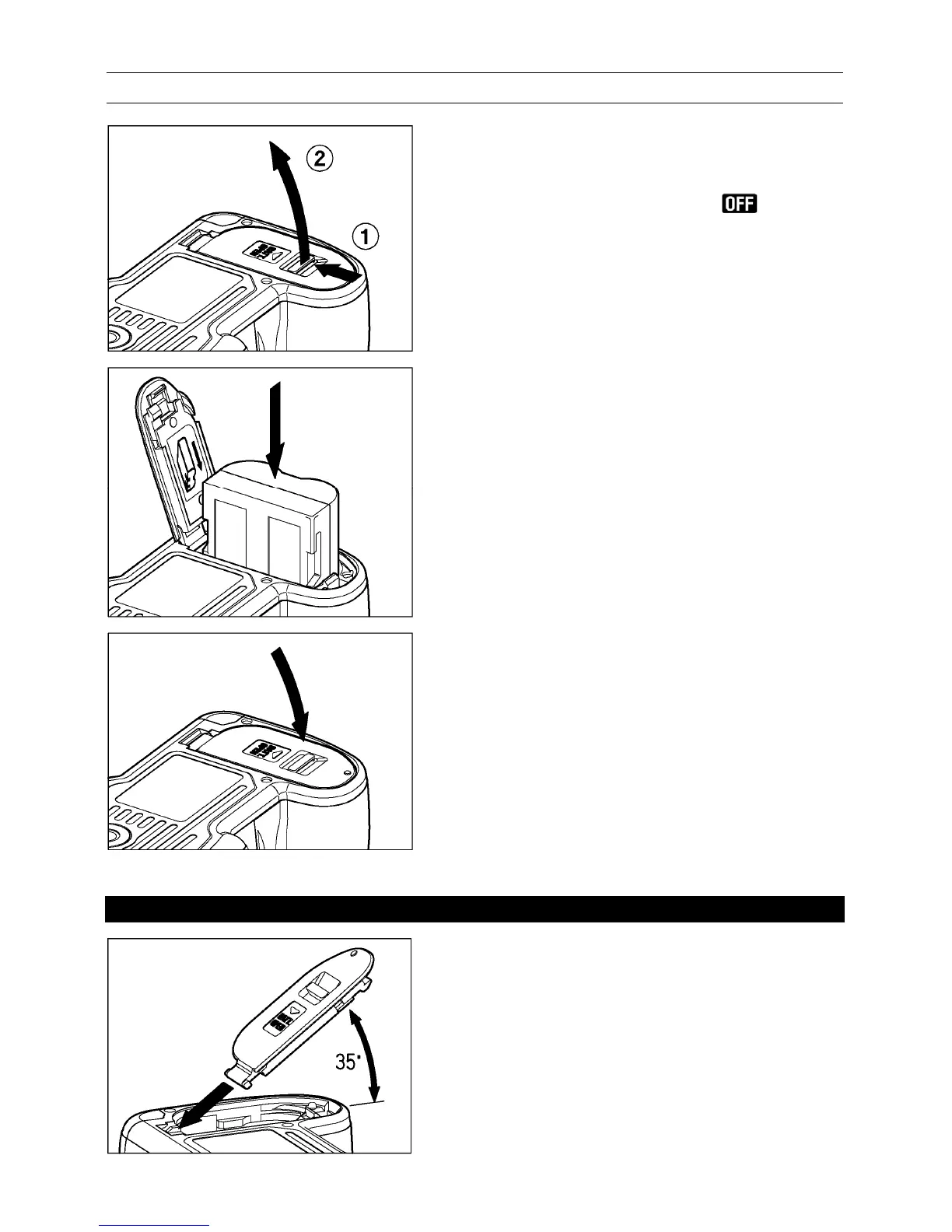
LOADING THE BATTERY
1
Confirm that the D dial is in the position,
and open the cover by sliding the battery
compartment cover latch in the direction of
the arrow, as shown in the instruction.
2
Insert the battery in accordance with diagram
inside the cover.
● Insert the battery until it locks into place.
3
Close the cover securely.
● Push the cover until it clicks into the locked
position.
WARNING!!
It is possible to remove battery cover, if it is
tilted around 35°. If this part comes off during
opening or closing the cover, please insert
cover as shown in the illustration.



 To Next Page