64
IMAGE FILE SETTING
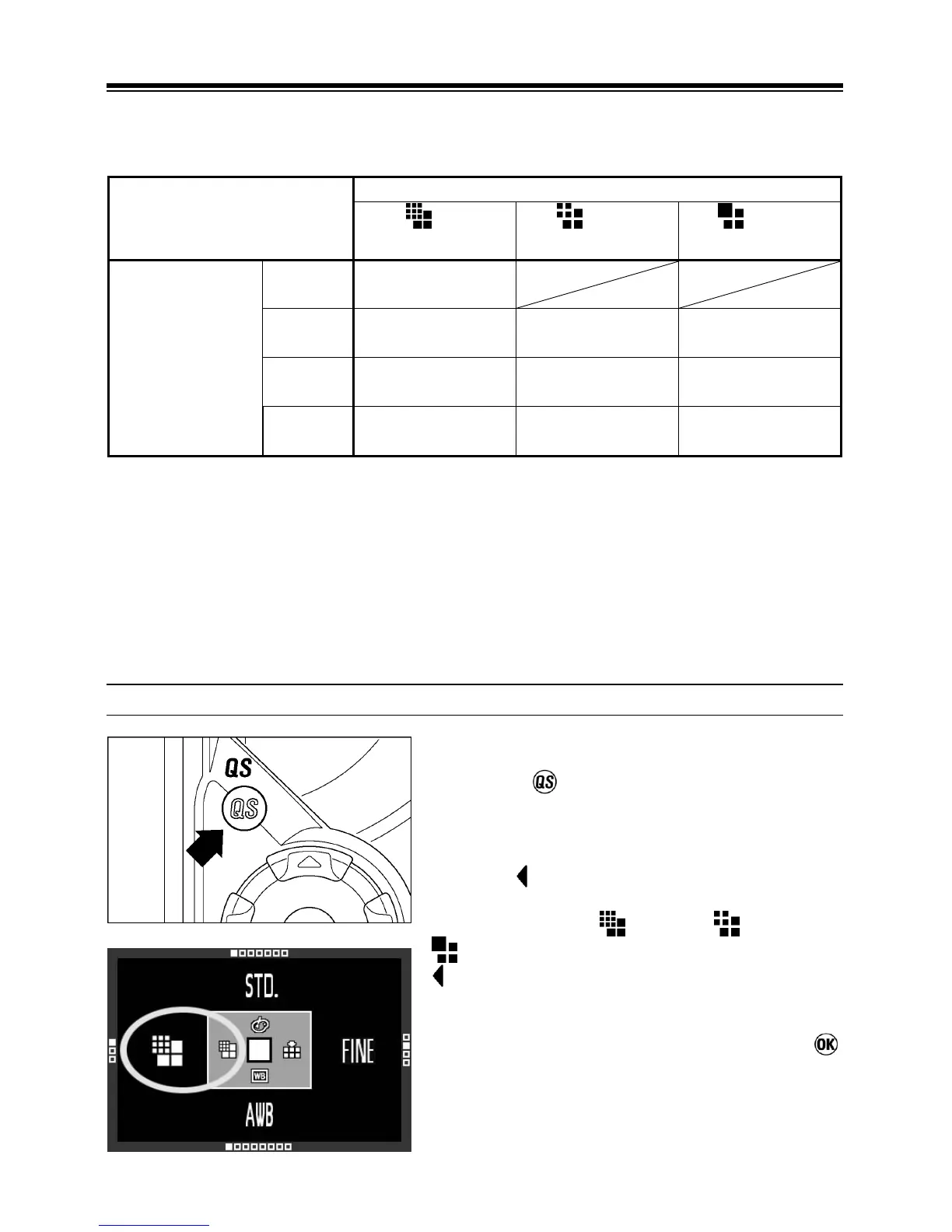
The file size changes depending on resolution mode and recording quality
selected.
Image Size (Resolution mode)
HI
2640×1760
MED
1872×1248
LOW
1312×880
Image Quality
RAW
(RAW)
15.4MB
FINE
(JPEG)
3.3MB 1.6MB 0.8MB
NORM
(JPEG)
1.9MB 0.9MB 0.5MB
BASIC
(JPEG)
1.3MB 0.7MB 0.3MB
* The file sizes change depending on subjects.
Image Quality
It is possible to record images in the widely used JPEG or RAW formats.
The RAW images are recorded without digital processing in the camera body and
require post-processing with the supplied software, which can convert RAW
images to JPEG or TIFF format.
IMAGE SIZE SETTING
1
Press the Button to open the quick set
menu.
2
Use the button on the 4-way controller to
select the desired Image Size. (The following
recording modes
(HI) → (MED) →
(LOW) can be changed by pressing the
button.)
3
Press the shutter button halfway or
button to apply the setting. Then you can
take the picture.



 To Next Page