73
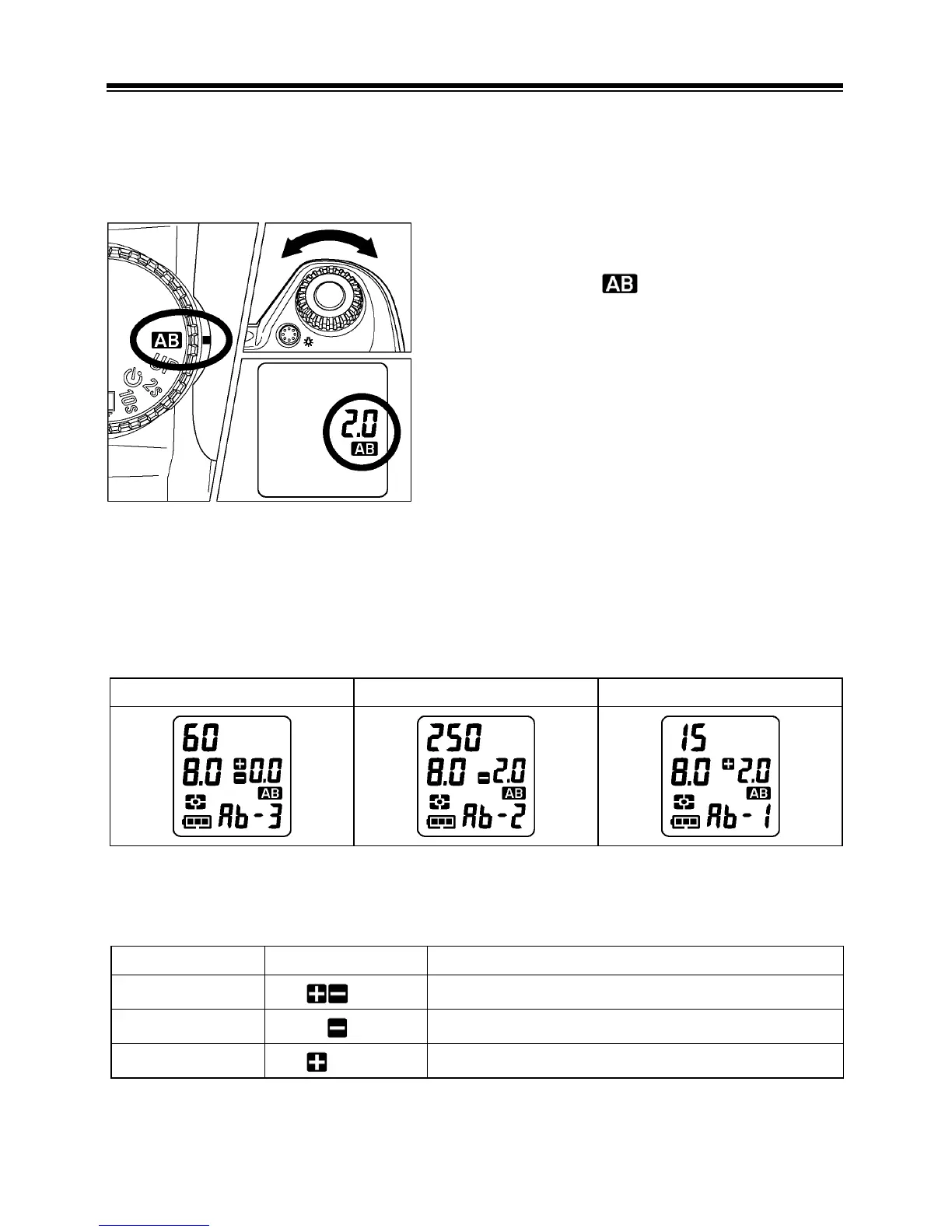
AUTO BRACKETING
This function of the camera lets you take a sequence of pictures of the
same subject at three different exposure levels; Appropriate Exposure,
Under Exposure and Over Exposure. If it is difficult to determine the proper
exposure, please use this function.
1
Set the “D”-dial to position.
2
Turn the “C”-dial to set the bracketing
amount. (It can be set in 1
⁄
3 EV step
increments up to ±3 EV).
3
Set the “D”-dial to drive area (P.14 ).
■
The camera will take three pictures in the following sequence; Appropriate
exposure, under exposure and over exposure.
■ The number of Auto Bracket exposures will be displayed on the Top LCD panel
as follows. (The value of the Auto Bracketed exposure and exposure counter
will be displayed together.)
First Frame Second Frame Third Frame
■ For example: If you set the bracketing amount to 2.0, the indicator in the
viewfinder will show as follow.
P
,
A
,
S
mode
M
mode
First Frame
0.0
* Measured Value
Second Frame
2.0
-2.0 EV deviation from Measured Value
Third Frame
2.0
+2.0 EV deviation from Measured Value



 To Next Page