41
BASIC OPERATION
SELECTING THE EXPOSURE MODE
The features and the operation methods of the four different
exposure modes of the camera are explained below.
P
PROGRAM AE
To make picture taking easier, the camera will automatically select an
appropriate combination of shutter speed and aperture value, according to
the brightness of the subject.
1
Set the “D”-Dial to the “Drive Area” (P. 14).
2
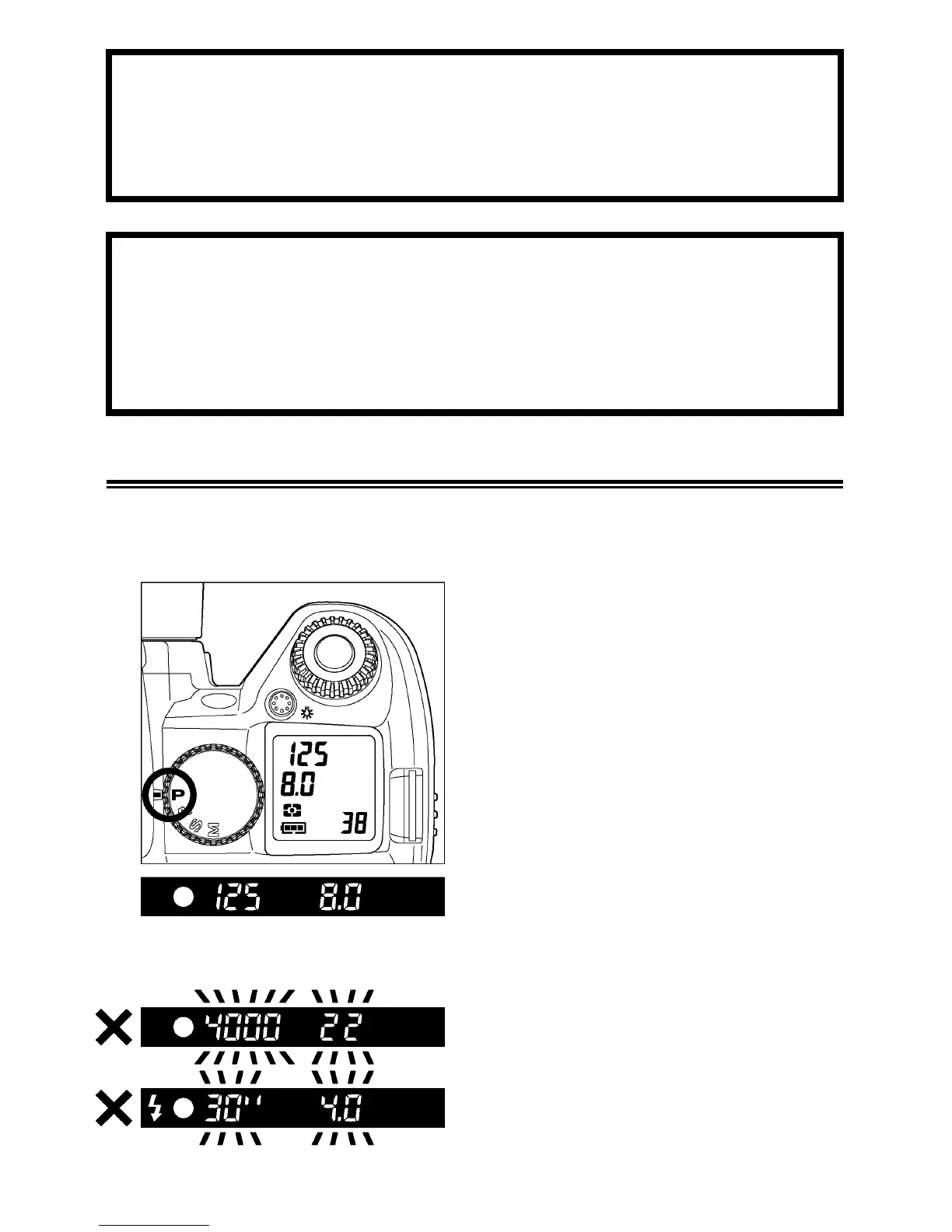
Set the “Mode”-Dial to the
P
position.
3
Press the shutter button “half-way” to
verify the focus and exposure display in
the viewfinder.
If the subject is too bright or dark, both
shutter speed and aperture value
indicators will blink and will show the limit
values. If you take a picture with these
settings, the picture will be overexposed
or underexposed.



 To Next Page