18 von 37
V 07.17
Service Manual BXT3-13/16/19ENGLISH
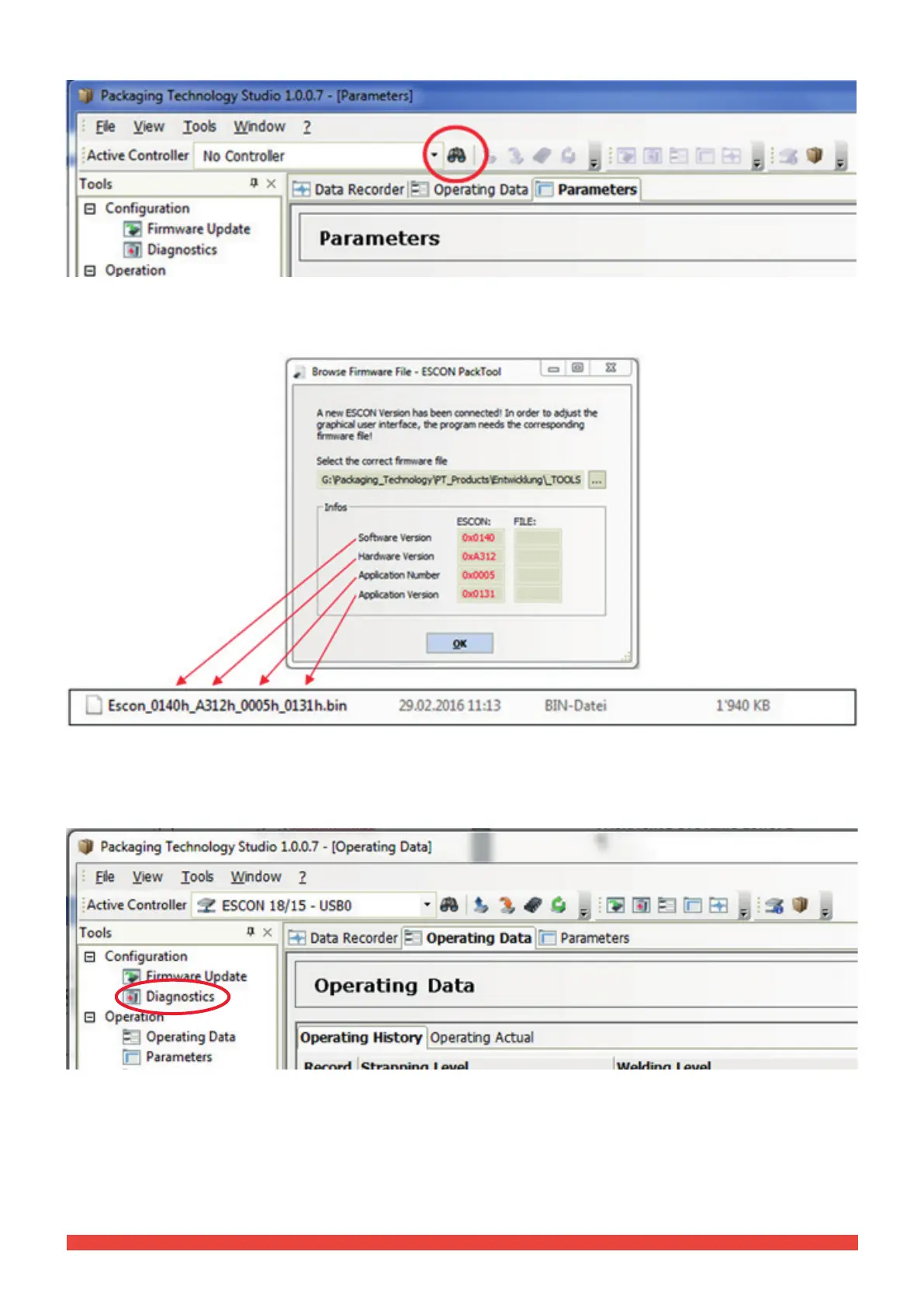
To establish the connection of PT Studio to the tool, click on the icon “Search controller”.
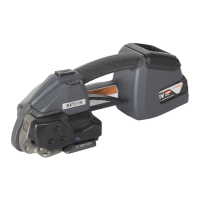
With the rst connection, PT Studio requests the rmware le loaded on the tool. This is stored in the “Packaging
Technology Studio“ folder.
● Using Explorer, highlight the respective le, while observing the version (displayed in red), and conrm with OK.
The connection is being made. Now PT Studio communicates with the device and data is transferred.
3.4.2 Diagnostics
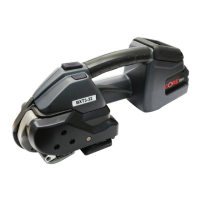
Double click on the “Diagnostics” icon to start the diagnostics.
► Follow the instructions in English.



 To Next Page