17 von 37V 07.17
Service Manual BXT3-13/16/19
ENGLISH
3.4 Service interface (PT-Studio)
● With the Packaging Technology Studio (PT-Studio), the service technician is provided with a tool that helps to
identify problems with the periphery system of the electronics, the electronics themselves and the motor.
The scope of the diagnostics includes the following points:
● Motor
● Hall effect sensors (BXT3-13)
● Encoder (BXT3-16 and BXT3-19)
● LCD display
● Switches and connections
● Buzzer
3.4.1 Starting PT-Studio and connecting to the device
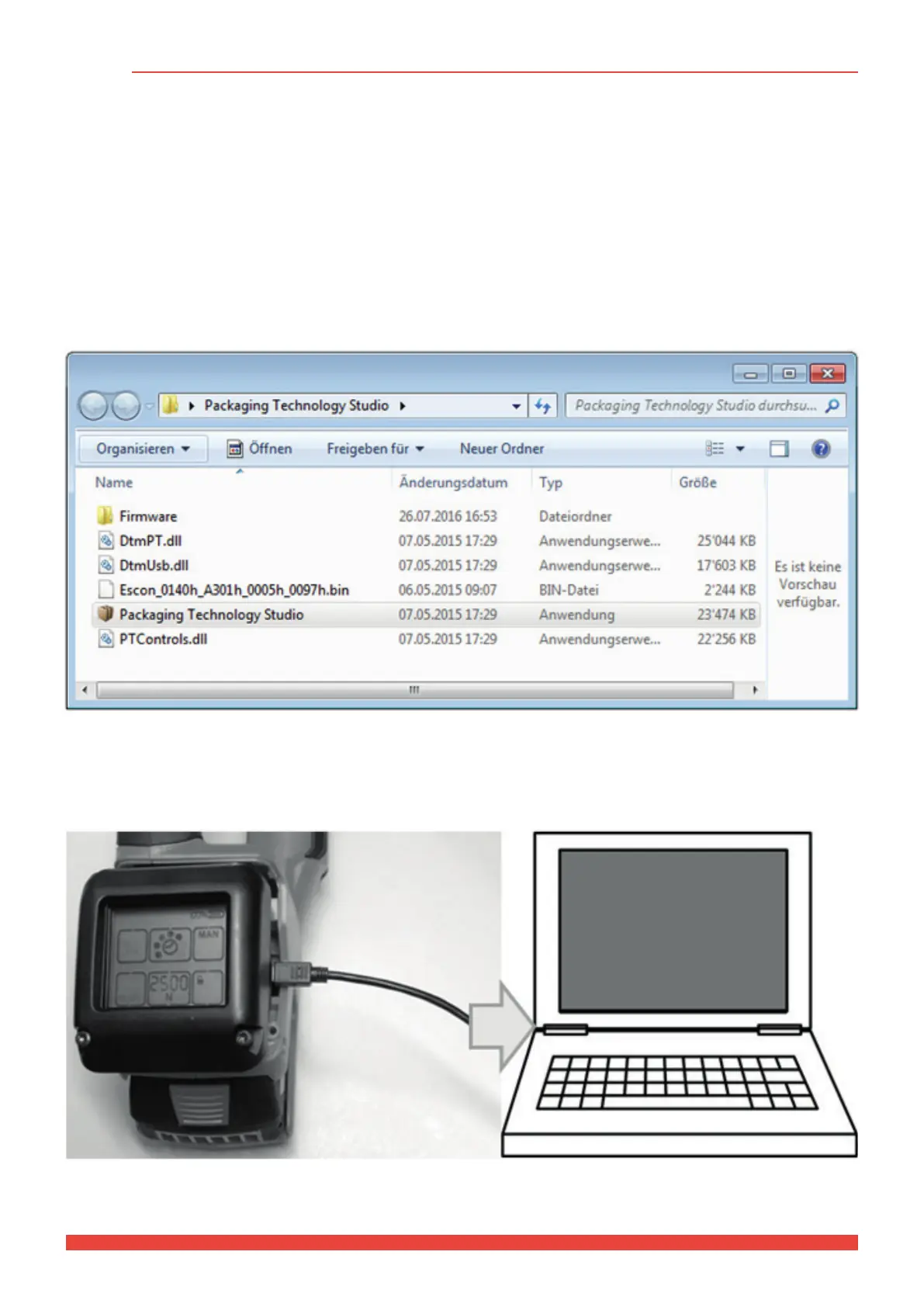
The program does not have to be installed. Execute the File “Packaging Technology Studio” to start.
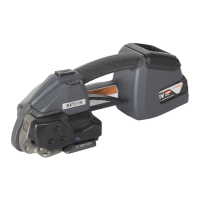
► Then remove both screws # 246 of the LCD operating unit. Lift the operating unit to release it and only lift it so
far that the Micro USB connector can be accessed.
► Insert the battery in the tool and then connect to a computer using a USB connecting cable (USB 2.0 connector
A - USB 2.0 connector Micro-B).



 To Next Page